Hi, I’m having an issue with my brushes in Krita. When I paint, the opacity from each new stroke stacks on top of previous strokes and layers instead of blending smoothly like I expect. It feels like the brush is “overlaying” instead of softly building up or mixing. I’ve checked that my brush is set to “Normal” mode, but it still happens. I’m not sure if it’s a setting with opacity, flow, build-up, or something else. How can I make my strokes blend more naturally without stacking so harshly?
 Hello @Nolfo, and welcome to the forum!
I have to admit that this topic isn’t my strength, but did you try “Greater” from the “Mix” category of the blending modes? When I needed such a function, I’m usually gone through all the modes and tried them out in the hope to find the mode I like, which so far always brought up a mode for my needs - but it can be tedious.
You mention mixing/blending, do you also use a blending or smudge brush?
Michelist
For single strokes the Painting Mode is important.
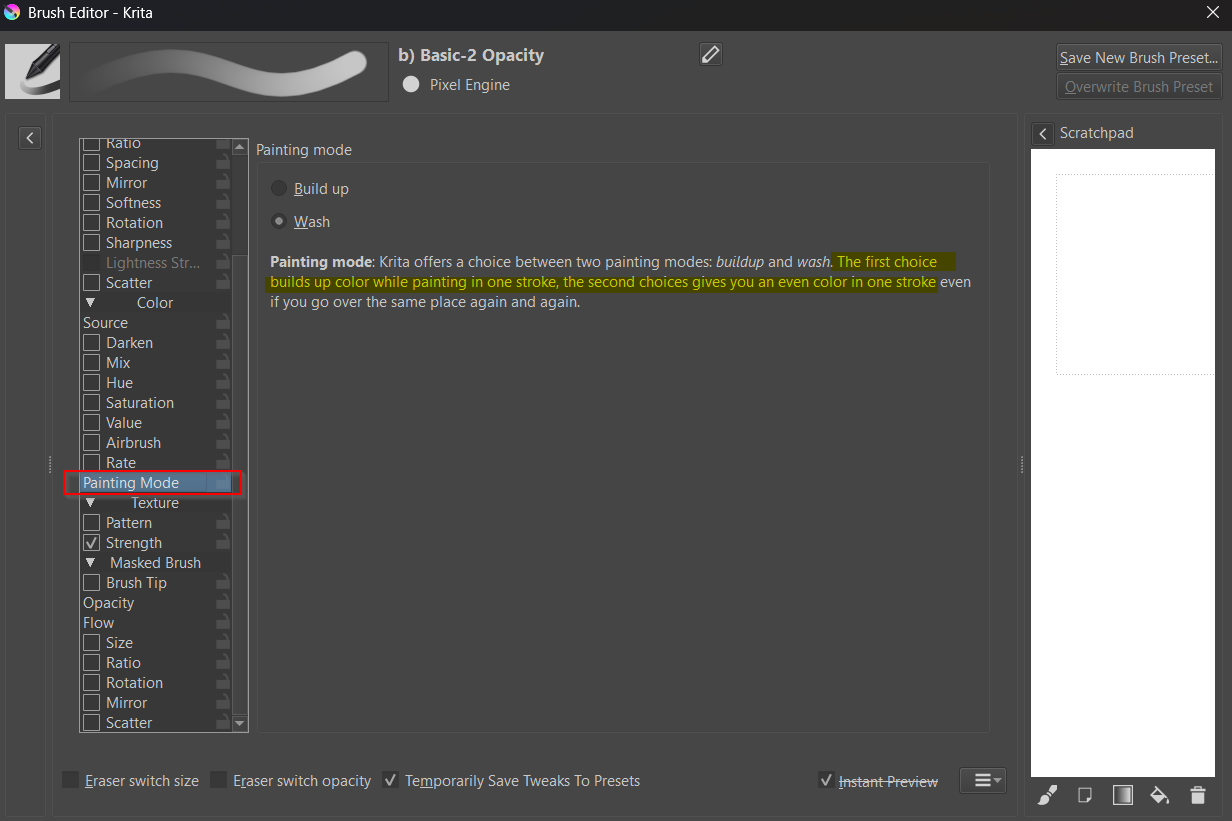
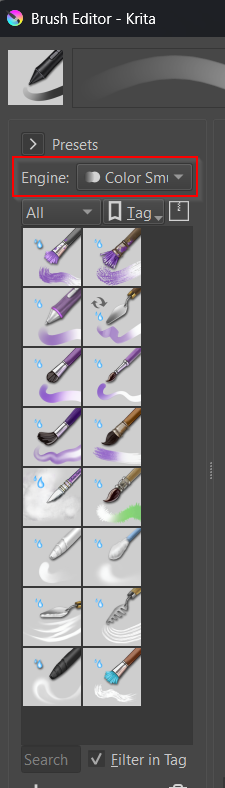
However this only is for single strokes overlapping themselves. For multiple either a blending mode like Greater can help (there are a lot to choose from, like Darken or Overlay, Multiply and so on, each with their own use cases) but I suspect what you want is something that mixes more like a paint brush instead of a marker pen or a pencil so you have to chose another brush engine altogether. Try one of the presets from the Color Smudge Engine. Brush preset icons are usually color coded in Krita’s default brush packs, look for the purple ones.
If you want the build up but not too strong, lower the brush’s opacity curve or press lighter with your pen.