I’m trying to work up a matte painting workflow in Krita. I use Nuke for compositing, and there I’m using OCIO for color management. Krita supports OCIO, so that’s great!
However, I’m having some trouble with the viewer transforms. (I think.)
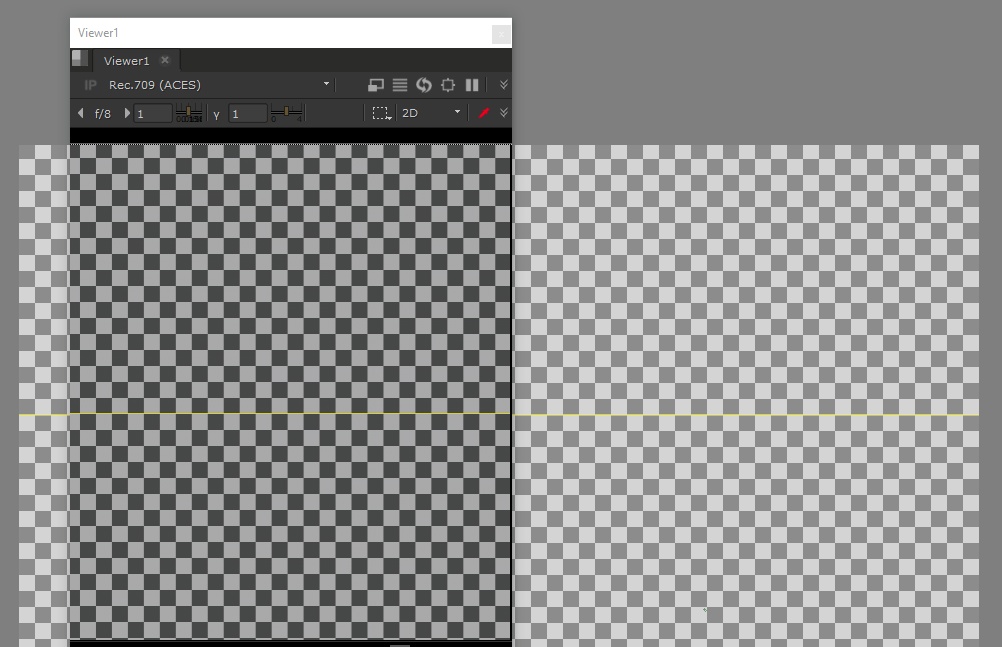
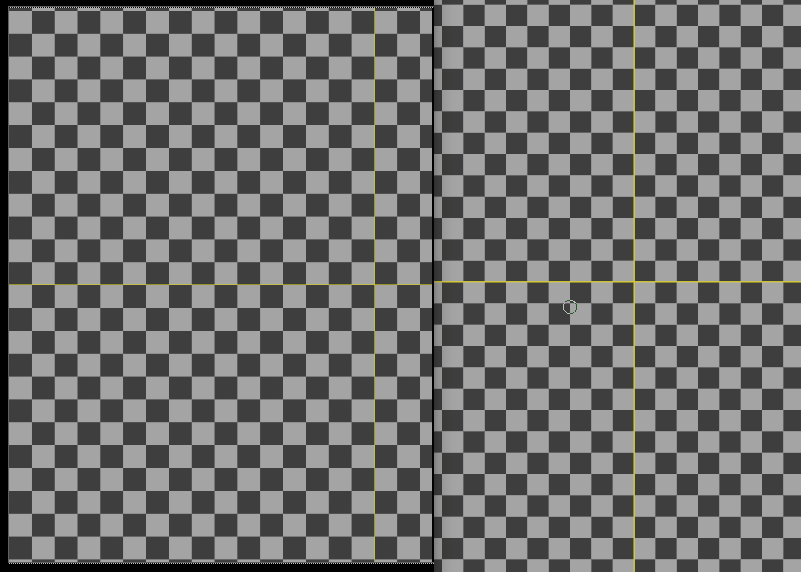
Here’s a screenshot with a checkerboard in Nuke, and the same image written out as EXR, opened in Krita. It’s written out as acesCG from Nuke, and Krita correctly identifies the input colourspace as “role_compositing_linear”, which is the same. Viewer transforms are set to ‘Rec.709’ in both softwares. As you can see, in Krita, the image is, however, much lighter, although the exposure and gamma are set to the defaults of 0 and 1, respectively. (In Nuke, the exposure settings are the defaults as well.)
Now, somewhat interestingly, if I set the viewer gamma to 0.45 in Krita, the colours seem to match, at least perceptually. So that would indicate that maybe there’s an sRGB conversion being done somewhere here? Do I need to do something with the color space of the exr I’m reading in?
Edit: I should add that this seems to be a viewer issue purely, if I export the image back out of Krita, it is identical to the EXR written out from Nuke.
I suspect Krita has indeed assigned the sRGB profile to the image for lcms, and that the ocio conversion isn’t replacing it. You can check if this is the case by assigning the aces profile to the image. You should be able to do this with tools->script->assign.
Hi, @hulmanen!
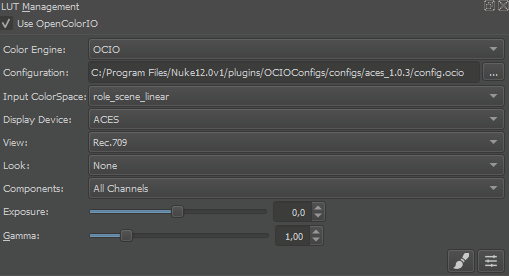
Could you please paste a screenshot of the OCIO docker?
Hi, I don’t have “assign” under tools -> scripts. I did find “color space” under the scripts menu, and tried selecting the RGBA color mode, F16 and assigning acescg-elle-v4-g10 as the colorspace. This, however, had no effect.
Could you please paste a screenshot of the OCIO docker?
No problem, here’s how I have it set up:
No problem, here’s how I have it set up
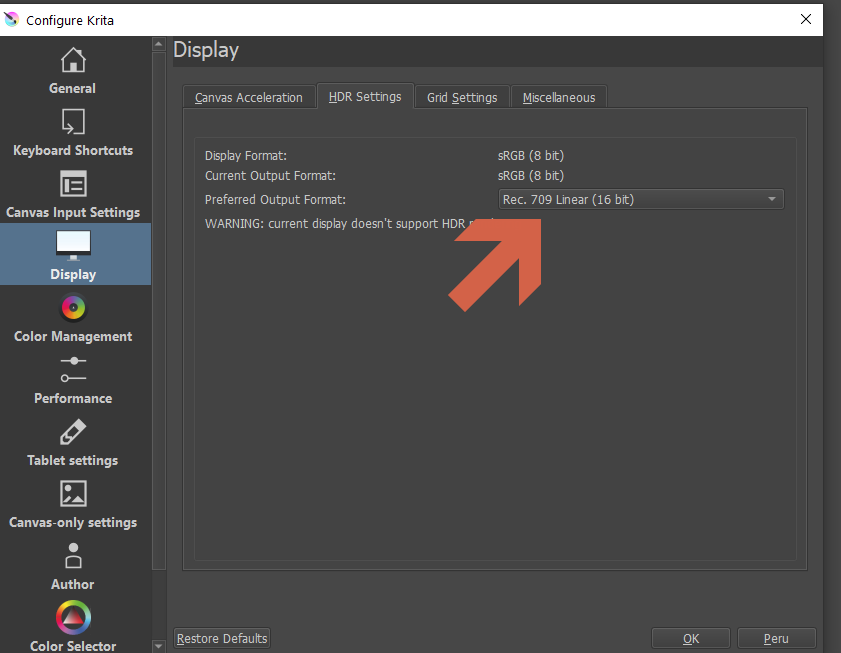
Can you go to Preferences->Display->HDR Settings, select “Rec 709 Linear” and restart Krita?
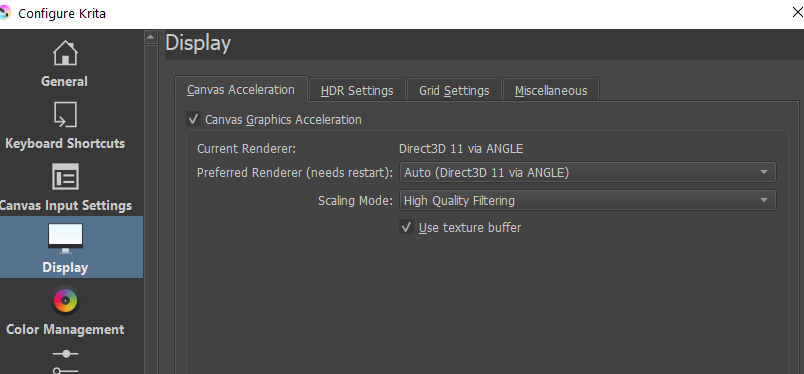
Make sure that you have “Angle DirectX 11” selected as a renderer engine in Preferences->Display section.
Alternatively, you could select sRGB in ether “Display Device” or “View” section of your OCIO configuration.
The idea is: by default, Krita requests an “sRGB 8-bit” surface from Windows and paints on it. You need to switch the surface into “Rec 709 Linear 16-bit” to fit your OCIO configuration.
My preferred output format was set to Rec.709 linear already. Also ANGLE renderer set.
I’d prefer not to use sRGB as the output since in this case we’ve decided on rec.709 monitoring, so that’s what everyone else sees. Of course the difference is small, but this does seem like unexpected behaviour.
Thinking about this, I don’t think I’ve tested the rec709 view lut in Krita before, although I’ve used OCIO on and off before. Maybe that’s why I’m just now having issues. The difference between the rec709 and sRGB view transforms when selected from the lut management docker does seem much more drastic than I’m used to.
Edit: Scratch the last paragraph - sRGB doesn’t really match with Nuke’s output either. I do believe I managed to get this working at some point in the past, though.
1 Like
Aha! I did the opposite of what you proposed, and set my preferred output space to sRGB, and restarted krita. Now the outputs seem to match (Nuke on left):
I’m not sure when the preferred output got switched to Rec.709, but that seems to be the issue here.
Hi, @hulmanen!
I didn’t really understand the final solution. Could you please make screenshots of HDR and OCIO dialogs? Just for my curiosity 
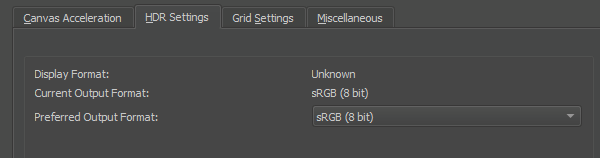
The OCIO settings are as before, and these are the HDR settings that seem to fix the problem:
Again, I don’t know how the preferred format got set to Rec.709 in the first place, but it seems changing it to sRGB fixes my problem.
Hi, @hulmanen!
That screenshot looks quite suspicious It means that ACES+Rec.709 expects the output surface to be in gamma-corrected space. Usually, when I hear “Rec 709”, I expect the space be linear or scene-referred (i.e. gamma == 1.0), but that might be just my wrong expectation It might also be (but rather improbable) that Nuke is also misconfigured.
I would recommend to check the following things:
- Try to open some reference image created by some external party and check if it looks “correct”.
- Check the calibration of your display, the transfer function of the calibration should coincide with the transfer used in this ‘ACES+Rec.709’. Because the only color transformation that happens after the color leaves Krita is
vcgt transformation applied by the video card (loaded with special software). Windows doesn’t do any conversions to it, even if you upload a display profile to it. As far as I can see from Wikipedia, the most probable calibration target is 2.4, but the creators of this OCIO config could think differently
I don’t think my display calibration should coincide with the aces Rec.709 LUT - their sRGB and Rec.709 viewer LUTs include a roll off to prevent clipping of high color values, making it easier to work with HDR images on non-HDR monitors. So it’s not really a straight Rec.709 transform. Not that Rec.709 is very well standardized in the first place, I think the spec doesn’t actually specify a gamma value, although 2.4 is commonly assumed.
From the looks of it, it appears to me that one way or another, when using OCIO and ACES in Krita, an sRGB transform is applied after the OCIO transforms. Maybe that is my display profile being used twice somehow?
Hi, @hulmanen!
Unless you use “Internal” OCIO mode, your display profile is not applied by Krita. Krita just passes the pixel data “as is”. But Windows (or your display calibration software) might apply ‘vcgt’ tag from the display profile, which is a “gamma-like” transformation indeed. Though if ‘vcgt’ is applied, it should be applied to both, Krita and Nuke.
If you find the source of the issue of it (or at least some other evidences), please let me know