Organize toolbars in more lines ? Make new panels with python?

Hello !
I am starting learning krita and i like it a lot, but i am a bit worried about the interface !

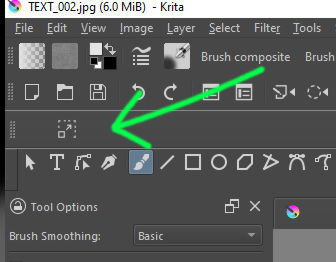
The toolbar have some separator to separate the buttons, but no "start a new line " ?
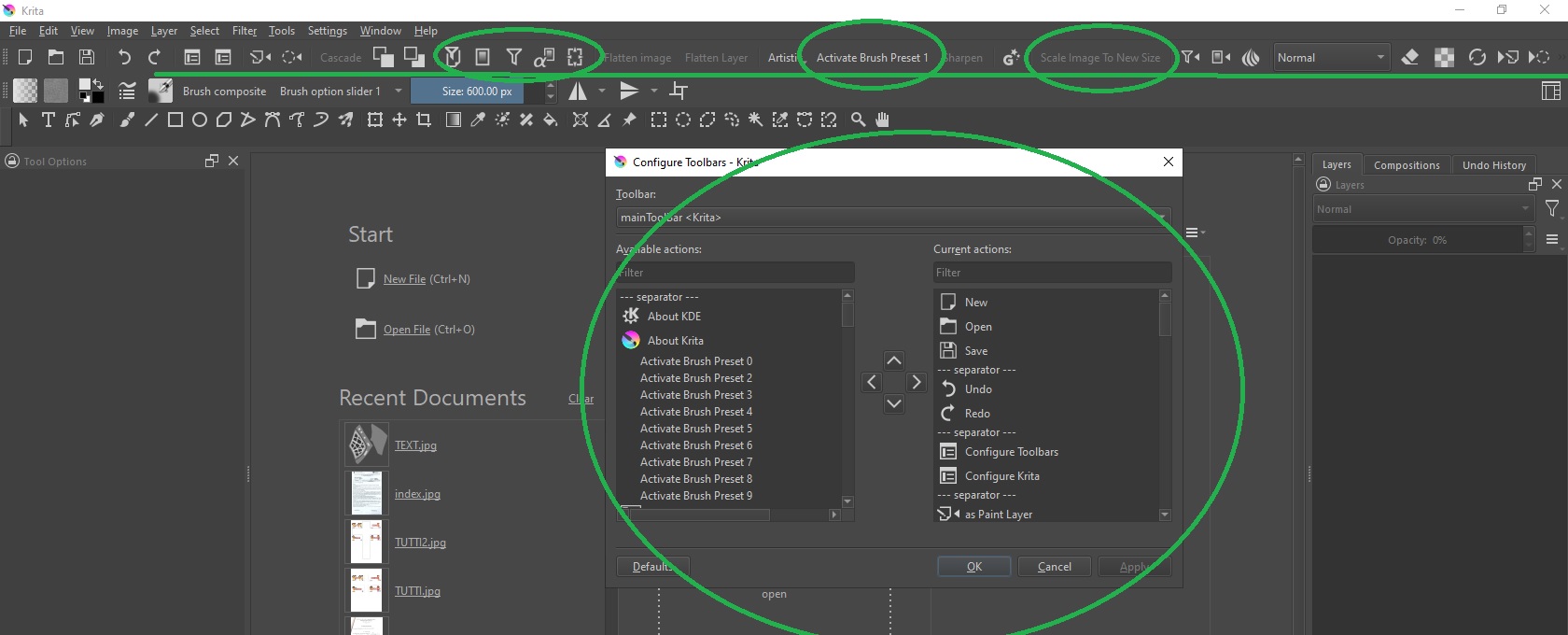
I would like to add all the interesting features to my interface but they literally go out of the screen XD
A lot of them have words, that occupy too much space !

i have tryed to snap the toolbar vertically but it loads 1 button for line XD
thats even worse XD

Otherwise i know some python ,
its possible using the scripter make some new panels to add these buttons there?
Or is maddness?

Thank you for your time !

Hello and welcome to the forum :slight_smile:

I think the problem there is that someone would have to spend time and effort making icons for them that are distinctive and in keeping with whatever theme is in use.

You can activate many of them with keyboard shortcuts (which has its own difficulties in use). e.g. ‘Activate Brush Preset n’ and ‘Scale Image to New Size’ already have keyboard shortcuts at:
Settings → Configure Krita → Keyboard Shorcuts.

You can redefine the keyboard shortcuts in any way you like.

Someone else may know about that.

Hi , thanks for reply !
i found krita have a “full-screen-canvas” shortcut that i love !
So my plan was get a couple of shorcuts and keep the rest in the interface , to hide/show them all .
I would love also make my own panels, let see if someone have any tips,

Yes, you can add more toolbars via python scripting by adding QToolBars.

Actually, I was working on a plugin that lets people add more toolbars and more. But unfortunately, I will probably have to temporarily pause on it since with 5.1 string freeze getting dated, I want to finish some stuff before then. If you want the source for it, I can send it to you.

3 Likes

Hi man , Well if you have some material to share it would greatly appreciated !

If you already know how add custom panels and where look up for function names and stuff
maybe you can drop some links !

Thanks for your time!

I can’t give you more toolbars but I can give you more space in the existing ones.
You can, if you are confident enough to make changes in the configuration scripts, edit the icon replacement texts to save space in the toolbars. If you enter a text of your choice in the icon text line

<iconText></iconText>

sometimes there can be predefined shortcut in it

<iconText>MUCH TO LONG SHORTCUT</iconText>

in Krita’s action scripts, it will be used instead of the entry in the naming text line

<text></text>

For example >>
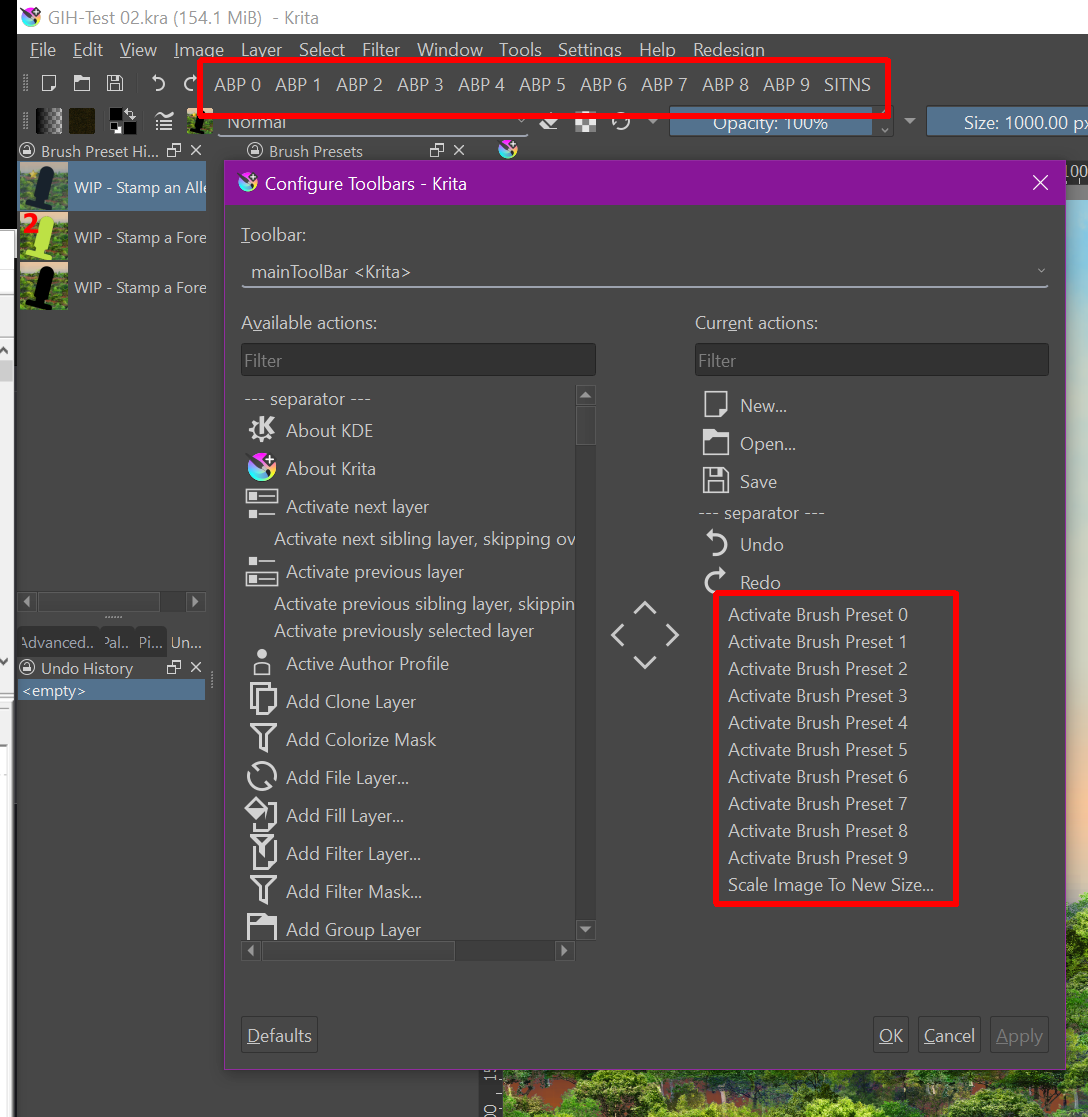
The entries you marked for the “ten-Brushes” script “tenbrushes.action”, if you would like to have “ABP 1” written in the toolbar instead of “Activate Brush Preset 1”, then you have to open “tenbrushes.action” with a text-editor and change the entry in the icon text line >>

<iconText></iconText>

to >>

<iconText>ABP 1</iconText>

and save the “tenbrushes.action” file and then start Krita. Since “tenbrushes.action” is a standard Krita script you will find it in the installation folder of Krita, in the path "*\share\krita\actions", if it were a plugin you installed yourself, then you will find the associated action script, if there is one for the plugin, in the “actions” folder in Krita’s resource folder.
And to show that this does not only work for plugins, as another example I reduced the displayed text for “Scale Image To New Size” to “SITNS”, this option can be found in the file “kritamenu.action”.

But I urge you to make a backup copy of every file BEFORE YOU CHANGE IT! This way you can restore them in case something doesn’t work as you expect :wink:

Here you could download the two before mentioned customized files as demonstration objects (or even build them into Krita at your own risk (created with version: 5.0.2-alpha (git cb223cd)):
tenbrushes.action (should run in any 5.0.2)
kritamenu.action (?)


Example of how it could look alike to save space in toolbars

Michelist

Translated with help of a computer, I was tired and lazy.

Add/Edit: Download links renewed
1 Like

Here you go:

Most of the functions here will not work(cause this is incomplete), but as far as for what you are asking for, it does work. Aka, you can add toolbars and actions to those toolbars. You do so by going to tools->scripts->ToolBarUI->configure…, then adding a toolbar in the listbox. Then create a top/left item and picking a reaction. Anything labeled default isn’t working. So you have to set open by to left click and then pick an action and update the reaction. By setting up multiple reactions, you can even save space on a toolbar by hooking some things to left click, some things to middle click and some things to right click.

If you plan to build your own plugin, you may wish to use addAction instead of how I do it via addWidget:

Otherwise, you probably want to follow the same setup of setting up the toolbar at runtime, and binding the actions once window is created.

I also suggest the python developer tools to find all the actions if you plan to do your own.

3 Likes

Thanks for reply man !

i see you are changing the files manually !
Thats a nice trick ! i may try some of these but doing this will be hard to share !
it would mean overwrite the files everytime and for every people i want to share…

I think i will try dive deep in scripting .

Thanks a lot for reply !

Thanks man i Istantly downloaded the plugin and tryed !
Its a bit hard to understand but i added a toolbar ! thats amazing man ,
This should be a default plugin/feature.
TEST_003

I got a lot of errors while trying to add actions and toolbars.
I also added some stuff that have no icons, or that will not be added at all…

But nice thing these toolbar get saved correctly !!
Do you know where these new toolbars get saved?
I would easily add all the buttons to the toolbar (all 500 XD ) and then manage them by text !

I think tooo many question and stuff XD

Thanks a lot man for sharing this,
I will try to read also the scripting pages Krita Scripting School

Would be great have some Pop-up menu or toolbars with well defined actions and buttons
I will let you know What i came out with !

It looks like they are in the resources folder in -/krita/krita5.xmlgui and are readable and editable.
Making changes by manual editing is ‘interesting’ but maybe not the best way :slight_smile:

What errors did you get? It is incomplete so I wouldn’t be surprised but it would be nice knowing for records.

As for no icons, if you expand the action dialog size, you will see the icons actions have/don’t have. If an action does not have an icon, you can add an icon or replace an icon by hitting the folder button and picking a custom icon.

And what do you mean by save? Do you mean my incomplete plugin? The toolbar states are saved by the windowstate, the buttons on the toolbar as saved as json and saved into krita settings which goes into the kritarc

The goal I had for ToolBarUI is to allow a person to access all actions, and all dockers while having a completely minimalist interface. But again, it will have to wait for after 5.1, or at least after 5.1 string freeze.

Thank you,
i see the list of the action names in my toolbar !

The plugin KnowZero is making is clearly the best !

About the errors i get:
I got some Error_Krita_01 ?, and some more complex, i didnt saved them all XD, One was index out of range? for when i added the colorpicker…
If you want i will store the errors i get !

I found the button to set the icon , awesome, !

Can i ask you:
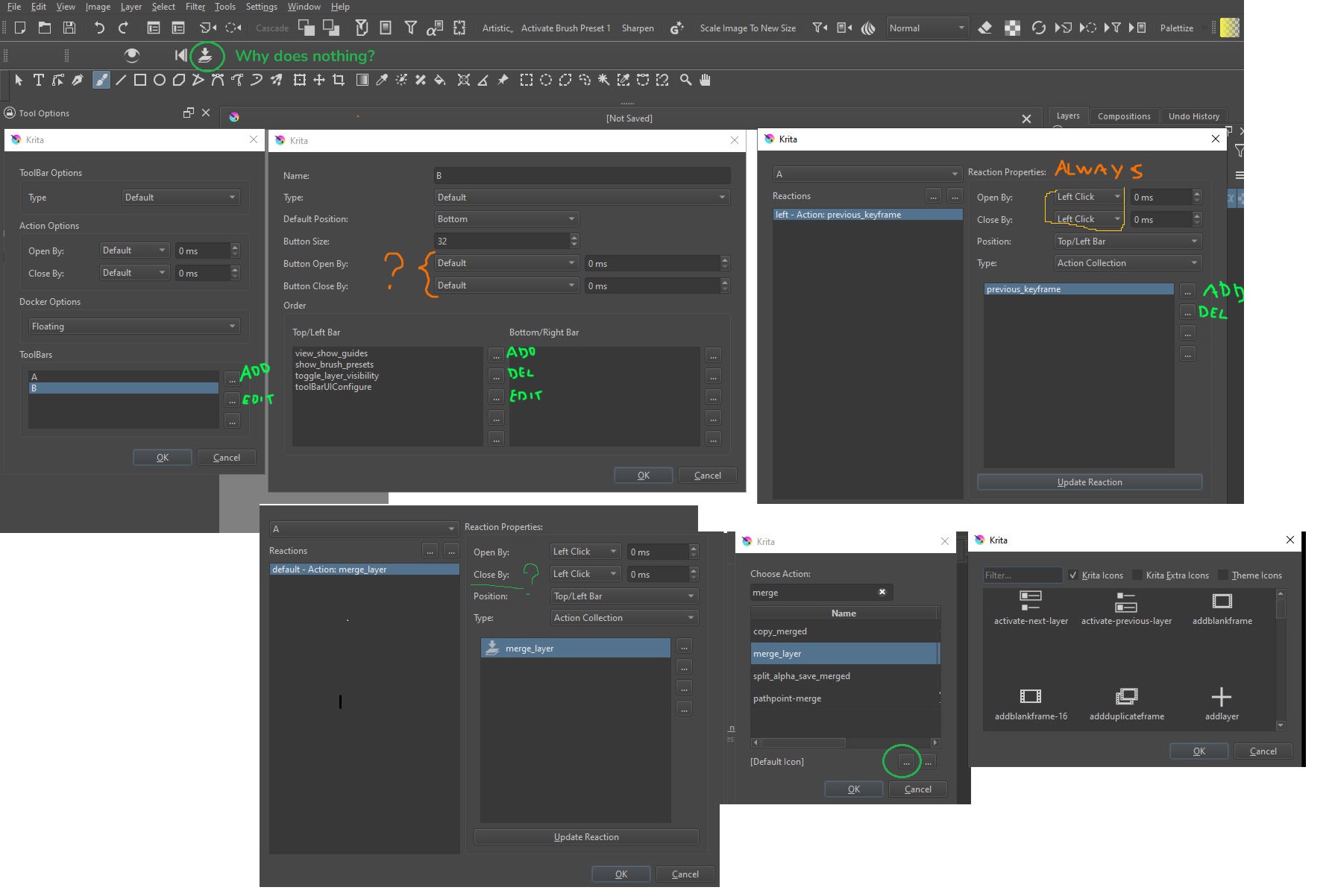
Do i have some wrong setting? because some buttons does nothing.
What does mean , button open with , close with ?
And why is repeated in the “Toolbar setting” ?,

Here a screen,

By the way , amazing work man !
I saw you have also some variable to set it Floating and Docked
Would be amazing be able to open and close panels and
toolbars with a Key !

Oh sorry, for windows you gotta add the icons manually. Here on linux, the UI files icons work out of box. Hence why you are not seeing the icons in the interface.

You gotta remember to save your settings of left click. I can see it is still set to default, hence why it doesn’t work.

For actions, open with is how to run the action. So you can configure multiple actions to same button left click, middle click, right click and hover.

Close with isn’t working yet, it is for when dockers and action collections are implemented.

And yes, the goal is to work how you think it will, single button would be able to open a menu of actions (action collections) and dockers.

oooo, to make it work i need to Set everything and then hit apply reactions ! Now it works !

Thanks man, greatly appreciated!
Gonna try set some stuff now!

Keep it up and let us know when it will be completed !

This topic was automatically closed 3 days after the last reply. New replies are no longer allowed.