Hello. I have a question about saving layers with overlay mode. I’m making a game with 2 image layers, top (shadows and lights, table) and bottom of the character. I have attached images of how it looks like in krita. On the second one, how it looks in the game itself. Is there any way to save to keep the blending mode as a normal png layer? I realize that the overlay mode uses the layer below, but maybe there’s some way to make it work? Or just redraw without the overlay mode
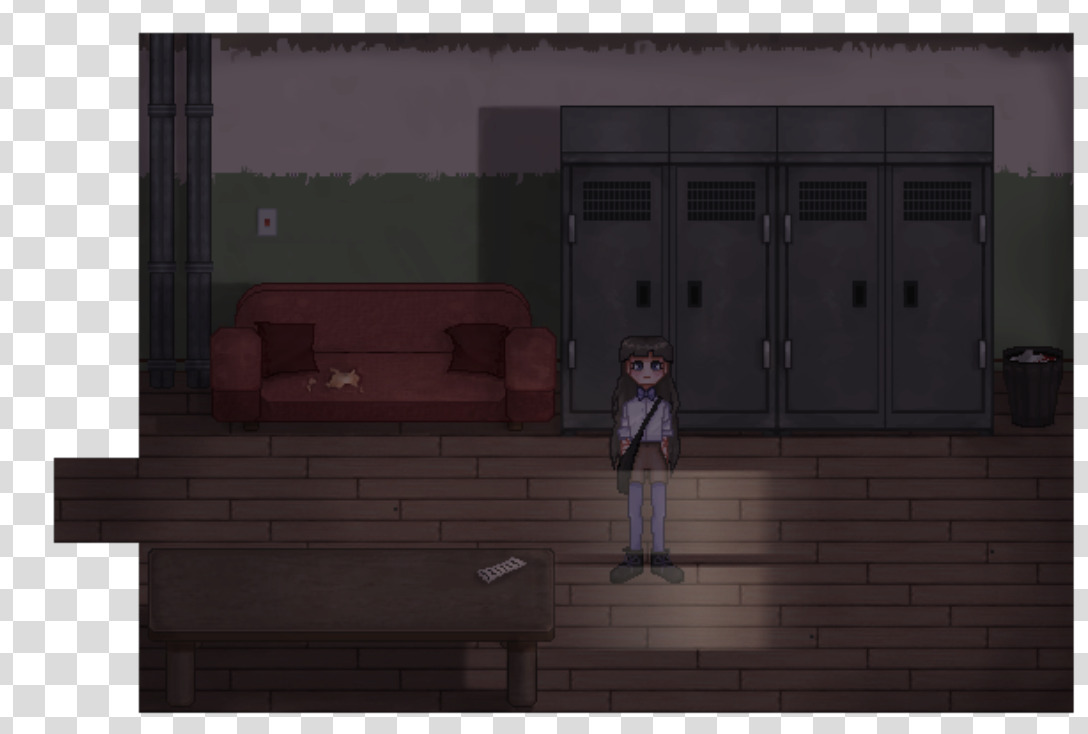
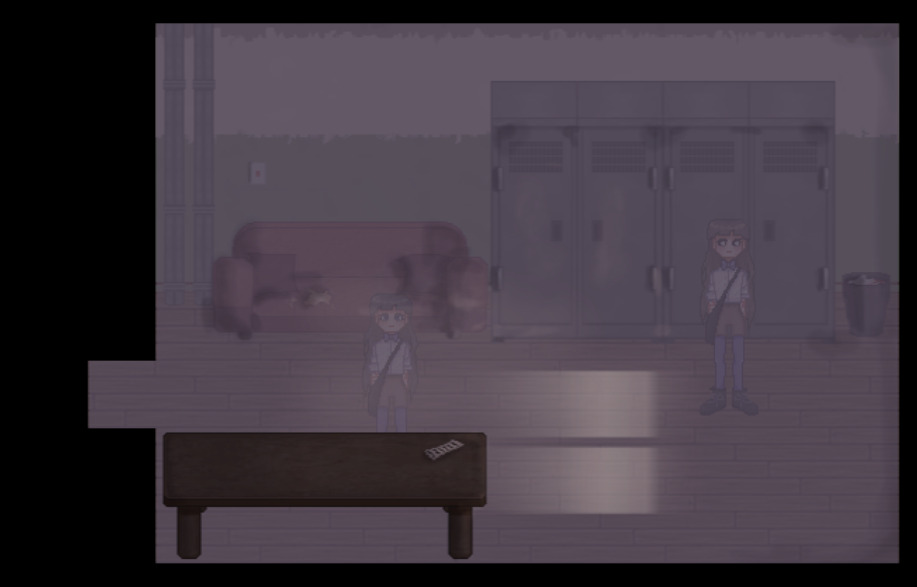
 Hello @rax and welcome to the forum!
Hoping I’m not too far off the mark now, as I’m completely exhausted and about to go to sleep:
You can’t save multiple layers or the associated blend modes in a PNG, it’s effectively WYSIWYG. This means that in Krita you export from the PNGs what you want to see in the game, i.e. hide the figure layer and, if there are still several layers and or groups in the image to be exported, that you then select “New Layer from Visible” from the right-click menu and export the layer created in order to get the image displayed in Krita, a layer export fails here (with several layers, blend modes).
Hopefully I won’t have to smile about this post and myself tomorrow 
Michelist
1 Like
By any chance, do you have HDR selected in the png export dialog settings?
1 Like
i have, but it’s still don’t work
Selecting HDR when exporting to png can cause the image to gray out.
Any game engine worth its salt can also do blending, perhaps through the use of shaders or compositors.
The second mistake is that the table should not be part of the shading layer.
So basically, this is not an issue with Krita, it’s with how you put the layers into your game. The blending modes in Krita expect to be part of a completed image, and not to be separated again. The blending layer needs something to blend with (the layers below) and don’t work on their own (or don’t blend with anything).
If you export just that blending layer, it won’t do anything on its own, a png file has no idea of blending modes.
Also: Don’t export as HDR unless you use them like HDR images in your game (when your game supports HDR).
What you probably need to do is:
- Export shading layer in normal mode
- export background layer in normal mode
- import both files into you game’s scene
The next steps depend on the game engine.
If possible simply add both layers to the scene and change the blending mode of the shading layer like you would in Krita. Or use it as a mask or maybe a shader is needed to compute the values. But this is outside the scope of this forum. Check your game engine’s manual or ask their support or community.
1 Like
This topic was automatically closed 30 days after the last reply. New replies are no longer allowed.