This tutorial is in relation to this topic:
So, first of all thanks for @sooz and @AhabGraybeard for the help.
One of my favorites techniques for coloring is to lay the most amount of color variation possible, then start sculpting which colors i want to define shapes and forms. One of the possible tools to the task is applying color variations through the Hue, Saturation and Value setting in the brush editor.
Another one, my personal favorite, is to use patterns from references or made by yourselves. Here’s what i mean:
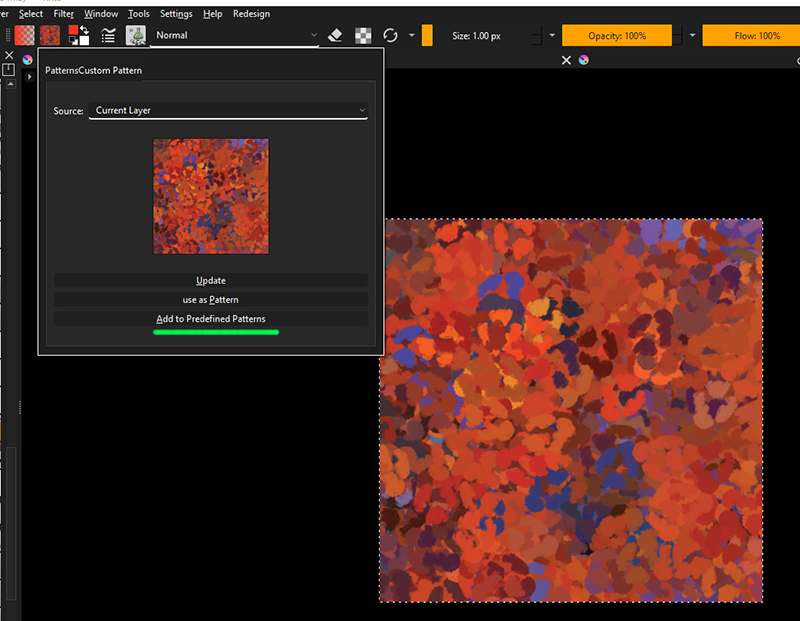
Open a desired pattern (for this example, i’m using a pattern provided for free, for Photoshop, by Creators Couture, on their website), but any will do the trick. I’ll be using a PNG with 500x500 pixels.
Once opened, go to “Fill Patterns”, then “Custom Patterns” and “Add to Predefined Patterns”. This will save the current Pattern as .PAT in the Krita folder. (Click “Update”, in case your don’t see the pattern load in the preview) With the pattern saved, select it.

After that, open the Brush Editor, look for the “Color” tab, and right under it “Source”. The option we’re looking for is “Pattern”, click to select.
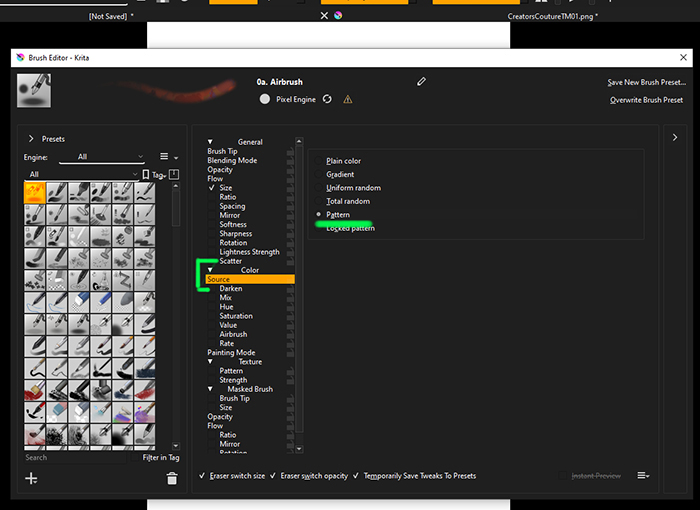
Done, now you can paint with patterns. This works for “Pixel” and “Shape” engines (that i’m aware)
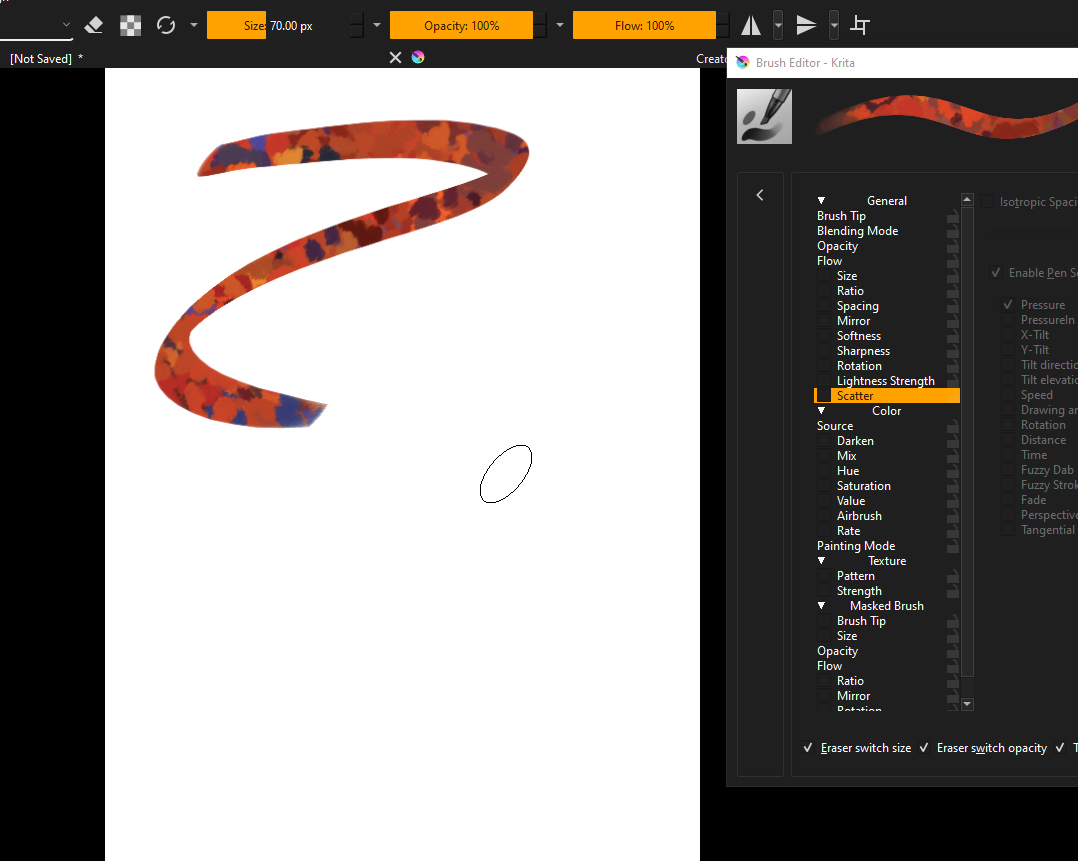
Now comes the part of “How or where to use?”, so let your imagination play a bit. This can be used to apply certain textures (clothes, for instance), or even colors, to your paintings. Plus, remember that we are sourcing the “colors”, not the pattern themselves, which means you can still add patterns and other setting to the brushes, customising effects even more. Very few tweks can get some really cool impressionistic brushes, for example.
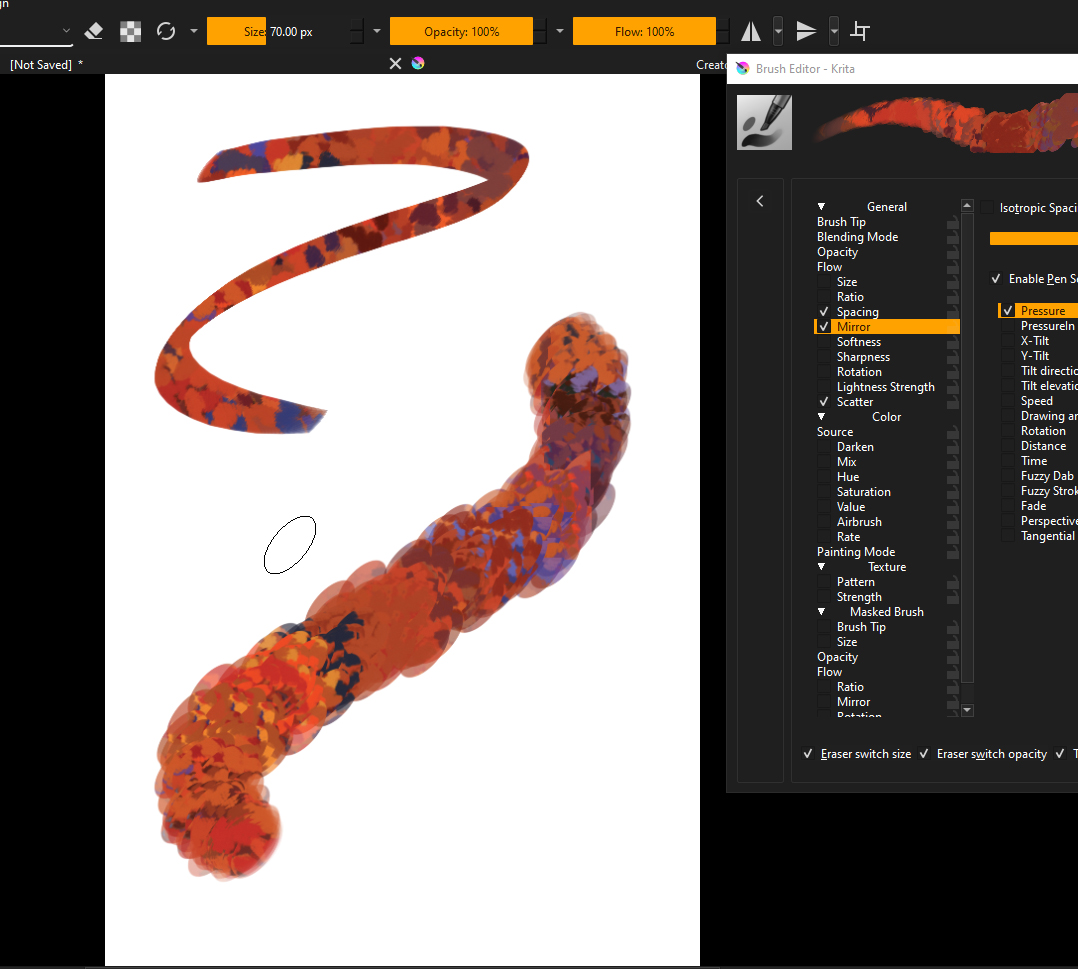
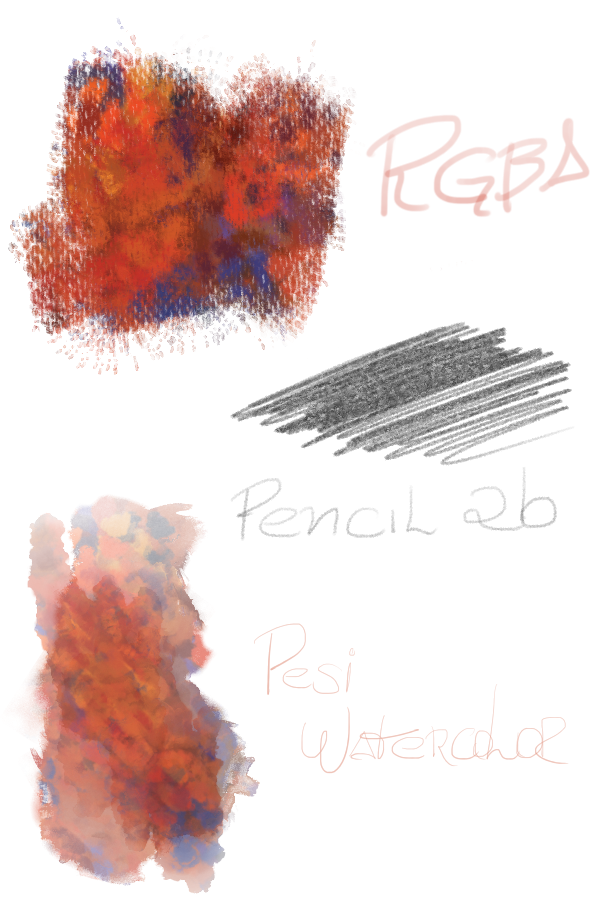
Hope this can bring some fun to you all!.
Take care!
If i made something wrong, or someone has any question, i’ll be glad to help!


 has beaten me to it. Thanks!
