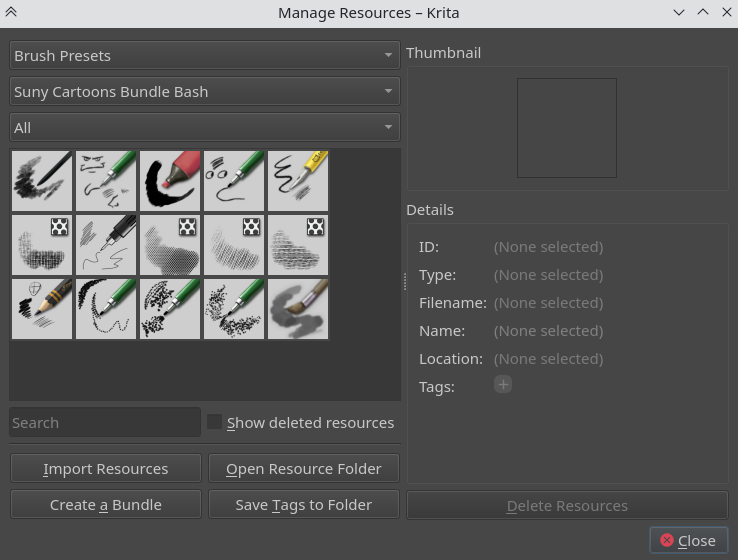
A while back I wanted to make a bush bundle themed to retro-style comics. I’ve made a basic set for the moment, and I want to share them with some of my friends who use Krita. Unfortunately, one friend (who’s being a tester for me) is having trouble importing my brushes and has told me they don’t show up.
I’m not sure why this is happening since I’ve had no issues importing my own brushes, and according to this friend he hasn’t had issues importing other bundles. Is there something I forgot to do when making a bundle? There aren’t a lot of up-to-date tutorials on creating bundles in Krita so it’s possible that there’s something I was suppose to do but didn’t.
If anyone can help I’d appreciate it. I’m getting frustrated with this and I really want to share these brushes.
This might be helpful - it shows how to create a bundle.
I noticed a warning on the page about what happens if we don’t include the brushtip. When you read that, does it describe what happens when your friend tries to import your bundle?
As for @raghukamath, this bundle also works for me without any difficulties. Restrictively, I must add to have tested the brushes only with the mouse, but that was possible without problems.
To be able to find the brushes without searching, I deactivated all other activated bundles after the import. But you can alternatively search for the names of the brushes, via the search of the “Brush Presets” docker, a look in the folder “paintoppresets” of the bundle is enough for this, or you tell the friend the names of the brushes that are searched for.
In addition to tagging your brushes and adding that tag in the bundle, you can also add a prefix to the brush name so that they can be easily searched.
@Michelist@sooz@raghukamath Thank you for your suggestions. I’m going to talk to my friend and add tags/brush tips to the bundle and see if all of this will help.