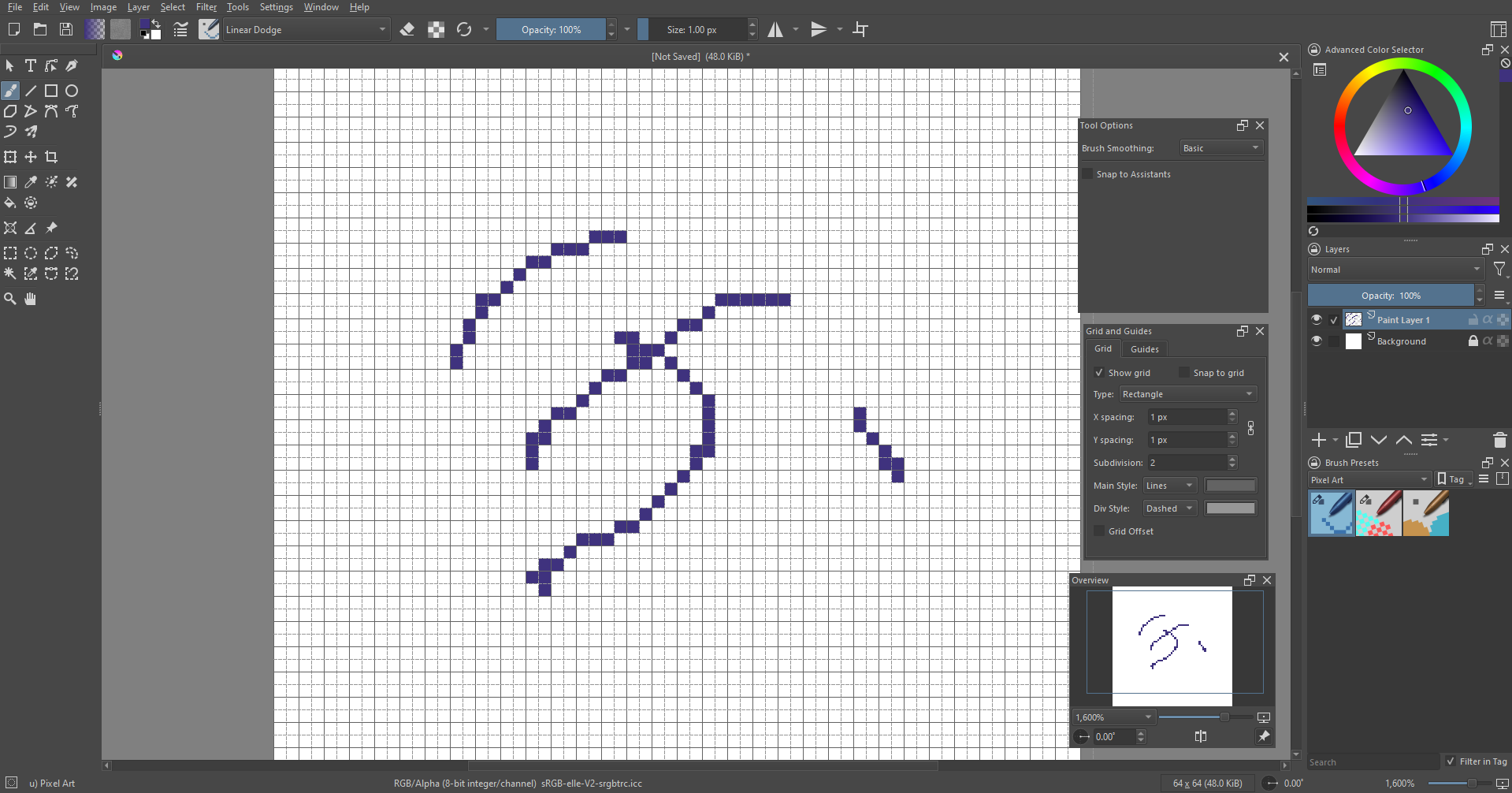
Hello, I’m new to Krita and this forum, therefore I hope I’m asking on the right place. I have the following situation, when creating a new Image, I can have the Width and Height set to 64 x 64 pixels, the Grid and Guides tool with the X and Y spacing set to 1px and the brush size set to 1px as well. Having all of this I can have a smooth experience drawing, as no matter where the brush goes, only the squares of the grid are filled:
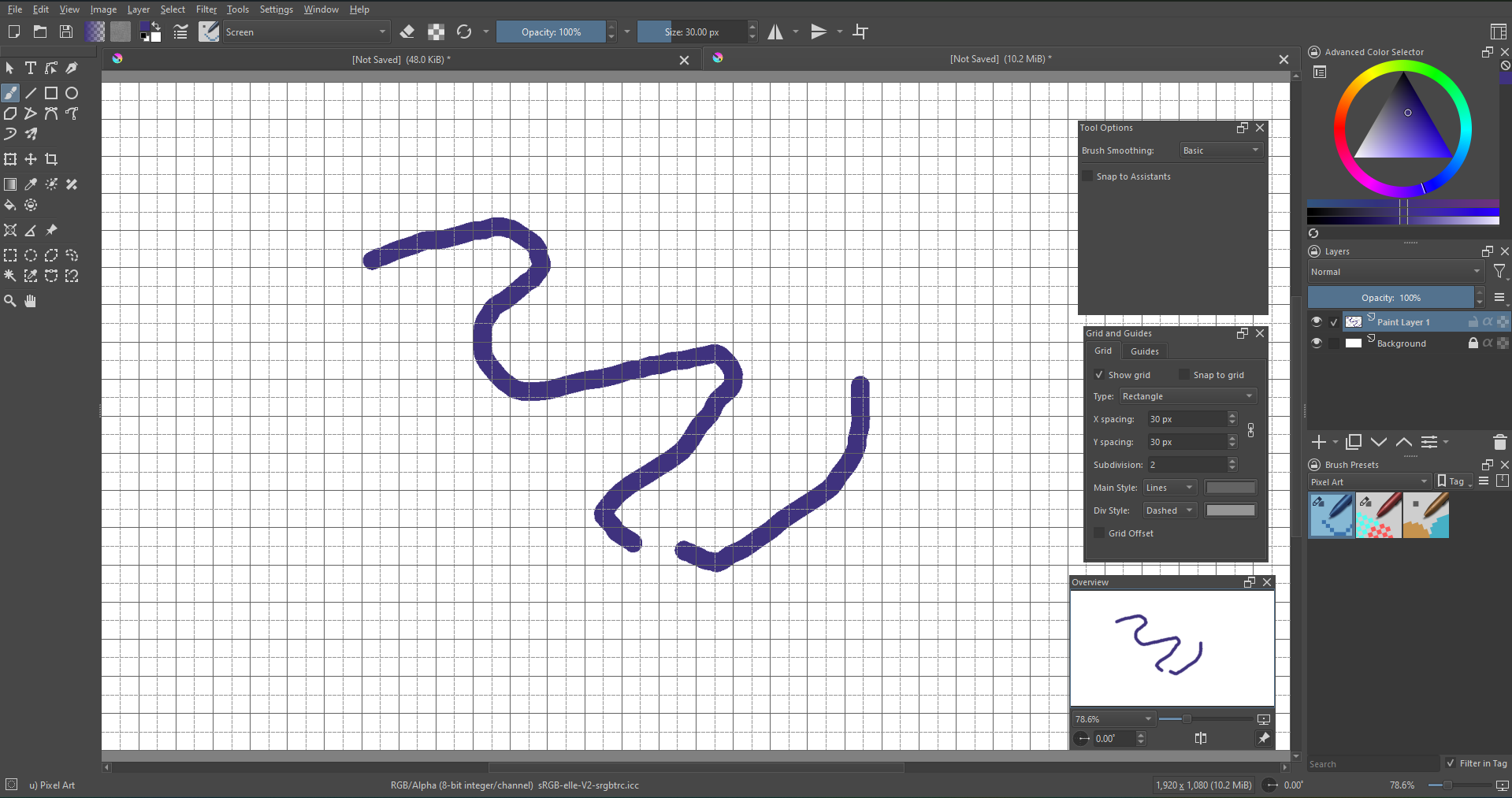
However when doing the same for a new image with 1920 x 1080, the X and Y spacing set to 30 as well as the brush size, I do not get the same experience as the brush go out of the grid square bounds:
Is there anyway to replicate the same experience that I have with the 64 x 64 resolution? Thank you.