Pixel Perfect brush smoothing not visible?

Hi all,

I saw this post from a year ago:

Very exciting! This makes Krita now usable for me, for the work I’m looking to do. Thank you!

However, My Brush Smoothing does not have this option:

I am on the very latest build, and this is on Linux, and Android.

Has it not made its way into the production build in the last year, or, is there maybe a toggle I’m meant to activate?

Any advice would be appreciated, thank you

Pretty certain it’s coming (I figure in Krita 3), because it’s currently available in the Nightly Next version of Krita that I’m using.

2 Likes

Ahhh that’s interesting! Is the nightly build made available for android? Do you feel it’s safe to use?

Update! Found them

Looking at the download links, I do see Android versions there, but I’m not sure what they’re like (or how easy they are to use), as I only ever used the Windows version. For windows, it’s as simple downloading the file, extracting the zip, and running the executable (they’re in portable form, so there’s no installation needed; for windows, at least). Here’s the link to the download page: Index of /ci-builds/graphics/krita/master

(EDIT) - Forgot your safety concerns. I’ve used versions of the Nightly Next almost primarily for years. Apart from occasional stability issues (because they’re works in progress), I haven’t had any issues. I do recommend you back up your Krita folder though (the one that holds all your folders for resources and all of that), just in case.
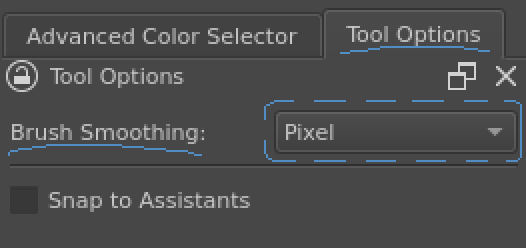
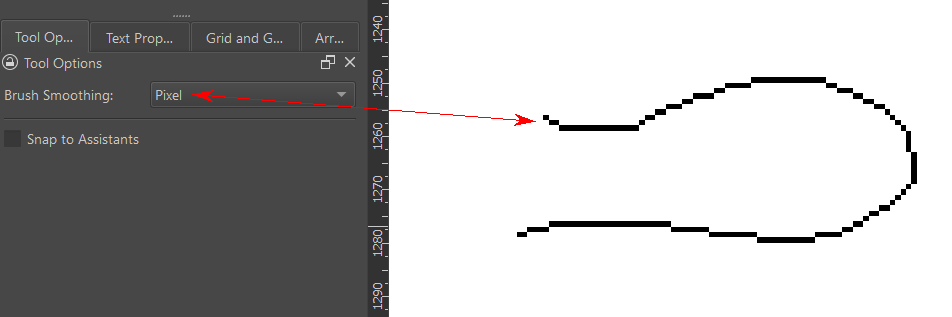
1 Like

I’m currently using the 5.3 Android apk nightly. It is a dream.

2 Likes

That’s awesome. Thank you so much!

This topic was automatically closed 4 days after the last reply. New replies are no longer allowed.