I’m sorry about my general frustration in the title but I’ve been wrestling with Krita for the past fifteen minutes with zero luck, and as I have said, I am genuinely losing my mind a little because I’m already a bit stressed out.
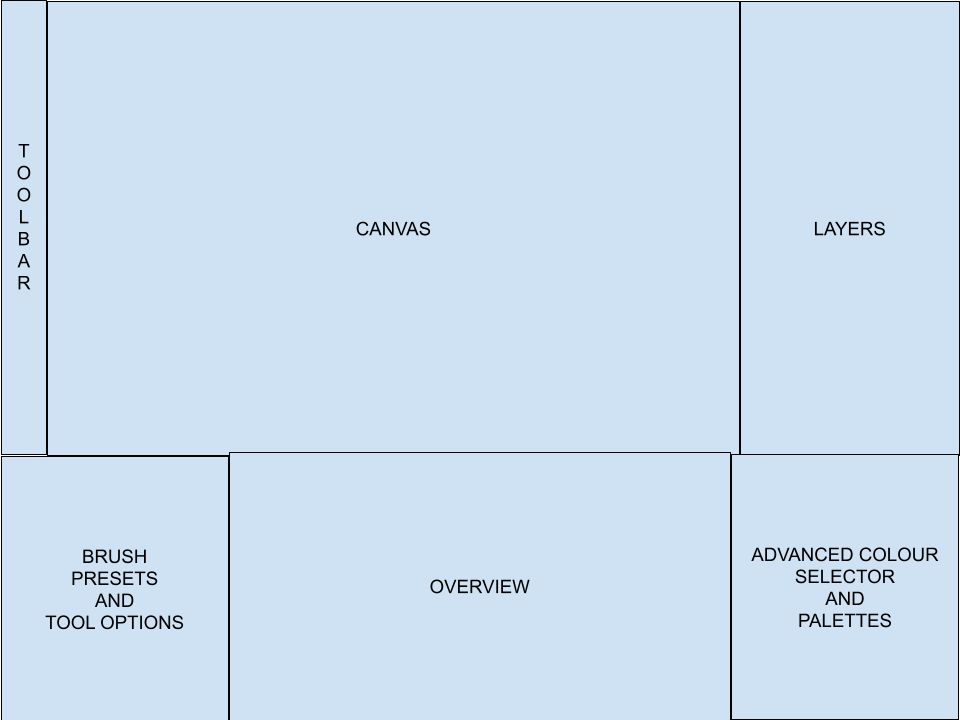
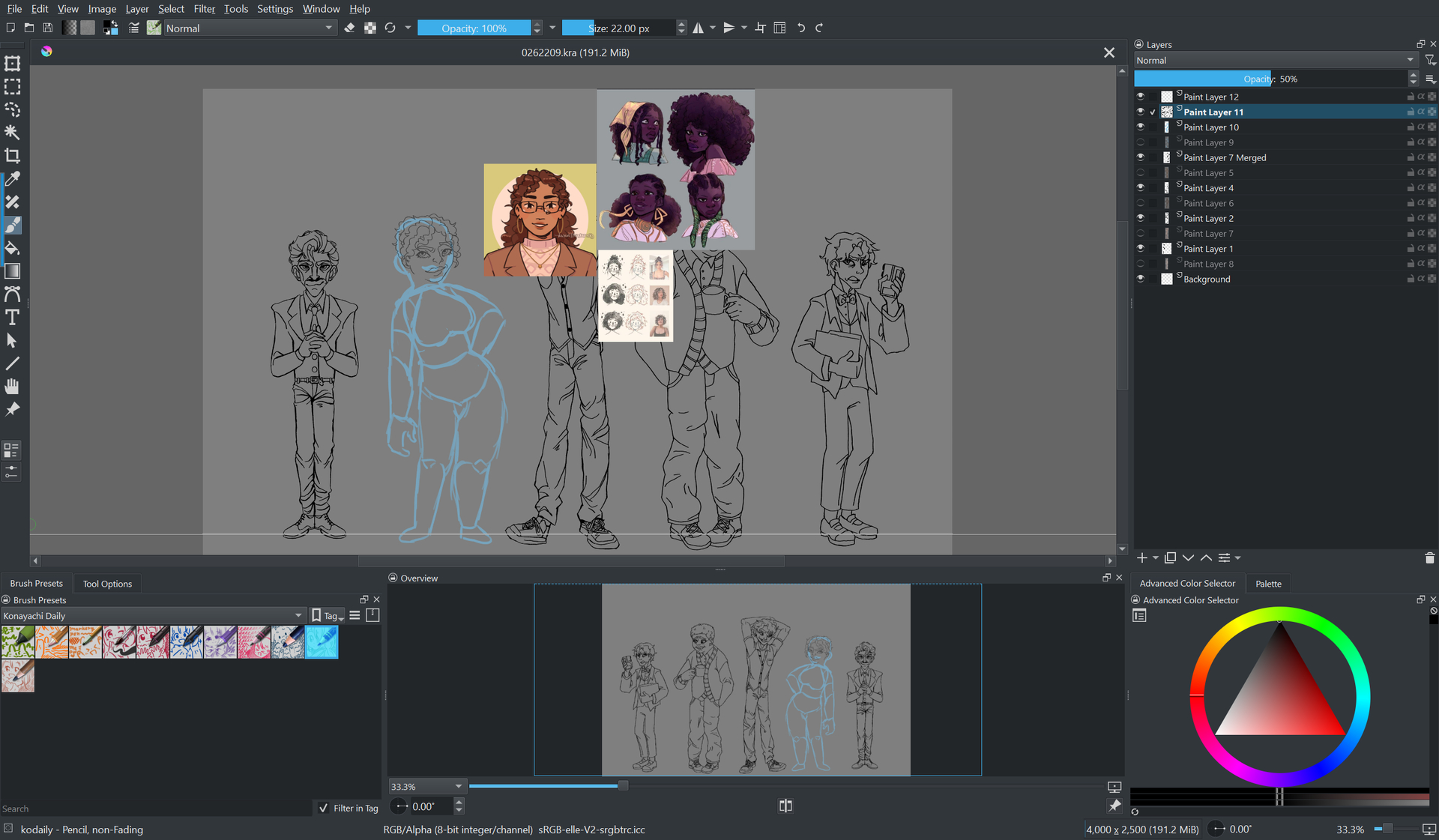
SO. I typically have a very specific layout for all the dockers and whatnot that are all positioned below the canvas, which goes as followed:
- Brush presets and tool options (both in the tabbed window thing so I can switch between the two.)
- Overview (the widest of the two other columns, takes up about a third of the screen height.)
- Advanced colour selector and palettes (same width as the brush presets / tool options column, also arranged in the tabbed window thing.)
It’s the perfect layout, it works wonderfully for me, and I can zoom in all I want on the canvas while still being able to glance at the overview all I want to see the bigger picture. Everything’s perfect, right? WRONG.
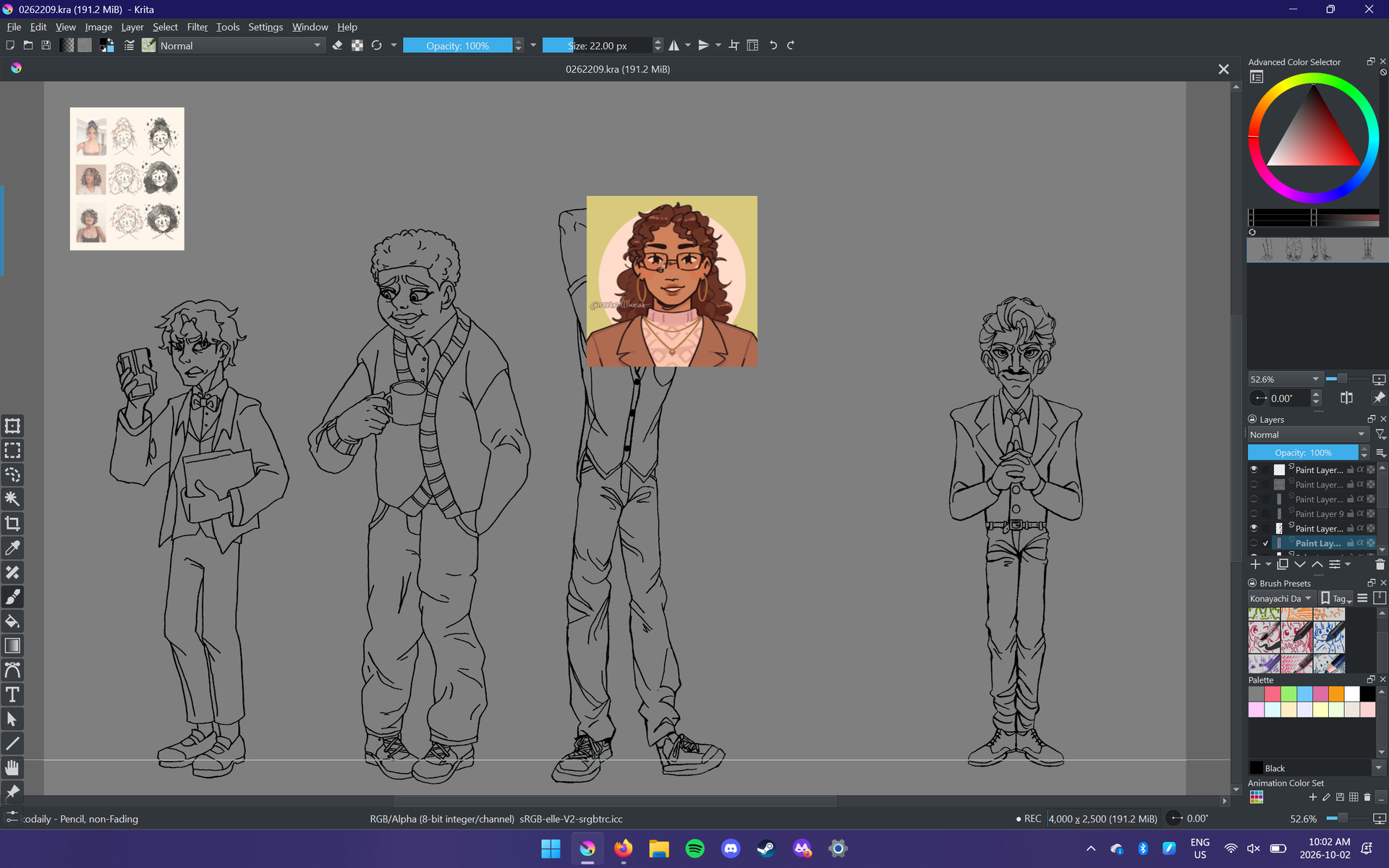
I don’t know what the hell happened, but somehow the Overview docker snaps to be half the width of the screen. I try to adjust it using the floating docker, but that somehow makes it take up a quarter, way too tiny for me to see. Then, the brush presets decide to go ABOVE the row it’s supposed to be in, right between my other dockers and the canvas. Long story short, I keep trying to wrangle this stupid thing and it keeps putting things in places I don’t want them to be and I am going to lose my mind holy hell. Please, PLEASE tell me what I’m doing wrong and why it’s suddenly so hard to get the stupid dockers to go where I want them to go. I will literally do anything; even if it costs me an arm and a leg, giving away my firstborn, a blood sacrifice, whatever. Just HELP.
Please upload a full screen screenshot showing what your krita looks like at the moment, with the problems. It’s easier than writing a description and makes understanding it easier.
Did you save that as a named workspace?
If so, you can restore it from the list of workspaces.
Some dockers have a minimum width and height so adding them to the current workspace or moving them to a different location can ‘mess up’ a carefully made existing arrangement of other dockers, especially tabbed ones or those in a multi-column arrangement.
When trying to wrangle a docker into a location, it’s a good idea to float it, then drag its size to its minimum width and height, then try to move it into a new position. When you’ve got it there, you can then adjust its size in the new location.
Yeah, I probably should have sent that beforehand. Apologies, I’m currently using Krita for my Art 30 class at school and a few minutes after I made the original forum post the block ended. I’m currently in my Social Studies 30 class so I can’t attach screenshots yet, but my Art 30 class is the one directly after that so I should be able to send the image soon. The fact that I’m technically using Krita as part of a school assignment and wasted most of the class troubleshooting was part of why I was so stressed out and frustrated originally lol
Alright, here is the current layout with all the dockers I use toggled on and zero modifications. I’m not positive, but some of the tools I use aren’t even visible here. Also, I use the BetterToolbox plugin, but I’m not exactly sure if that’s relevant.
I checked, and I don’t seem to have any saved workspaces aside from the ones that come pre-installed, which is unfortunate.
Also part of the issue I’m having is that I’m having a lot of trouble adjusting the width and height of them at all or moving them around. I can float and unfloat the dockers, but that’s about it.
It might not be but I’d suggest uninstalling it and using the default toolbox until this can be sorted out.
Do you have any other plugins that affect the UI layout or modify dockers?
If so, I’d suggest uninstalling those as well. You can always reinstall them later.
So, what docker arrangement do you want or did you used to have?
Can you draw a fairly neat sketch of it?
This is about what my previous setup looked like. The BetterToolbars plugin is the only one I have installed that affects the docker layout in any way.
I feel it worth mentioning that I was having trouble scaling the boxes when making this crude mockup so I’m starting to wonder if a part of the issues I’m having is something wrong with my mouse.
If your mouse didn’t work properly that should quickly become obvious.
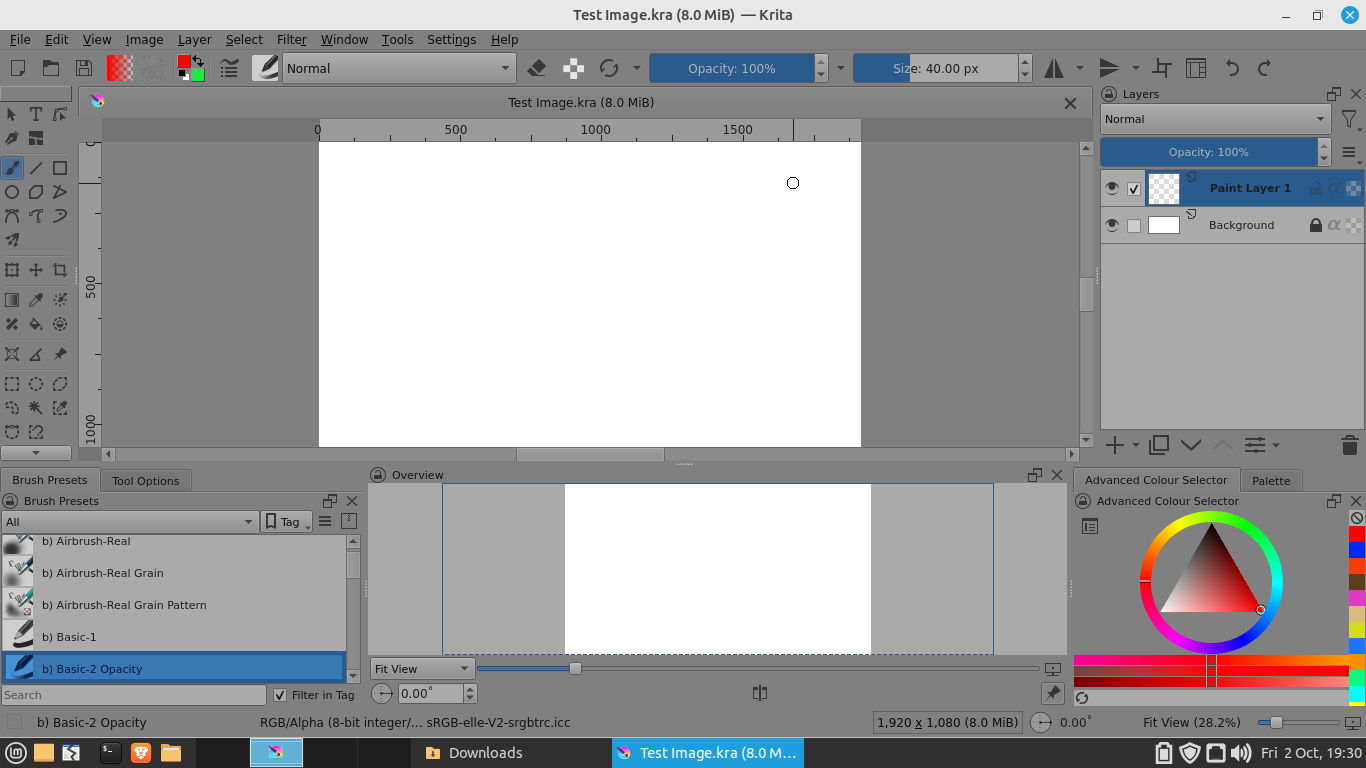
Anyway, here it is and it was easy to do:
Here is the saved and stored workspace file that you can place into the workspaces folder of the krita resources folder then it should become available when you restart krita:
https://drive.google.com/file/d/15cDotR4C0Nlb7INYgqoj3bnYbOYqE1iR/view?usp=sharing
Note that my (old laptop) monitor is 1366 x 768 so if you use it on your PC then the appearance will be stretched in various ways but you can adjust the edges easily to suit and then Save it as some new name.
It would be interesting to know what happens if you then use the Better Toolbox plugin.
Extra Note:
I’ve just realised that I put the Toolbox where you had drawn the ‘Toobar’. It’s an easy mistake to make an easily corrected.
However, I strongly suggest that you don’t use a vertical Toolbar unless it only has small icons on it - no text button and no sliders.
Edit:Add:I’ve just noticed from your screenshot that you are Recording.
Depending on the recording rate, that might have an effect on adjustment of the dockers UI but I don’t know. I suggest that you don’t do recording unless you’re painting.
Good news, I got it working thanks in part to your help! I figured out that I could properly click and drag using my drawing tablet and stylus so I got the window sizes all adjusted.
I generally don’t have much problem with the vertical toolbox, thanks in part to the BetterToolbox plugin which can open up a collapsible menu and usually only uses icons. It works out :]