Hi everyone,
I had an idea to make another plugin when I realized how bad Krita’s built-in shortcuts were for adjusting color hue, etc. So here is the result of my attempt at improving those shortcuts.
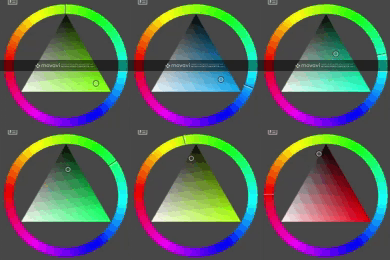
In Krita, if you repeatedly apply shortcuts to shift the hue, due to precision errors, the saturation and brightness move around and drift toward the black (0 saturation), which makes it so shortcuts stop working until you manually reset the saturation.
Also, it seems the distance the hue shifts is random, sometimes really short, other times long.
With built-in shortcuts:
With my shortcuts:
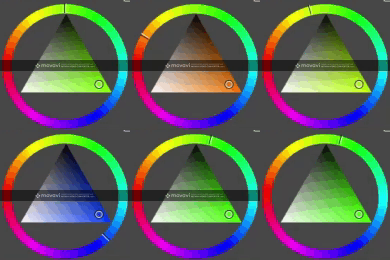
(sorry about the watermark)
My aim was to fix that, but I also added a few extra features:
- Adds shortcuts to rotate the hue of the color by a fixed angle
-
relative mode: from whatever color you have currently selected, it will rotate the hue accordingly.
-
absolute mode: to be used with a dial accessory, it allows you to pick a specific hue at the angle your dial is aimed at (can be configured in the .py file, by default is set up for Huion Mini KeyDial KD100).
-
Shortcut to toggle ‘fine’ mode with a smaller angle of rotation
-
Shortcuts to adjust saturation and brightness by a fixed step
Download link:
https://bitbucket.org/simolette/krita_bettercolorcycler
Any feedback or suggestions are welcome

 thank you so much simolette. have a wonderful day
 Hello
Hello