Improved and customizable toolbox. Let me know if you run into any issues.
30 Likes
 Hello @toobi-jpg, and welcome to the forum!
Thank you for sharing your work with the community!

Michelist
2 Likes
I really appreciate you taking your time making this plugin. I really enjoyed the original toolkit’s toolbox, but unfortunately it stopped working for me, so im super excited to get my convenient toolbox back. Thank you!
One thing i would like to ask, having tried the plugin (which works great btw!). Would it be possible for you to make the colors match the current krita’s theme? For all the folks out there who use custom ones. Thanks again!
1 Like
Thank you so much for the update, it works really well!
1 Like
Woohaa.. ive missed this one..
downloading


1 Like
I’ve been absolutely loving this plugin so far!!! One question though, is there a way to put the toolbox back into the docked (non-floating) position? I think it was docked by default until I dragged it out and now I can’t get it back lol 
Glad you like it!
Dragging the toolbox to the far left side of the screen should dock it again. It should also re-dock when dragged into any of the docking areas on the right side.
I really like this plugin! It’s so useful, and the clean, minimalist interface is fantastic! I have a question: could the names of the tools be changed to another language (my language is not English)? I tried to modify the toolname in the data.json, but plugin just stopped working
1 Like
Nice catch! i fixed this in the latest release. Let me know if it works correctly for you
This is super cool!
Quick question, how can I add more presets? I only have ‘Default’ and it cannot be renamed or removed.
Thanks!
hello! i tried to switch to the newest v6.0.4 and stumbled upon this error. i switched from CSP to Krita recently and i loved the possibility to use something similar to quick access from CSP. i hope that it is possible to make this plugin compatible with the new versions, because i’d have to forever stick to v5 otherwise 
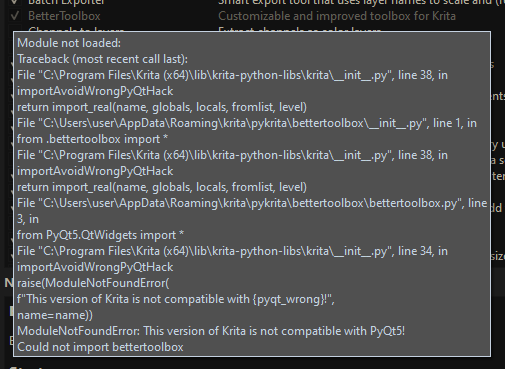
Thanks for the report!
I’ve added support for v6 in the latest release now.
Open Krita 5 and click “Update Now” in the update popup, then restart into Krita 6. Both versions share the same plugin folder, so Krita 6 is updated too.
Let me know if anything does not work!
1 Like
I would also recommend looking at the Quick access plugin (somewhere here in the resources category) in conjunction with this, along with changing keybinds and shortcuts to make krita basically work like CSP.
1 Like
!! Just opened up Krita and the BetterToolbox updated with preset saving!
Awesome, I now have a ‘Desktop’ layout and an ‘iPad’ layout (when streaming Krita to iPad!).
Thank you so much!
Since the toolbars are saved inside data.json, will this survive future updates or should I be making separate backups of it?
Thanks again!
1 Like
Awsome! Yes it will survive future updates and no that should not be needed but if you have worked hard on them it wont hurt to back them up 
1 Like
Hi, I think the tool is absolutely amazing! However, I seem to have found a couple of bugs. I’m not sure if I’m the only one experiencing them.
I’m using Krita 5.3.3 on Windows 11 Home.
I downloaded the plugin by following the instructions on GitHub.
Here are the bugs I found:
-
When I right-click on any of the tool’s buttons, the pop-up menu that appears is cut off or incomplete. This only happens the first time I click it; on the second click, the full pop-up menu displays correctly. From then on, the menu opens properly every time, but the issue recurs if I close and reopen the program.
I’m attaching a GIF that shows the bug.
-
Whether using a mouse or a pen display, if I enable the option to trigger the pop-up menu by holding down the click for a moment, the following happens: If I hold the click long enough for the pop-up menu to appear but don’t select a tool—instead moving directly to press another button until the pop-up menu appears again—the hover effect on the previous button doesn’t go away. This can be repeated indefinitely until all the buttons have been pressed.
Again, I’m attaching a GIF that shows the bug.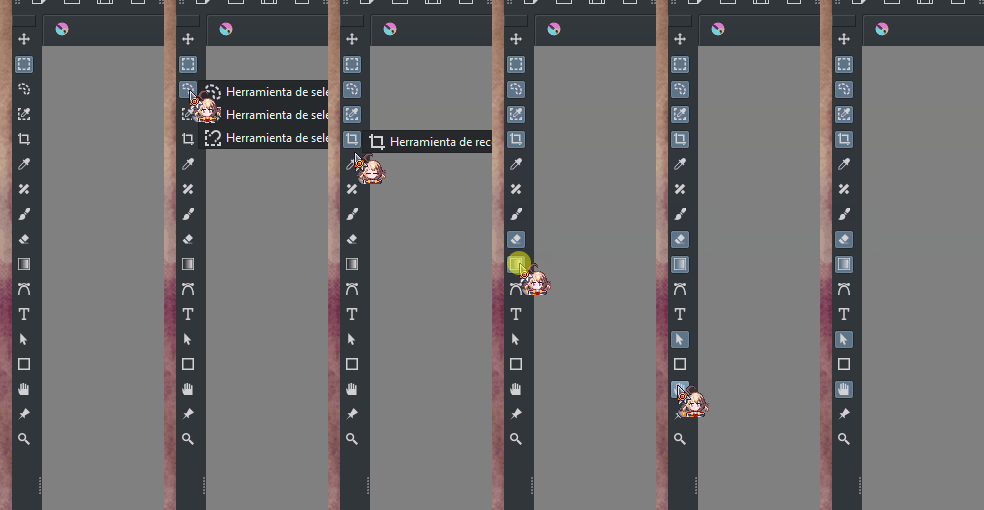
I don’t know if this is an issue unique to me, but I wanted to share it in case it might be useful.
This is my first time reporting a bug like this, so if you need any further information I haven’t provided, please let me know and I’ll be happy to help.
1 Like
Thank you for such descriptive issue explanations! I appreciate it. I’m not 100% sure I managed to fix issue 2, since I could not replicate it exactly, but I’m pretty certain it should be fixed. I’ve made the release, and the plugin should prompt you to update the next time you start Krita.
Let me know if these issues are fixed for you.
2 Likes
OMG, thank you so much! Both issues have been resolved on my end!
I’ve attached proof of both.
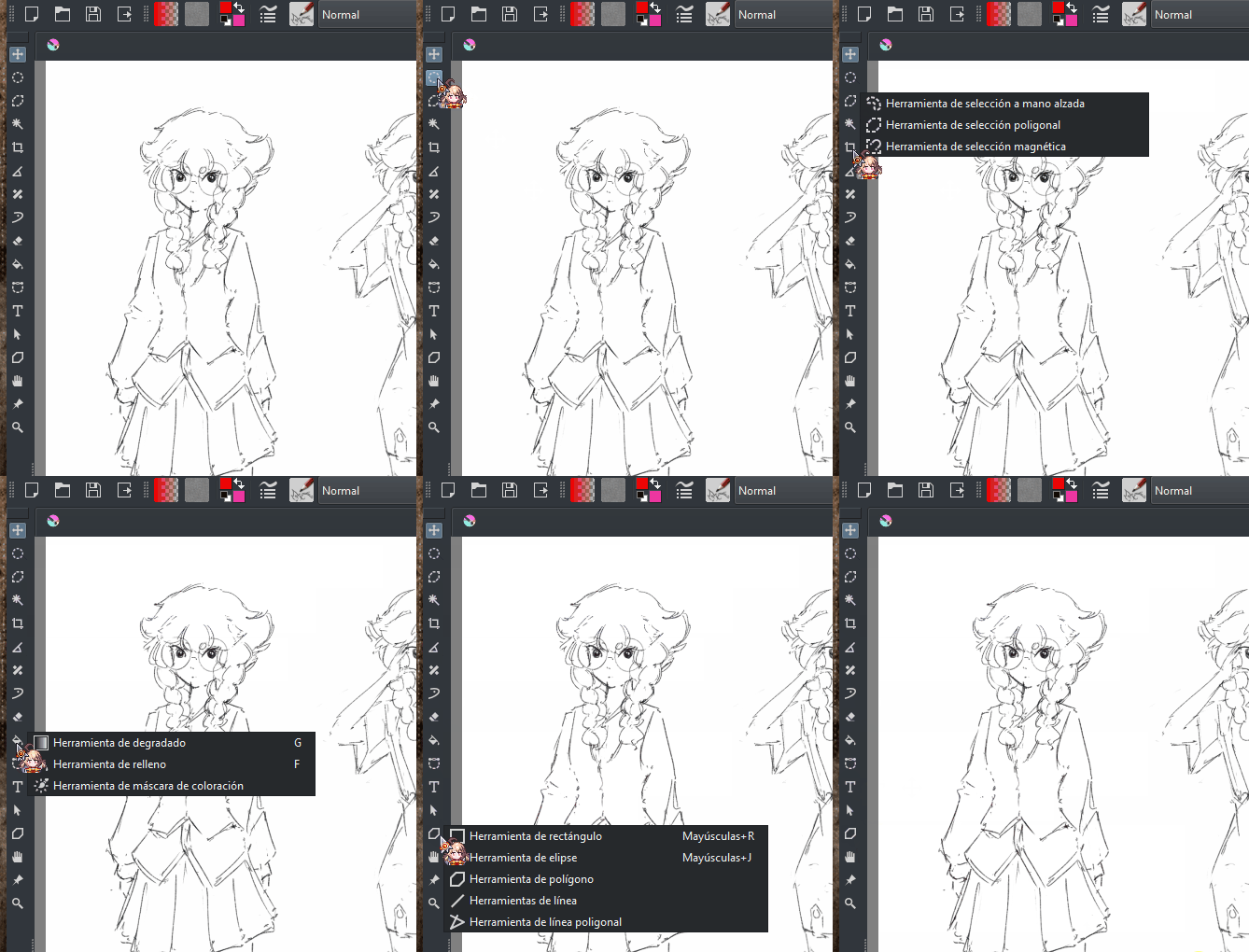
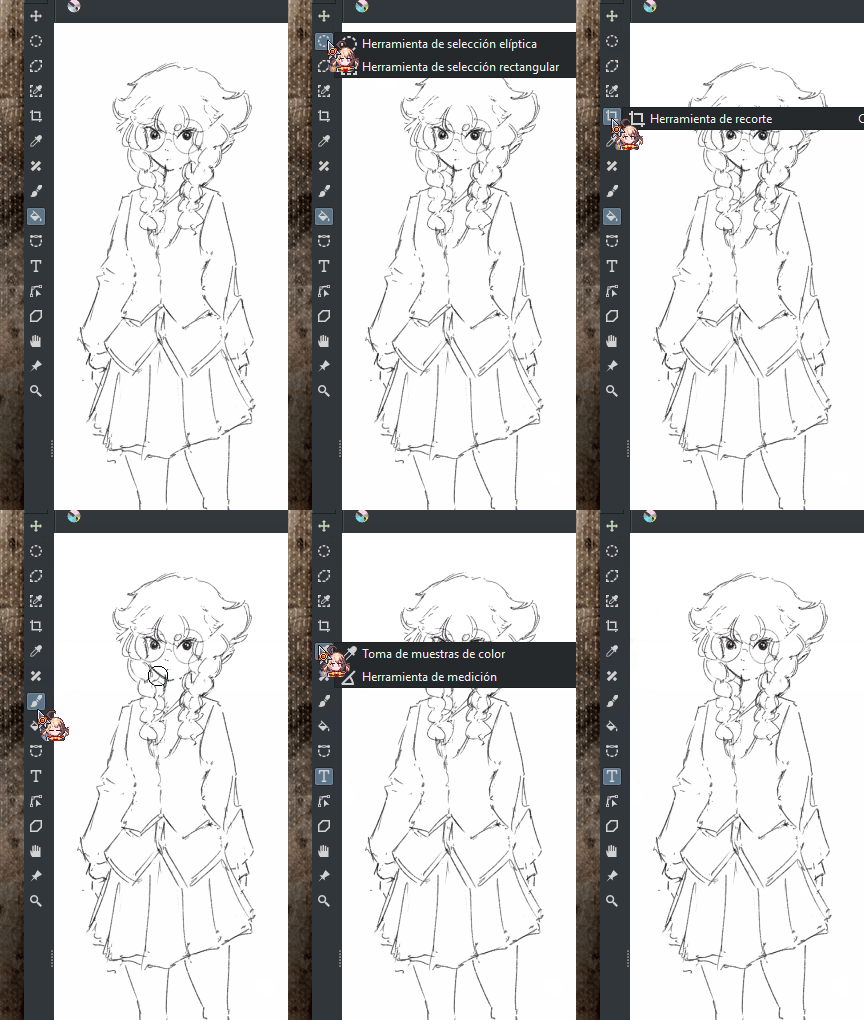
Thanks for your time and effort!
1 Like