
DoctorDocker
A Krita Python plugin that adds a slim vertical icon bar to the Krita interface. Click any button to fly out a hidden docker as a floating panel right next to the toolbar – like Photoshop panels. Click again to hide it.
Please note: This is a plugin I created for my needs, since I wanted to have something similar like in Photoshop to show panels aka Dockers. I cannot guarantee that it will fit yours … 
Get it on Codeberg: xanathon/DoctorDocker: DoctorDocker - Codeberg.org
Tested on Krita 5.3 and 6 alpha (on Windows).
If you like this, please make sure to visit my Ko-fi: https://ko-fi.com/xanathon
Images:
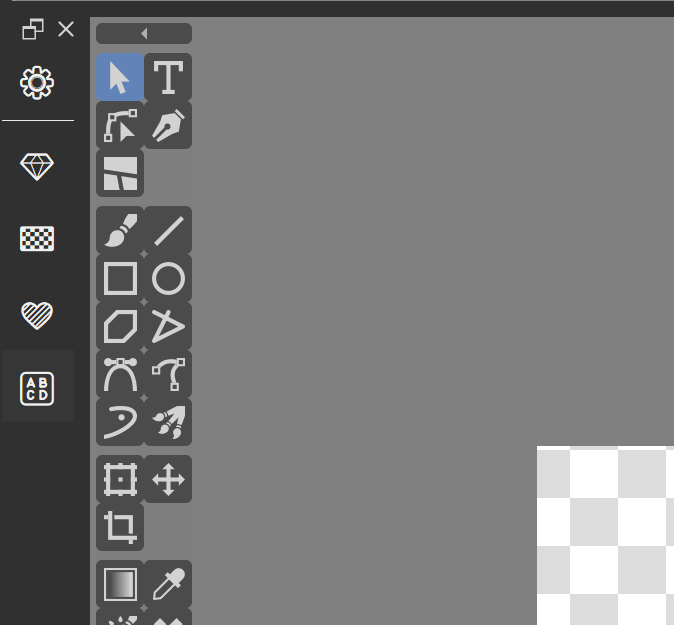
1 - Icon bar at the left side of the screen
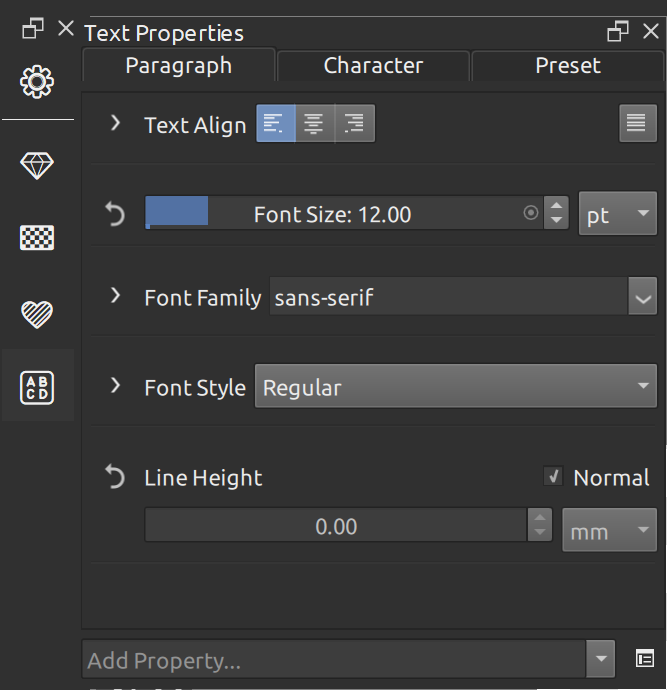
2 - Font popout after clicking the “abcd”-icon
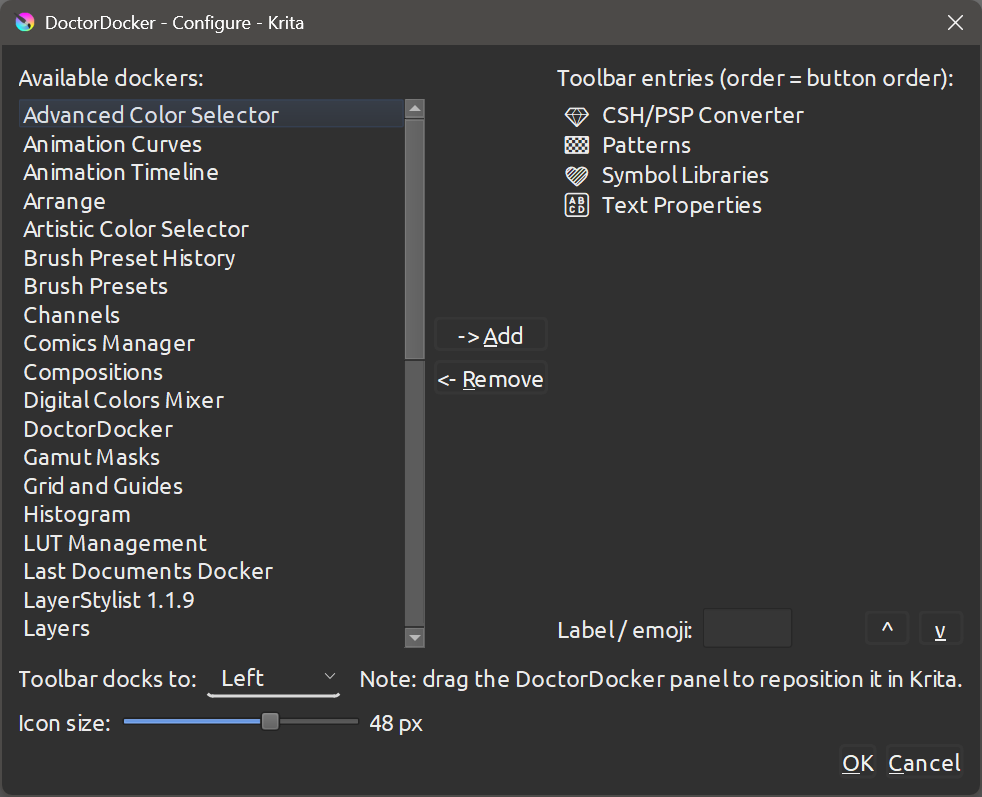
3 - Settings, shown after clikcking the cog icon, where you can configure available Dockers
Features
-
Vertical icon bar that docks to any side of the Krita window
-
Click a button to fly out the assigned docker as a floating panel
-
Click again to hide it
-
Configurable icon size (20–64 px) via slider
-
Gear button (
 ) opens the configuration dialog
 -
Each button shows a configurable label or emoji (use Win + . on Windows to open the emoji picker)
-
Entries can be reordered via drag & drop or arrow buttons
-
All visible/docked dockers are never touched – only explicitly assigned ones are managed
-
Compatible with Krita 5 and Krita 6 – Windows, macOS, Linux
Installation
-
Download
DoctorDocker_vX.zip -
In Krita: Tools → Scripts → Import Python Plugin from File…
-
Select the ZIP file and confirm
-
Restart Krita
-
Go to Settings → Configure Krita… → Python Plugin Manager
-
Enable DoctorDocker and restart Krita once more
-
Open the toolbar via Settings → Dockers → DoctorDocker
Usage
Configuration
Click the button at the top of the toolbar to open the configuration dialog:
-
Available dockers (left panel) – all dockers Krita currently knows about
-
→ Add – add selected docker(s) to the toolbar
-
← Remove – remove selected entry from the toolbar
-
Label / emoji – short label shown on the button (1–4 characters, emoji supported)
-
▲ / ▼ – reorder entries (drag & drop also works)
-
Icon size – slider to set button size (20–64 px)
Flying out a docker
Click any button in the toolbar to show the assigned docker as a floating panel next to the toolbar. Click the same button again (or close the panel via its X button) to hide it.
Positioning the toolbar
Drag the DoctorDocker title bar to any side of the Krita window (left, right, top, bottom). The flyout panels will automatically appear on the canvas-facing side.
Known Limitations
-
Two docker columns side by side on the same side of the Krita window is not reliably achievable via drag & drop in Krita 5/6 – this is a Krita limitation, not a plugin bug
-
The toolbar position cannot be changed programmatically; it must be dragged manually