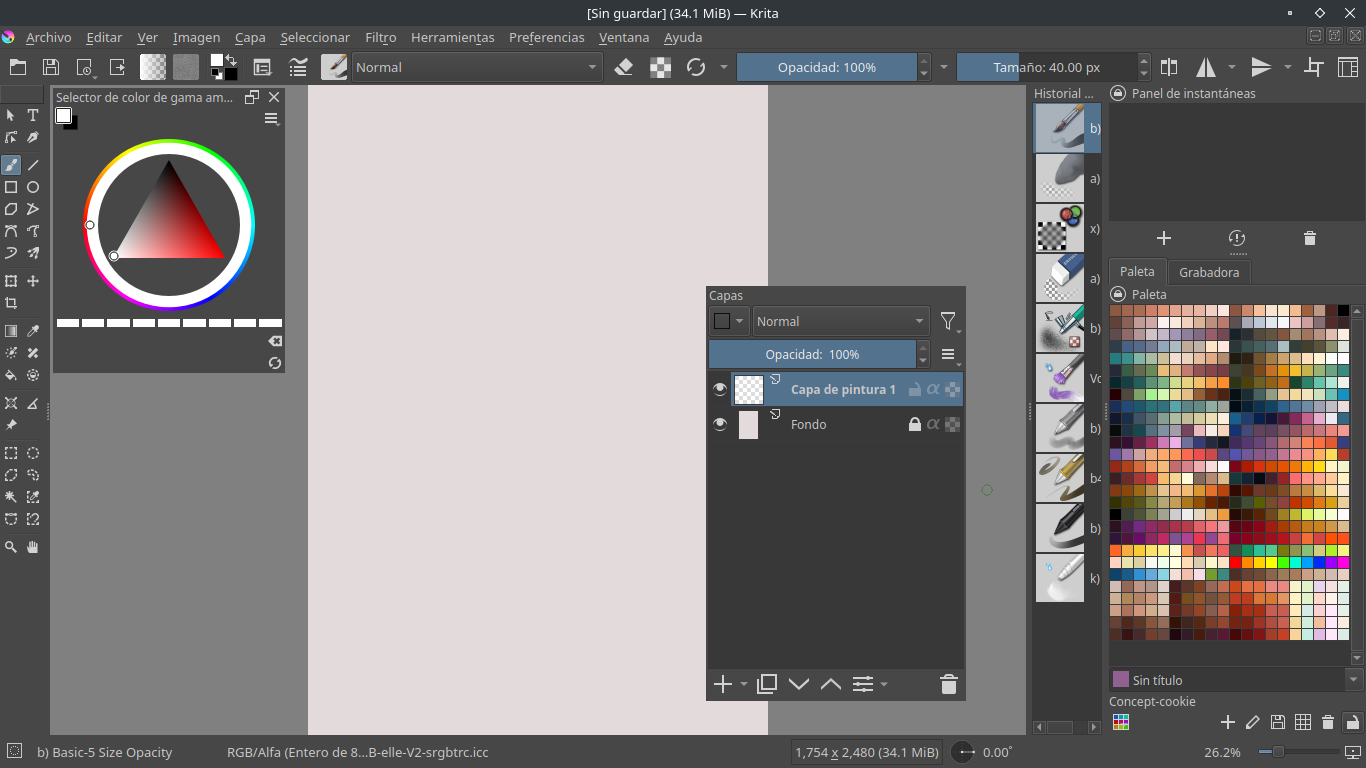
Thanks for replying to this thread, this gem was missing from my view. This is awesome.
Can any dev look into this to incorporate in krita itself?
Thanks for replying to this thread, this gem was missing from my view. This is awesome.
Can any dev look into this to incorporate in krita itself?
it is quite a gem, indeed. Having this natively would be nice. But it does deserve more visibility.
Can this open closed dockers (like going to Settings > Dockers) or do they have to be already shown somehow?
Display is not mandatory. Pressing hotkey can show or hide docker.
It actually works for my use case. There is a small kink though: I use floating dockers; if I close Krita with a docker open, next time Krita launches with that docker open, now if I use the plugin hotkey to close the docker it instead docks it. I have to go through the menu and open/close the docker through there and it’s fixed, plugin no longer toggles between docked and floating, it opens and close a floating docker, which is what I want. So I have to constantly keep in mind to have all dockers closed when I am closing krita. A bit of a mental overhead.
If you don’t want to see dockers there is a fullscreen hot key that also keeps the topbar but no dockers. The docker under cursor works while in fullscreen
You can try reinstalling it. I changed the docker default state. when you reopen krita, the floating docker will be in the show-hide state.It’s not a perfect solution, but I’m not going to fix it for a while, becuse there are some problems with persisting data.
I can’t see the bug anymore, thank you.
Hello, I have a problem, for some reason the docker of the layers no longer docks to its original state and now it was floating forever, I deactivated the plugin but that does not affect anything, possibly if I remove my kritarc file it will be fixed but I don’t want to lose my settings or well I don’t want to spend an afternoon configuring everything again.
Edit:
Okay I fixed it, I went to my Kritarc file and searched for KisLayerBox, got to this part and changed
“Locked=true” for “false” and “xPosition=1” for “0”
I changed the second thing since the other dockers had 0 and not 1 so I guess maybe that was partly the mistake.
 This is bug, thank you feedback. I fixed it, now floating docker will cancel lock status on boot.
Thank you so much for the update 
After updating to Krita 5.2 I’m getting a script error message when trying to toggle one of the dockers.
The exact script that’s being used is “Docker under Cursor”. a) KisLayerBox
and b) sharedtooldocker
dockertoggle.py in toggleDockerStatus(self=<dockerundercursor.dockertoggle.DockerToggle object>)
80
81 if self.weiget.isHidden():
82 self.setToShow()
83 elif self.weiget.isFloating():
84 if self.TRACEMOUSE == “True”:
self = <dockerundercursor.dockertoggle.DockerToggle object>
self.setToShow = <bound method DockerToggle.setToShow of <dockerundercursor.dockertoggle.DockerToggle object>>
Any ideas how to fix this?
That error would seem to be coming from the Docker Under Cursor plugin (and so probably should be moved to that thread). Try updating that plugin if you haven’t recently (and any other plugins you use, as 5.2 breaks many of them).
Thank you for heads up @freyalupen!
@AhabGreybeard; @raghukamath; @sooz: Would you be so kind to cut @Mernandre’s post and the follow-ups out and move it into the Docker Under Cursor plugin topic as @freyalupen already mentioned? Thank you.
Michelist
Thank you so much, updated and it worked.
I was 99% that I only installed the shortcut composer plugin and that it was part of it, seems not. My bad.
This plugin is amazing! It’s so freeing to work with a docker-free workspace and have only exactly the ones I need pop-up on command right where my cursor is. I am having a problem though. Krita throws an error at startup and also everytime I try to use the “Tool Options” pop-up from Dock Under Cursor. Every other docker I use seems to work fine otherwise. If I delete my resource folder and reinstall Dock Under Cursor, it goes away, but as soon as I enable the “Tool Options” docker in Dock Under Cursor, it returns.
AttributeError
Python 3.10.7: /usr/bin/python3
Sat Apr  6 06:58:40 2024

A problem occurred in a Python script.  Here is the sequence of
function calls leading up to the error, in the order they occurred.

 /home/feint/.local/share/krita/pykrita/dockerundercursor/dockertogglemanager.py in toggleDockerStatus(self=<dockerundercursor.dockertogglemanager.DockerToggleManager object>)
  103     #The method is core.
  104     def toggleDockerStatus(self):
  105         if self.widget.isHidden():
  106             self.widget.unsetCursor()#avoid cursor flicker
  107             self.hidden = True
self = <dockerundercursor.dockertogglemanager.DockerToggleManager object>
self.widget = None
self.widget.isHidden undefined
AttributeError: 'NoneType' object has no attribute 'isHidden'
    __cause__ = None
    __class__ = <class 'AttributeError'>
    __context__ = None
    __delattr__ = <method-wrapper '__delattr__' of AttributeError object>
    __dict__ = {}
    __dir__ = <built-in method __dir__ of AttributeError object>
    __doc__ = 'Attribute not found.'
    __eq__ = <method-wrapper '__eq__' of AttributeError object>
    __format__ = <built-in method __format__ of AttributeError object>
    __ge__ = <method-wrapper '__ge__' of AttributeError object>
    __getattribute__ = <method-wrapper '__getattribute__' of AttributeError object>
    __gt__ = <method-wrapper '__gt__' of AttributeError object>
    __hash__ = <method-wrapper '__hash__' of AttributeError object>
    __init__ = <method-wrapper '__init__' of AttributeError object>
    __init_subclass__ = <built-in method __init_subclass__ of type object>
    __le__ = <method-wrapper '__le__' of AttributeError object>
    __lt__ = <method-wrapper '__lt__' of AttributeError object>
    __ne__ = <method-wrapper '__ne__' of AttributeError object>
    __new__ = <built-in method __new__ of type object>
    __reduce__ = <built-in method __reduce__ of AttributeError object>
    __reduce_ex__ = <built-in method __reduce_ex__ of AttributeError object>
    __repr__ = <method-wrapper '__repr__' of AttributeError object>
    __setattr__ = <method-wrapper '__setattr__' of AttributeError object>
    __setstate__ = <built-in method __setstate__ of AttributeError object>
    __sizeof__ = <built-in method __sizeof__ of AttributeError object>
    __str__ = <method-wrapper '__str__' of AttributeError object>
    __subclasshook__ = <built-in method __subclasshook__ of type object>
    __suppress_context__ = False
    __traceback__ = <traceback object>
    args = ("'NoneType' object has no attribute 'isHidden'",)
    name = 'isHidden'
    obj = None
    with_traceback = <built-in method with_traceback of AttributeError object>

The above is a description of an error in a Python program.  Here is
the original traceback:

Traceback (most recent call last):
  File "/home/feint/.local/share/krita/pykrita/dockerundercursor/dockertogglemanager.py", line 105, in toggleDockerStatus
    if self.widget.isHidden():
AttributeError: 'NoneType' object has no attribute 'isHidden'
Sorry, I cant reproduce this bug in my computer. Did you download the latest plugin from github? What is your krita version?
If you’re already using the latest version of the plugin, try this one.
Sorry about the delayed response. Thanks for the help! Yes I was running the most recent plugin from github. I was using an older version of Krita (5.1.?). I had already tried deleting it and installing the most current Appimage (5.2.2). The problem still showed up. I’m on Manjaro Linux and using Appimages on my home computer. I tried to test it on my work computer with an installation from the packaging manager. It worked for a couple times that I opened Krita, then the problem happened again.
I just tried this version of the plugin you shared with me and it still throws me an error at startup, but at least this time all the shortcuts are working. The tool options works correctly now (as well as everything else). Thanks again for the help. It would be nice not to get a startup error, it’s a small price to pay because I really like this plugin and don’t want to go back to Krita without it.
Startup error below.
IndexError
Python 3.10.7: /usr/bin/python3
Sun Apr  7 06:29:09 2024

A problem occurred in a Python script.  Here is the sequence of
function calls leading up to the error, in the order they occurred.

 /home/feint/.local/share/krita/pykrita/dockerundercursor/dockerundercursor.py in finalSetup(self=<dockerundercursor.dockerundercursor.DockerUnderCursor object>)
   92                 if d.widget.isFloating():
   93                     #reset docker lock status
   94                     d.widget.titleBarWidget().children()[2].setChecked(False)
   95                 # if Krita.instance().readSetting("DockerUnderCursor_pin", d.name, "0") == "1":
   96                 #     d.pin()
d = <dockerundercursor.dockertogglemanager.DockerToggleManager object>
d.widget = <PyQt5.QtWidgets.QDockWidget object>
d.widget.titleBarWidget = <built-in method titleBarWidget of QDockWidget object>
).children undefined
IndexError: list index out of range
    __cause__ = None
    __class__ = <class 'IndexError'>
    __context__ = None
    __delattr__ = <method-wrapper '__delattr__' of IndexError object>
    __dict__ = {}
    __dir__ = <built-in method __dir__ of IndexError object>
    __doc__ = 'Sequence index out of range.'
    __eq__ = <method-wrapper '__eq__' of IndexError object>
    __format__ = <built-in method __format__ of IndexError object>
    __ge__ = <method-wrapper '__ge__' of IndexError object>
    __getattribute__ = <method-wrapper '__getattribute__' of IndexError object>
    __gt__ = <method-wrapper '__gt__' of IndexError object>
    __hash__ = <method-wrapper '__hash__' of IndexError object>
    __init__ = <method-wrapper '__init__' of IndexError object>
    __init_subclass__ = <built-in method __init_subclass__ of type object>
    __le__ = <method-wrapper '__le__' of IndexError object>
    __lt__ = <method-wrapper '__lt__' of IndexError object>
    __ne__ = <method-wrapper '__ne__' of IndexError object>
    __new__ = <built-in method __new__ of type object>
    __reduce__ = <built-in method __reduce__ of IndexError object>
    __reduce_ex__ = <built-in method __reduce_ex__ of IndexError object>
    __repr__ = <method-wrapper '__repr__' of IndexError object>
    __setattr__ = <method-wrapper '__setattr__' of IndexError object>
    __setstate__ = <built-in method __setstate__ of IndexError object>
    __sizeof__ = <built-in method __sizeof__ of IndexError object>
    __str__ = <method-wrapper '__str__' of IndexError object>
    __subclasshook__ = <built-in method __subclasshook__ of type object>
    __suppress_context__ = False
    __traceback__ = <traceback object>
    args = ('list index out of range',)
    with_traceback = <built-in method with_traceback of IndexError object>

The above is a description of an error in a Python program.  Here is
the original traceback:

Traceback (most recent call last):
  File "/home/feint/.local/share/krita/pykrita/dockerundercursor/dockerundercursor.py", line 94, in finalSetup
    d.widget.titleBarWidget().children()[2].setChecked(False)
IndexError: list index out of range
 I’ve submitted fix for this error in github. Just download the latest version.