Hello @SelectionToolFriend, and welcome to the forum!
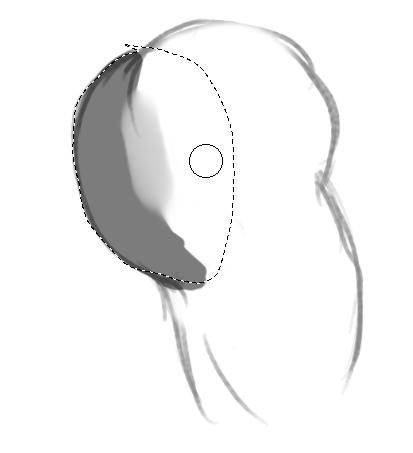
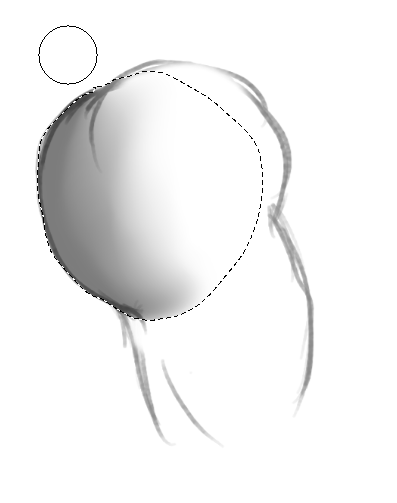
I would take a two-pronged approach here and both report it as an error, for which I would create an error report, and, in case this is actually intended behavior, create a feature request for it. To do this, I would refer to this forum topic in the feature request and the bug report (and also include a link to it in both) and also refer to the bug report and the feature request in the other report (which is only possible in the first post as a subsequent edit or attached second post, since you don’t know in advance which number/ link the second of the reports will be assigned by the bug tracker system).
If you have never created such a report before, I am attaching my templates for creating a bug report and for creating a feature request, which are partially identical:
Bug report:
If you want, then you can report it as a bug via the KDE-Bugtracking System at https://bugs.kde.org/.
To report a bug, you must register at https://bugs.kde.org/ to gain access to the “KDE bug tracking system”, i.e. “KDE’s bug tracker”. Keep in mind that the e-mail address you use there must firstly be existing / valid and secondly that it can be viewed by any visitor to the site. But the likelihood of your address falling into the hands of spammers there seems to be very low, because the address I used to register with them, I’m using exclusively for access to the KDE bug tracking system and have not had a single spam mail in my mailbox in the years I have been registered there.
You can read what a bug report should look like under Reporting Bugs in the Krita manual (the input mask looks slightly different today), or the User Guide on KDE.ORG, which I like less. Please use the drop-down menus to select the software, i.e. Krita, the version number, the operating system and try to narrow everything down as much as possible using the drop-down menus available there.
Here you’ll find the mask to report bugs in Krita, you can open it when you are logged in into your account (if not logged in it will detour you to the start page):
https://bugs.kde.org/enter_bug.cgi?product=krita
It might be a good idea to include the link to this topic in your bug report so that the developers can read your findings here.
And after completing the bug report, i.e. after you have sent it, please publish the link to the bug report here in this topic.
And feature request:
If you want, then you can report it as a wishbug via the KDE-Bugtracking System at https://bugs.kde.org/.
To report a wishbug, you must register at https://bugs.kde.org/ to gain access to the “KDE bug tracking system”, i.e. “KDE’s bug tracker”. Keep in mind that the e-mail address you use there must firstly be existing / valid and secondly that it can be viewed by any visitor to the site. But the likelihood of your address falling into the hands of spammers there seems to be very low, because the address I used to register with them, I’m using exclusively for access to the KDE bug tracking system and have not had a single spam mail in my mailbox in the years I have been registered there.
You can read what a wishbug report should look like under Developing Features in the Krita manual (the input mask looks slightly different today), or the User Guide on KDE.ORG, which I like less. Please use the drop-down menus to select the software, i.e. Krita, the version number, the operating system and try to narrow everything down as much as possible using the drop-down menus available there.
And after completing the wishbug report, i.e. after you have sent it, please publish the link to the wishbug report here in this topic.
How to think about a feature request (to hopefully create a good one, one that gets considered worth implementing): When requesting a feature, be sure to describe it well. Explain why you want it and why you think Krita and the community will benefit from it. Think of it as trying to sell something, so emphasize its advantages and present it well. When requesting a feature, be sure to describe it well. Explain why you want it and why you think Krita and the community will benefit from it. I think the first part of the manual chapter provides some good tips on this.
Michelist
Add/Edit: I’m too slow, just saw you created the request in between.