Type of device* : graphics tablet
Brand and version of the device: Wacom Intuos BT M CTL 6100-WL
System** : Windows 10 64 bit
* graphics tablet/display tablet/2-in-1 laptop/Android tablet
** Windows/Linux/Mac/Android, + version (you’ll find it in Help -> Show system information for bug reports)
I have the color picker ( P ) and brush size (SHIFT+Left click) assigned to my pen buttons.
Since installing 4.4 I can’t get these shortcuts to work in Krita, the color picker will show but will also show the quick menu wheel, the brush size shortcut now acts as if I pressed Spacebar + Left click (grabbing the piece and moving it).
The express keys on my tablet work as intended.
I tried reinstalling my tablet driver, tried removing my settings and re-creating them, both to no avail.
I only have this problem on my home computer which currently has 4.4.1 installed (the problem already occurred with 4.4.0).
My tablet works fine on my workplace pc which still runs 4.3.0.
Does anyone have any experience with such an issue, or knows a fix?
Unfortunately 4.3.0 isn’t currently available for download, which is why I reverted to 4.2.9.
I use 4.3.0 in my workplace though, I use the exact same setup.
I did set up a profile for Krita and have removed and remade it prior to posting this thread, this didn’t help.
Tonight I tried reinstalling Krita, installing 4.4.1 had no effect on the problem, installing 4.2.9 did.
This was my initial theory as well.
The best way to find out if this was the case was by making the default and Krita profiles exactly the same.
After doing that the problem persisted.
I have never bound Space Bar or Right mouse click to any profile, these are not functions/shortcuts I use.
By now I think it’s safe to assume that this isn’t the cause of the problem.
I have drawn in Krita with this tablet for a long time and never had an issue like this.
The ‘pan’ button on the stylus is usually mapped to the middle-click, which has the pan effect in the same way that the spacebar has the pan effect.
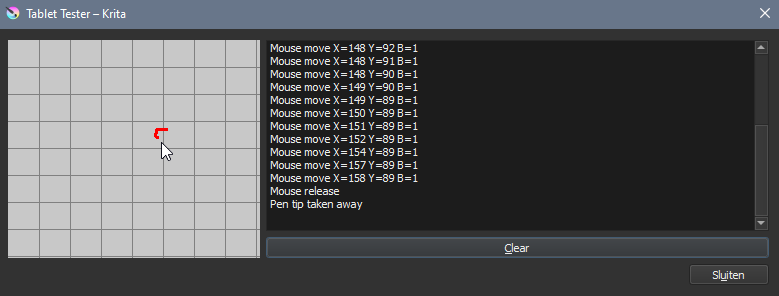
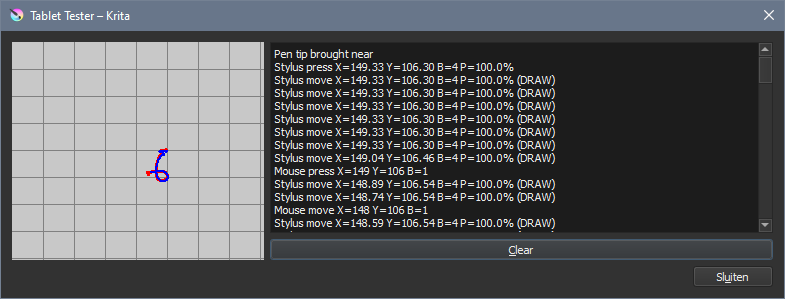
If you use the tablet tester, Settings -> Configure Krita -> Tablet Settings -> Open Tablet Tester, then you can check which button (B=n) is activated for your stylus buttons.
Hover the stylus tip over the grid area and press the buttons.
The middle-click is B=4, right click is B=2, left-click is B=1, as you can confirm by using a mouse on the grid area.
Edit:Add: I forgot to say: The 4.3.0 version can be found in here:
“The Tablet tester in 4.3.0” shows use of a mouse with left-click.
(I think the use of Shift with a mouse is a keyboard thing, not a graphics input device thing.)
What do you get if you use the stylus with 4.3.0.?
As far as I’m aware, there is no tablet specific code in krita and there have been no changes in this area going from 4.3.0 to 4.4.0/1.
As a ‘long shot’, can you try swapping between Wintab and Windows-Ink in krita with appropriate changes in the Wacom driver and at the Windows OS level?
As much as you’re being helpful, I think this is the case
As you can see in the screenshots I provided all the Wacom program does is assign shortcuts to the buttons
Were I to use a mouse instead of a pen/tablet you would expect the result to be the same
Strangely though, using the same combination of Shift + Left mouse click with keyboard and mouse works as intended…
The same applies when pressing P for the color picker.
What we can establish is that I have this issue with my drawing tablet alone, only on the pen and only in 4.4.X
Switching to and from windows ink is unfavorable to me because it would affect performance and thus is not a solution…
For the record, I’m fine using 4.3, the difference in functionality doesn’t affect my methods so much.
I am by now convinced that this is a krita bug though, and would really like to be able to upgrade at some point.
As for the exact cause, your guess is as good as mine