Project Pages plugin

Picture

Purpose

Compile KRA files into a project file

Link

Features

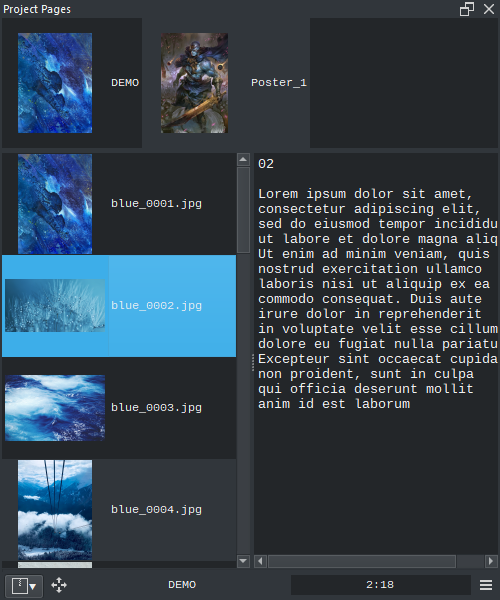
  • List of Projects
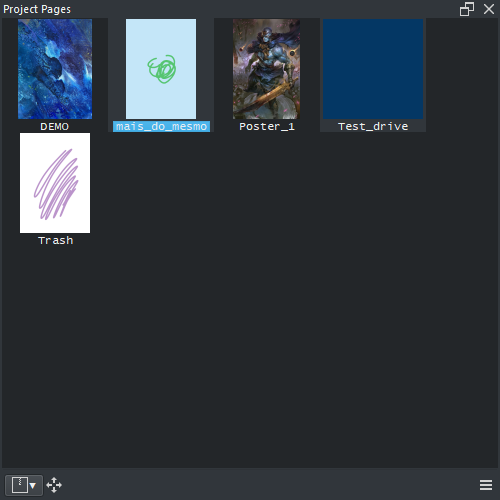
  • List of Pages
  • Page Notes
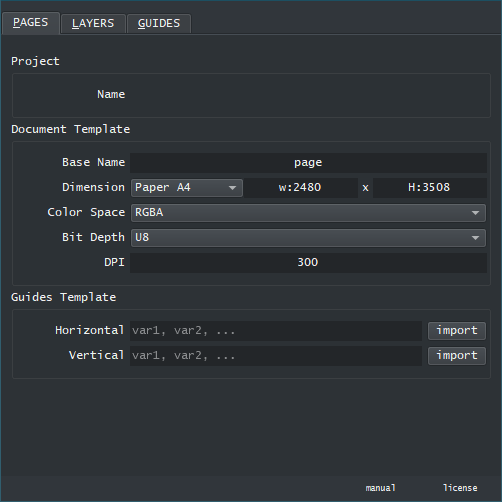
  • Page Templates
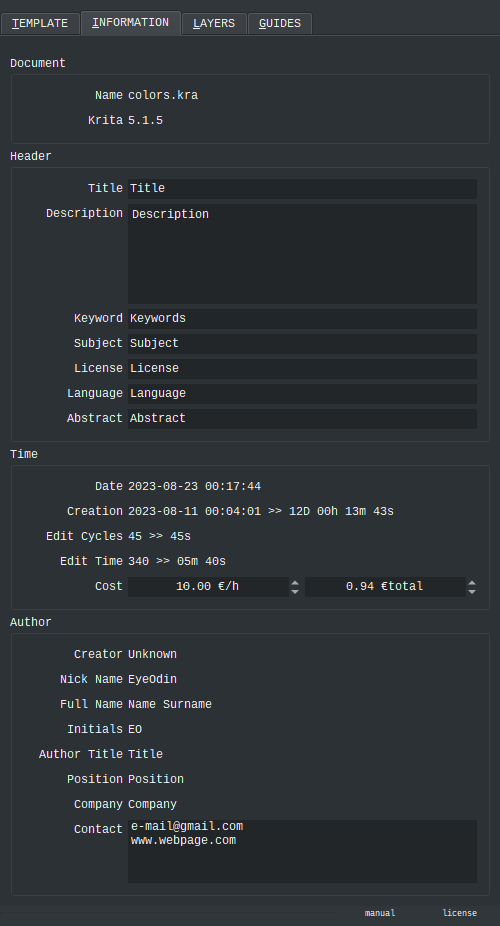
  • Document Information ( metadata )
  • Document Rules and Guides
  • Layer Renaming
  • Mirror Fix

Preview

Picture

Picture

Wiki

Read the wiki for more information

Home Page

Videos on how to use various features

17 Likes

Update:

  • Stability
  • UI / UX
  • New Features

New Features:

  • Dynamic Spliter
  • Create Thumbnails (compatibility with Imagine Board)
  • Delete Files
  • Project Recent (as a mode)
  • Project File Location
  • Page Batch Rename (by order)
  • Page Batch Export (differentiates animated from non animated files)
  • Guides list and mirror
  • Dialog box visibility
  • Error messages to warn the user
  • Rename Layers
  • Mirror Fix (as a button)

Comments

  • Currently it auto saves the ZIP instantly as soon as you save the image. Beyond that it is still unset.
  • Recreated the guides list from Tela and its finally fixed now as it will be taken from it in the future.
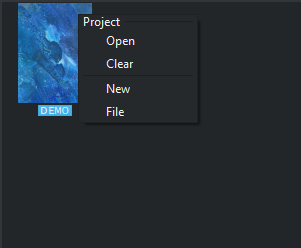
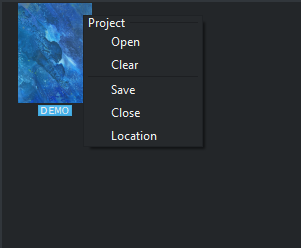
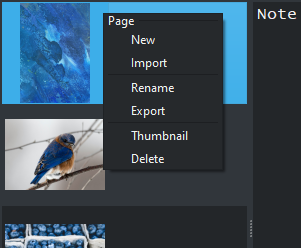
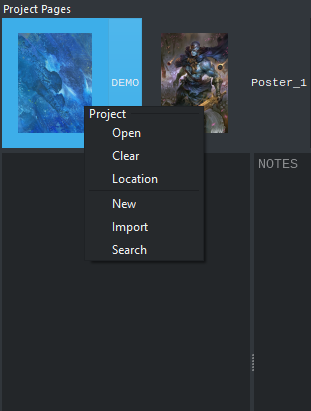
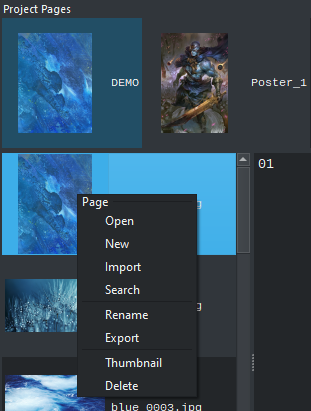
  • Right click on images for extra options.
  • Will create guide templates but still not sure how to manage that just yet.
  • Wiki explain the basics of how to use Project Pages link is below
  • Mirror fix now has the same behaviour regardless of alpha being present and now runs faster or should.

ScreenShots

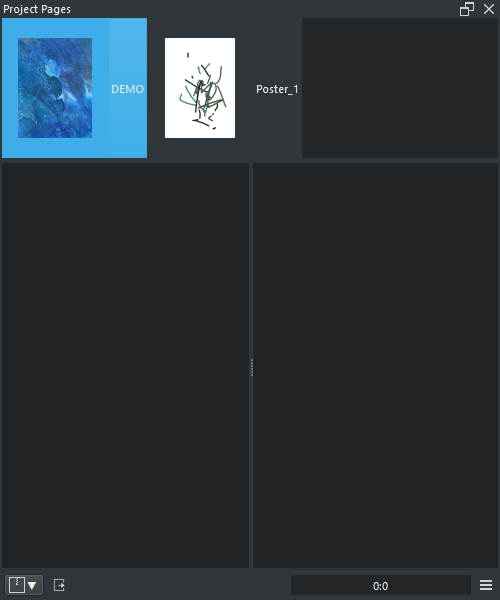
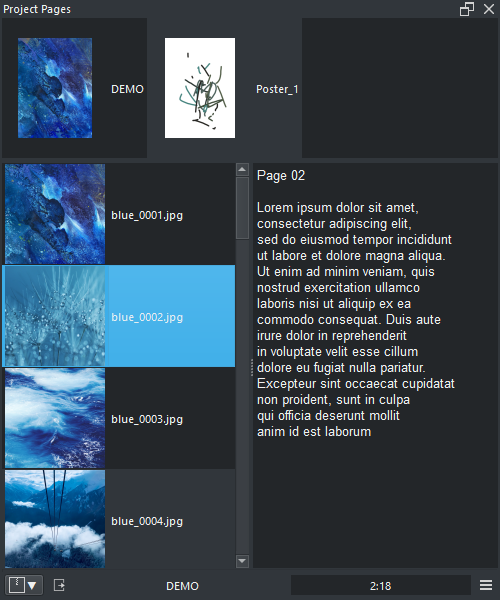
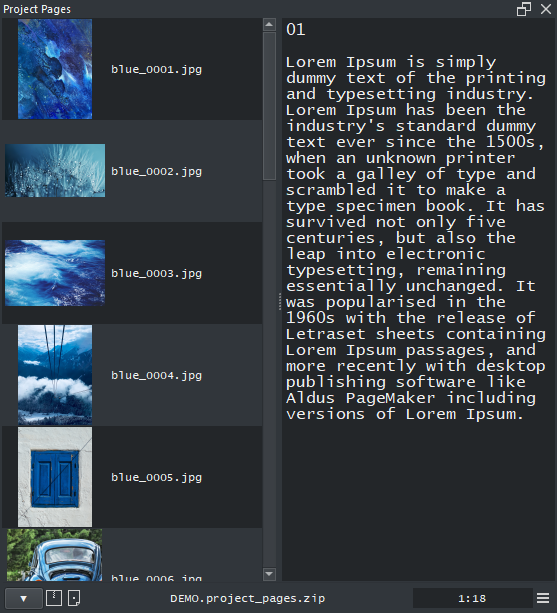
page list

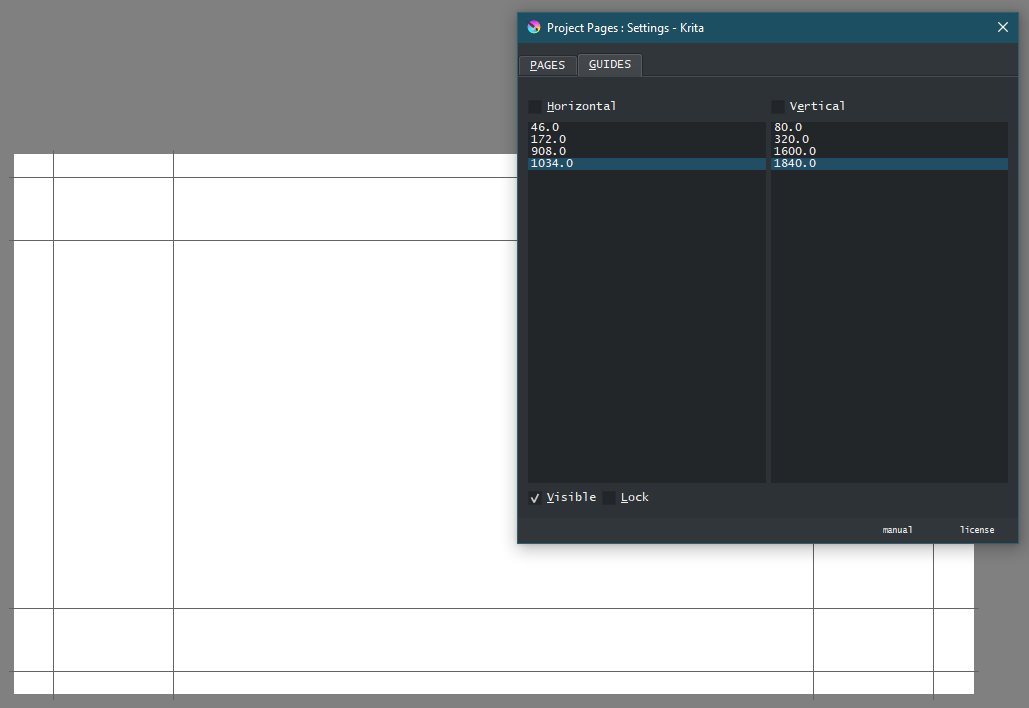
guides editor

recent projects + mirror fix

project_pages_menu_001project_pages_menu_002project_pages_menu_003 Context Menus

Guide template

Manual

5 Likes

this is really good plug in, and its definetly something i would love to use for my main workflow but i have an issue with it, i made sure to save everything, i closed krita, and when i try to open it again, i try to load the project and it just give me an error saying “PP : Name Conflict”
which im not sure what that means because i didnt change the name or anything, and it was working before but it doesnt work now

1 Like

That error means it is trying to unzip the file on a given directory but for some reason the name is already taken so to not overwrite it instantly it throws the error message.

This can mean that the folder was not saved and it may be a higher version than the zip the error is a safe guard for this.

If you update project pages to a new version now it will locate the folder that is causing you the conflict right after the error message so you may decide to delete or not. This saves time in locating things as you just need to make a decision.

But ussually you just need to delete the folder it locates.

Also I am glad you like it. It is a bit of a odd plugin but I really think it has alot utility in the long run. But since it is odd not sure what people think of it so it is nice to hear thoughts on it.

Perhaps I should make a page on the manual explaining the error messages.

2 Likes

Yeah, I just figured it out that I needed to delete the folder. Thought I agree, a page explaining the error messages would be nice, maybe if you make a future version of this plug in you could make the error messages a bit less vague so it is easier to understand the issue

1 Like

I updated it and now the error messages give a small explanation of what is the problem and in some cases how to solve it if it is not straight forward.

2 Likes

All right, I’ll give it a try. Thanks!

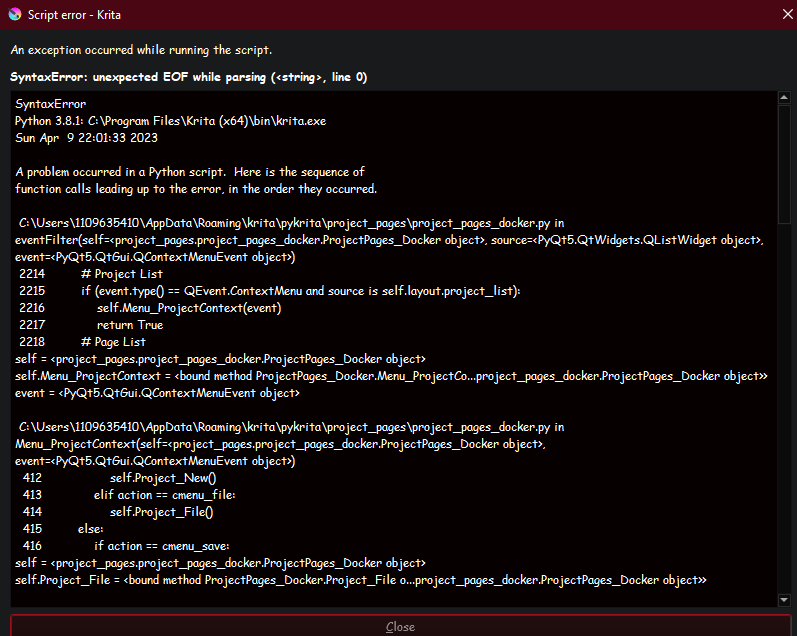
hey man, sorry to bother you again, im using the updated version, error messages are really good btw, that is nice, but now when i try to open a zip file i get a script error from krita

It says:

SyntaxError
Python 3.8.1: C:\Program Files\Krita (x64)\bin\krita.exe
Sun Apr  9 22:01:33 2023

A problem occurred in a Python script.  Here is the sequence of
function calls leading up to the error, in the order they occurred.

 C:\Users\U\AppData\Roaming\krita\pykrita\project_pages\project_pages_docker.py in eventFilter(self=<project_pages.project_pages_docker.ProjectPages_Docker object>, source=<PyQt5.QtWidgets.QListWidget object>, event=<PyQt5.QtGui.QContextMenuEvent object>)
 2214         # Project List
 2215         if (event.type() == QEvent.ContextMenu and source is self.layout.project_list):
 2216             self.Menu_ProjectContext(event)
 2217             return True
 2218         # Page List
self = <project_pages.project_pages_docker.ProjectPages_Docker object>
self.Menu_ProjectContext = <bound method ProjectPages_Docker.Menu_ProjectCo...project_pages_docker.ProjectPages_Docker object>>
event = <PyQt5.QtGui.QContextMenuEvent object>

 C:\Users\U\AppData\Roaming\krita\pykrita\project_pages\project_pages_docker.py in Menu_ProjectContext(self=<project_pages.project_pages_docker.ProjectPages_Docker object>, event=<PyQt5.QtGui.QContextMenuEvent object>)
  412                 self.Project_New()
  413             elif action == cmenu_file:
  414                 self.Project_File()
  415         else:
  416             if action == cmenu_save:
self = <project_pages.project_pages_docker.ProjectPages_Docker object>
self.Project_File = <bound method ProjectPages_Docker.Project_File o...project_pages_docker.ProjectPages_Docker object>>

 C:\Users\U\AppData\Roaming\krita\pykrita\project_pages\project_pages_docker.py in Project_File(self=<project_pages.project_pages_docker.ProjectPages_Docker object>)
  899         project_zip = os.path.normpath( project_zip[0] )
  900         if ( project_zip != "" and project_zip != "." and self.project_zip != project_zip ):
  901             self.ZIP_Open( project_zip )
  902     def Project_Open(self):
  903         project_item = self.layout.project_list.selectedItems()[0].text()
self = <project_pages.project_pages_docker.ProjectPages_Docker object>
self.ZIP_Open = <bound method ProjectPages_Docker.ZIP_Open of <p...project_pages_docker.ProjectPages_Docker object>>
project_zip = r'C:\Users\1109635410\Pictures\PERSONAL PROJECTS\waos\waos.project_pages.zip'

 C:\Users\U\AppData\Roaming\krita\pykrita\project_pages\project_pages_docker.py in ZIP_Open(self=<project_pages.project_pages_docker.ProjectPages_Docker object>, project_zip=r'C:\Users\1109635410\Pictures\PERSONAL PROJECTS\waos\waos.project_pages.zip')
 1101 
 1102                     # Control
 1103                     self.Control_Load()
 1104 
 1105                     # Mode
self = <project_pages.project_pages_docker.ProjectPages_Docker object>
self.Control_Load = <bound method ProjectPages_Docker.Control_Load o...project_pages_docker.ProjectPages_Docker object>>

 C:\Users\U\AppData\Roaming\krita\pykrita\project_pages\project_pages_docker.py in Control_Load(self=<project_pages.project_pages_docker.ProjectPages_Docker object>)
 2105                         # Guides
 2106                         if item[0] == "doc_gh":
 2107                             self.doc_gh = eval( item[1] )
 2108                             self.dialog.doc_gh.setText( str(self.doc_gh)[1:-1] ) # Variable is list Text is not
 2109 
self = <project_pages.project_pages_docker.ProjectPages_Docker object>
self.doc_gh = ''
builtineval = <built-in function eval>
item = ['doc_gh', '']
SyntaxError: unexpected EOF while parsing (<string>, line 0)
    __cause__ = None
    __class__ = <class 'SyntaxError'>
    __context__ = None
    __delattr__ = <method-wrapper '__delattr__' of SyntaxError object>
    __dict__ = {}
    __dir__ = <built-in method __dir__ of SyntaxError object>
    __doc__ = 'Invalid syntax.'
    __eq__ = <method-wrapper '__eq__' of SyntaxError object>
    __format__ = <built-in method __format__ of SyntaxError object>
    __ge__ = <method-wrapper '__ge__' of SyntaxError object>
    __getattribute__ = <method-wrapper '__getattribute__' of SyntaxError object>
    __gt__ = <method-wrapper '__gt__' of SyntaxError object>
    __hash__ = <method-wrapper '__hash__' of SyntaxError object>
    __init__ = <method-wrapper '__init__' of SyntaxError object>
    __init_subclass__ = <built-in method __init_subclass__ of type object>
    __le__ = <method-wrapper '__le__' of SyntaxError object>
    __lt__ = <method-wrapper '__lt__' of SyntaxError object>
    __ne__ = <method-wrapper '__ne__' of SyntaxError object>
    __new__ = <built-in method __new__ of type object>
    __reduce__ = <built-in method __reduce__ of SyntaxError object>
    __reduce_ex__ = <built-in method __reduce_ex__ of SyntaxError object>
    __repr__ = <method-wrapper '__repr__' of SyntaxError object>
    __setattr__ = <method-wrapper '__setattr__' of SyntaxError object>
    __setstate__ = <built-in method __setstate__ of SyntaxError object>
    __sizeof__ = <built-in method __sizeof__ of SyntaxError object>
    __str__ = <method-wrapper '__str__' of SyntaxError object>
    __subclasshook__ = <built-in method __subclasshook__ of type object>
    __suppress_context__ = False
    __traceback__ = <traceback object>
    args = ('unexpected EOF while parsing', ('<string>', 0, 0, ''))
    filename = '<string>'
    lineno = 0
    msg = 'unexpected EOF while parsing'
    offset = 0
    print_file_and_line = None
    text = ''
    with_traceback = <built-in method with_traceback of SyntaxError object>

The above is a description of an error in a Python program.  Here is
the original traceback:

Traceback (most recent call last):
  File "C:\Users\U\AppData\Roaming\krita\pykrita\project_pages\project_pages_docker.py", line 2216, in eventFilter
    self.Menu_ProjectContext(event)
  File "C:\Users\U\AppData\Roaming\krita\pykrita\project_pages\project_pages_docker.py", line 414, in Menu_ProjectContext
    self.Project_File()
  File "C:\Users\U\AppData\Roaming\krita\pykrita\project_pages\project_pages_docker.py", line 901, in Project_File
    self.ZIP_Open( project_zip )
  File "C:\Users\U\AppData\Roaming\krita\pykrita\project_pages\project_pages_docker.py", line 1103, in ZIP_Open
    self.Control_Load()
  File "C:\Users\U\AppData\Roaming\krita\pykrita\project_pages\project_pages_docker.py", line 2107, in Control_Load
    self.doc_gh = eval( item[1] )
  File "<string>", line 0
    
    ^
SyntaxError: unexpected EOF while parsing
1 Like

@ENJERUNE
well it should have been working but I guess I fix stuff on my end easier when I have them. I tried to make it more resilient to changes and created a default state to fall back onto if the attempt to read fails. update and try again and if it gives an error still, try importing the files into a fresh project then save, close and the open again to see if it fails.

all right, I willtry that, thanks a lot :0

1 Like

thank yoy very much,
that is very helpul for me!!!

1 Like

Warning

Please uninstall project pages before updating to krita 5.2.

the new python version will break the plugin.
New version will be out soon.

But the no dockers boot up of krita 5.2 will literally kill this plugin regardless because you will need a document open to open your project pages documents…
Which is the same problem people using Comic Book manager will be facing.

All reports of it will be ignored.

2 Likes

Update

  • Krita 5.2 compatiable
  • UI
  • Quality of Life
  • Logo update

Compatibility

First of all Project Pages is now compatiable with the upcomming Krita 5.2. However its use is almost none as it it boots without dockers so you literally have to open a document to access the plugin so it can open the projects. this bug has been reported but it works on it or should for what I tested. It also affects Comic Book Manager and the Log viewer equally bad. This is probably reason enough for me to not use the next version of Krita though so I will be working on 5.1.

UI

The biggest change overall is the UI changes for this one. Project and Pages modes have been merged into just one display. Also notes now does not auto format text so you may write longer notes.

Search

Using search will go find in the directory and all sub directories the Projects or Pages ( kra, jpg, png) compatible files and import them all. if you search your whole computer be prepared as it will take a while.

Link

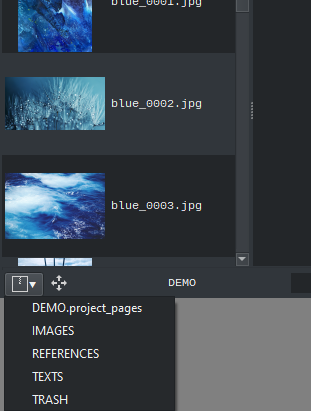
now once a project is open you will have access to a special menu that opens the folders inside the project. This is useful so you can access the hidden trash folder or other resource folders that you created into the project like dependencies or images. However I don’t recommend adding files in the order of the hundreds or thousands here just the immediate essential.

Auto Save

So now you project pages acctually auto saves with the document so there is no need to worry about saving the project after saving the document. This is why I recommend you not saving tons of files alongside your pages as each save will be compressing all files inside the project as soon as possible.

Information

Document XML information from Imagine Board will be transferred into Project Pages. I also made cleanner to load the XML information from the files, especially the Krita version were the file was last saved.

Logo Update

2 Likes

Yes. I think you can use it like that too.

Been an artist all my life and started self teaching myself code like 3 years now.

I started because the HSV docker was deprecated in krita and no one wanted to give support to it.

1 Like

Update:

  • Bugs on Linux
  • Quality of Life

So I detected that this plugin was not working on Linux this whole time. I did some changes to it and now it should work on the Linux side also. Honestly it should have been working from the beginning because this change is doing it in a weird way that was not made for the task unlike I was using before. This means Imagine Board is also broken the same way which is a ton of work.

Either way if someone detects more bugs tell me about it.

Also adjusted the settings behavior to not be in the way.

2 Likes

hey, im wondering. Is there a way to have my own custom default file as a template for making a new page?

The settings for new pages are saved inside each project. just open the project and edit the values to what you want and it should remain consistent each time you load that project.

if it does not do that tell me what you did and your os system.

i see, it works but i think it would be nice to change the default background color to something other than white

I guess you could try reimporting a blank file several times to have everything set up properly. Creating a folder inside the project so it gets bundled with it is easy. I am just not sure if that is possible through code.