Thanks a lot @kaichi1342  !
!
This is similar to something I was looking for !
For now, the " basic tool options location in toolbar" option is nice place to start.
In future,as shown in his video,when tool options toolbar will get implemented,surely life will get more easier as a comics artist !
Thank you @raghukamath !
No problem , I keep tabs of feature request I’m interested in. So i usually remember them ^-^.
1 Like
Just wanted to chip in on the original mock-up, the newer versions of Blender have a new toolbar.
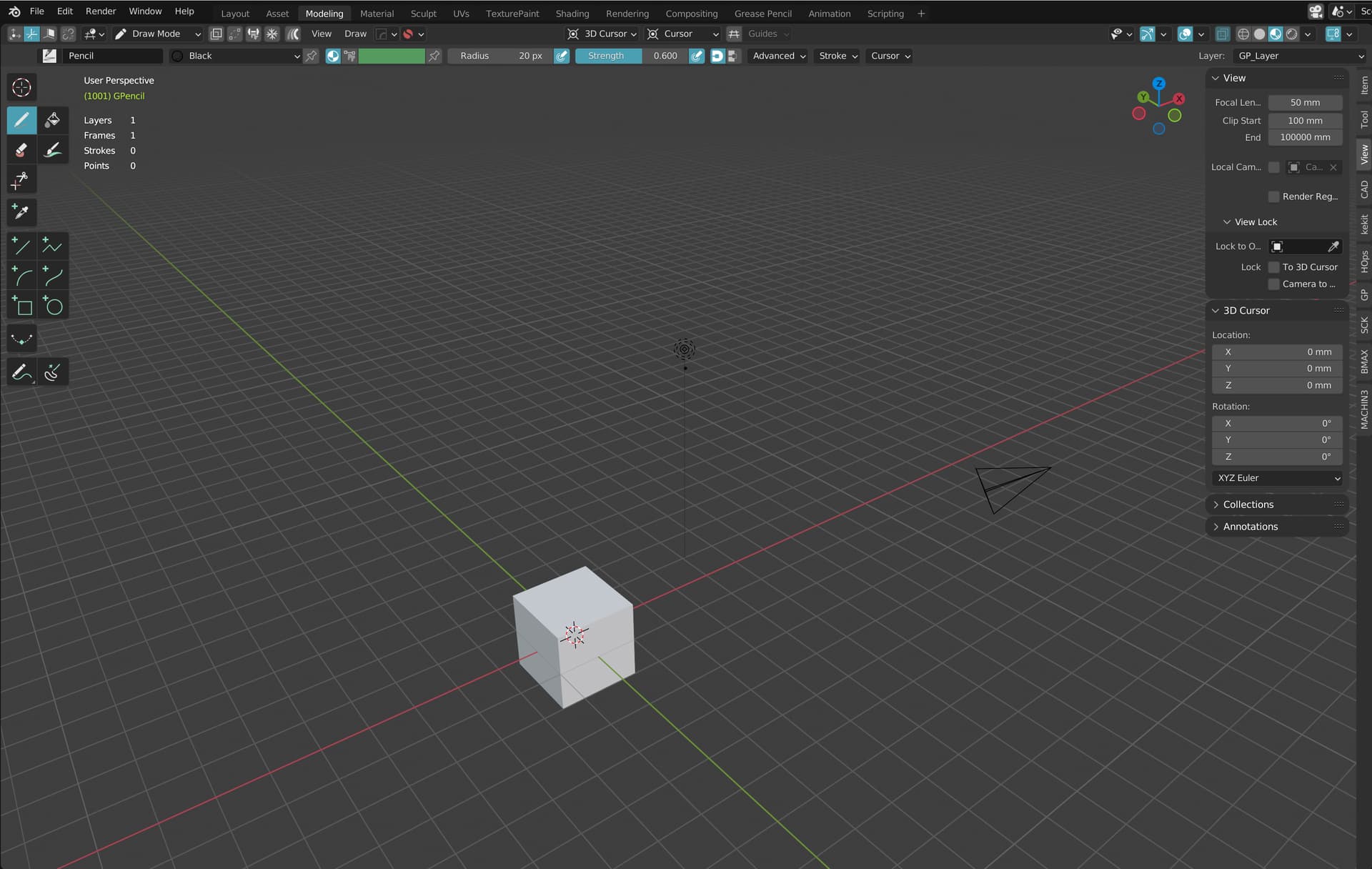
This toolbar is semi-transparant, so if there are only few options in the toolbar, it occupies less space on the canvas (though the toolbar region is a little bit darker). Might be an interesting design for Krita too.
Hey is this plan abandon? 
I really want this. Tool options in toolbar will make it very neat and nice.
As you can see onnthe mr discussion there was some push back. So i didn’t continue it.
which discussion? what push back? you mean other project to do? well its too bad, its such a great idea. maybe in the future?
The problem was that the contextual toolbar has sidescrolling, which cuts off options from view.
Yes but the ui havent been thought how to make it clean to put nicely in the toolbar, so changes can be made. And sidescroll for me personally dont matter.
Well anyway, the tool option as an icon in the toolbar like currently is ok too.
I’d love to see the contextual toolbar myself, because it saves clicks and shows the settings at all times.
2 Likes
Is restarting necessary? I can see myself switching it on/off for space related reason. I have similar view to Grum999 though.
In that mr i followed the same system used by the “tool options in docker vs. tool options in toolbar button” thing. I didn’t bother trying to make changes there since the meat of the mr was showing an options toolbar concept. But yeah, in principle it should be totally possible to apply without re-starting krita. It’s just more work.