I made a new proposal for the anti-spill/overflow option: ⚓ T15073 Anti-spill/anti-overflow option for the brush tool
It seems easy to implement (easier than I thought at first I should say). If it would be too slow I don’t know yet.
I made a new proposal for the anti-spill/overflow option: ⚓ T15073 Anti-spill/anti-overflow option for the brush tool
It seems easy to implement (easier than I thought at first I should say). If it would be too slow I don’t know yet.
Hi
Really interesting.
If implemented, it will be an option in Tools options docker, something like this:
Grum999
I would be cool with it.
At first I thought of something like that since it seems like a global option. But after analyzing it a bit, maybe it would be better to put the options in a new section in each brush engine’s options. The reasons are that maybe not all the engines would benefit from this and that some options are needed to adjust how the borders of the mask should look. Those options would be similar to the ones in the fill tool, since the heart of the algorithm is the flood fill. They would allow mainly to specify how much the mask should overlap with the reference lines and how smooth the borders should look.
But that’s what the task is for, to discuss things like that.
On the one hand, I hope it can be saved in the brush. Otherwise, it is troublesome to switch the brush without turning it off.
On the other hand, if it involves the mypaint brush engine, I am afraid that things will become complicated…
I understand that putting it in brush engine options is more for technical reason.
But if I understand, this means that if you want to paint using this feature, you need to create a dedicated brush?
It seems to be a little bit complicated from a user point of view.
In my case, if I have to take a look in brush preset windows, that’s sure I will never use it (I practically never open this window and I won’t create brushes for that)
If having the option in tools options is not possible due to some brush engine limitation/charateristics, is it possible to have the checkbox (+eventual adjusts settings - that can be predefined at brush level?) in Tool options docker, enabled/disabled (or visible/hidden) according to brush engine of current brush?
Grum999
I don’t know the best way. I omitted these issues in the task preciselly because I’m not sure myself how they should be implemented.
This will be so great for lineart too! 
And I think Krita will be able to do the same thing like this video with this feature
https://twitter.com/Foervraengd/status/1131919979333472256
I think that if it’s a brush editor option, it means that the “anti-overflow” parameter will be able to be temporarily enabled in any brush like all the other brush parameters. But I prefer for it to be an option in the brush editor because I will not like all the brush presents sharing the same overflow setting if I’m switching between brush presents frequently (like linebrush, fill brush, or eraser) . I wouldn’t like constantly turning it on and off before switching to another present.
I don’t care if it’s in “tool options” docker too if it can be a option in the brush editor at the same time. Perhaps the tool options can be global while the brush editor can be brush specific
It will be useful being in the tool options docker too if for example an artist needs to paint a area of a painting and they need all their painting brushes to have “anti overflow” enabled at the same time. It might be faster than having to open the brush editor to enable it on multiple brushes
For reference, CSP has a similar feature (as a brush option) and solves the brush option/tool option dichotomy by letting the user choose specific options in the brush settings to show up in a tool properties docker. But something like that would be a bit out-of-scope for this proposal.
(I suppose the pop-up palette’s brush options are somewhat similar, but any choosable option currently has to be explicitly coded in so it’s limited, and not everyone would necessarily want to use the popup palette, especially as it’s not a docker.)
Whoaa this is good. Really works well for line based work. I can see myself using this alot.
This and the other tool you are developing. You are doing alot in terms of enhancing the coloring experience in Krita. Thank you very much.
I can understand that 
That’s why in addition to a checkbox available from tool options docker, I suggested +eventual adjusts settings - that can be predefined at brush level?

The thing is, if everything is at brush level, you’ll have to start to tune & probably duplicate many brushes.
Also, this means the functionality is not available without new brushes provided by default with Krita.
There’s already many brushes, having more brushes with some dedicated especially to paint with anti-overflow option, seems a little bit complicated for me.
@Deif_Lou concerning possible settings defined to brush, you’re thinking about theses one?
- Some postprocessing options can be used, like “grow selection” and “feather”.
- Other options, like filling until an specific color (described in the enclose and fill task) can be used, and maybe they are even required here to avoid ending with a bad selection when the pixels under the cursor may not be uniform.
After I’m wondering:
What if seed point is on a color limit?
– Fill left part, right part?
If reference sampling image is not current layer, is it possible in this case to use alpha channel instead of a color limit? (will probably give better results I think)
Grum999
I’m ok with all the points. Local settings to the brush and global settings. Seems similar to the erase mode.
That’s when the “region selection method” option would be useful. That’s an option I’m introducing in the enclose and fill tool, but also some of the methods in the fill tool. Take a look at this mr: Draft: Add "select all until color" selection methods to fill and contiguous selection tools (!1201) · Merge requests · Graphics / Krita · GitLab
Basically, if you use the normal flood fill selection method, then when you are inside the line, you only paint inside the line, and not the white areas, since the line is just another area. On the other hand if you use the “select all until specific color” selection method described in the mr, and choose a black color, then if you are over the black line nothing is selected.
Do you mean for example if you have lines of different colors and the inbetween regions transparent? So you can paint the transparent but not pass the lines? If yes, then I guess that you would use the normal region selection method and, as long as the center of the brush is in a transparent area, it should work.
Hi
That’s something that have been presented on Krita-Artist and I missed? 
Anyway, sounds to be a good functionality 
So with this, it’s more an option like:
The most difficult now would probably be to define a user interface that is easily understandable…
And I’m wondering if rather than having a checkbox in Tool Options to activate the anti-spil/anti-overflow mode like I initially think (+all options), having a new dedicated tool might be easier to find/use/configure?
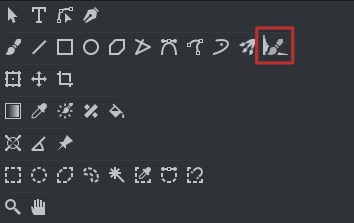
But this need:
That’s not simple
Grum999
That’s a side effect of the “enclose and fill” tool. I didn’t publish it here. I guess I have to make a single post with all the features to come.
It isn’t. 
I wouldn’t make another tool. Maybe the best is to put the options in the tool docker, although it will have to be implemented for each brush engine specificaly. If an engine won’t support it, they just are not used. I don’t know. That way they may be stored when the tool presets are implemented. Then I think that it would be great to have a tool button like the eraser mode.
Yes it could be interesting
It was just a suggestion
If brush engine don’t support it, it could be a good thing to hide options in this case.
Could be interesting.
But I’m wondering.
If the functionality is implemented at brush level, it means that all paint tool (line, rectangle, ellipse, multibrush, …) would be able to use it?
But in this case it means that if options are available in tool docker, tool docker have to be updated for all paint tool… ??
I suppose a simple widget that can be added everywhere, but it could be very confusing to have these additional options on all paint tool options.
Grum999
Well, I think it would be enough to put this in the brush tool. The other tools could just ignore the options. I think it would be too ambiguous in other tools and not that useful.
That would be the perfect solution one day 
I think it would be cool if that icon could be a new button on the toolbar. If it was applied “per brush settings” or in the tool options. Clicking on it will turn on anti-overflow mode and there would be a dropdown menu button next to it to configure it. Like the mirror tool button. But the dropdown menu might be too big for a toolbar button
