I got a library of geometric shapes in svg format online and I’m trying to figure out how to load it so I can access it. At Symbol Libraries — Krita Manual 5.2.0 documentation under " Symbol Libraries" it says
“The Symbol Libraries Docker loads the symbol libraries in SVG files, when those SVG files are put into the symbols folder in the resource folder Settings ‣ Manage Resources… ‣ Open Resource Folder. They are a type of [resource].”
Huh? Where is “Settings”? There is a “Preferences” menu item but nothing about resources there, except the location of the resource folder.
Elsewhere I read that I could put a symbol library there, in the Krita Applications Support folder. I’ve tried that and it doesn’t work either.
AND somewhere else I read that there’s supposed to be a “create vector” tool but I don’t have one.
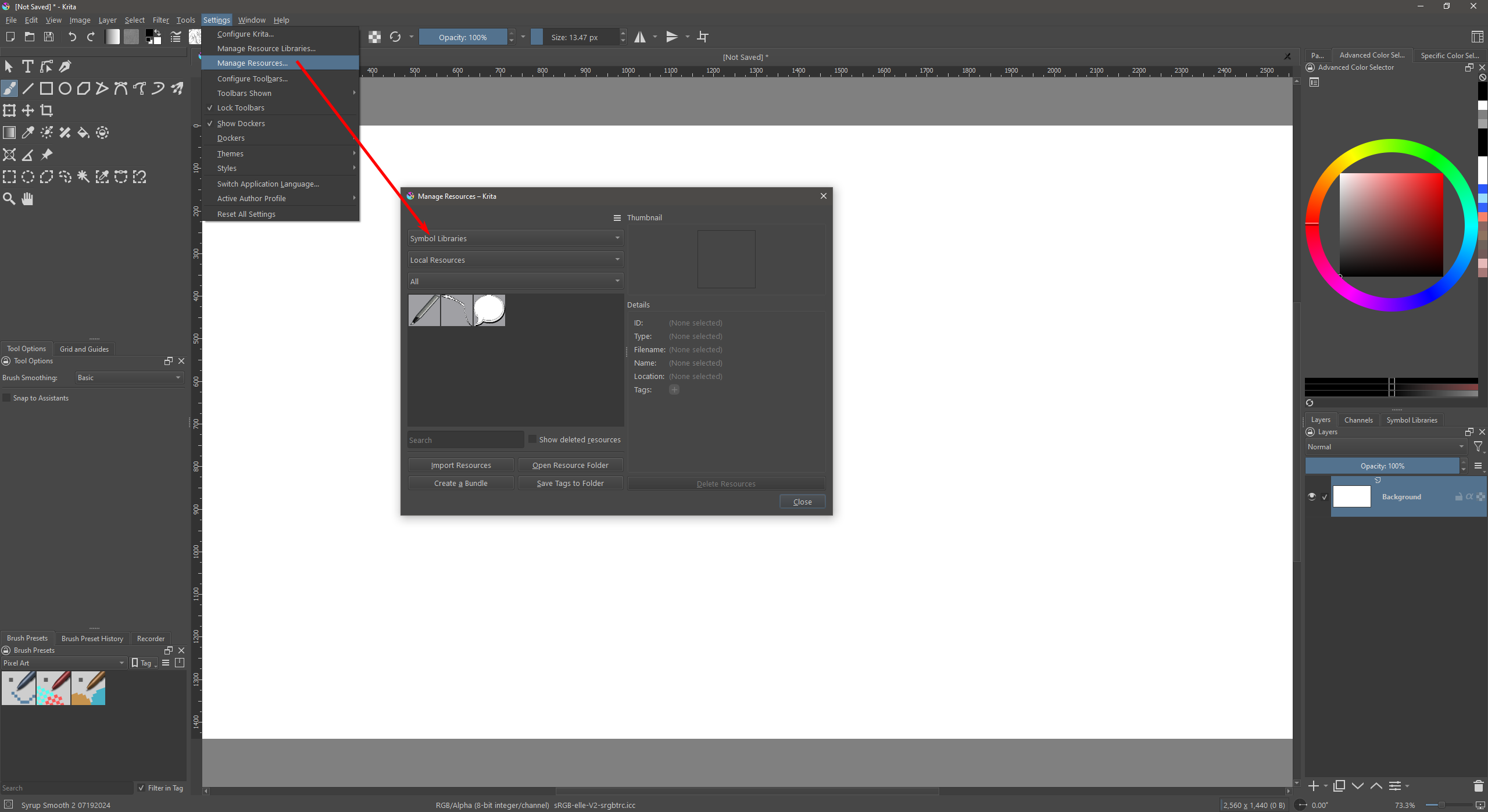
Selecting Settings → Manage Resources opens the Resource Manager (see image below), where you can also directly open the file folder on your system where all your presets, patterns, symbols, etc. are stored. Click on the “Open Resource Folder” button and put your SVG files within the “Symbols” Folder. ►Restart Krita◄
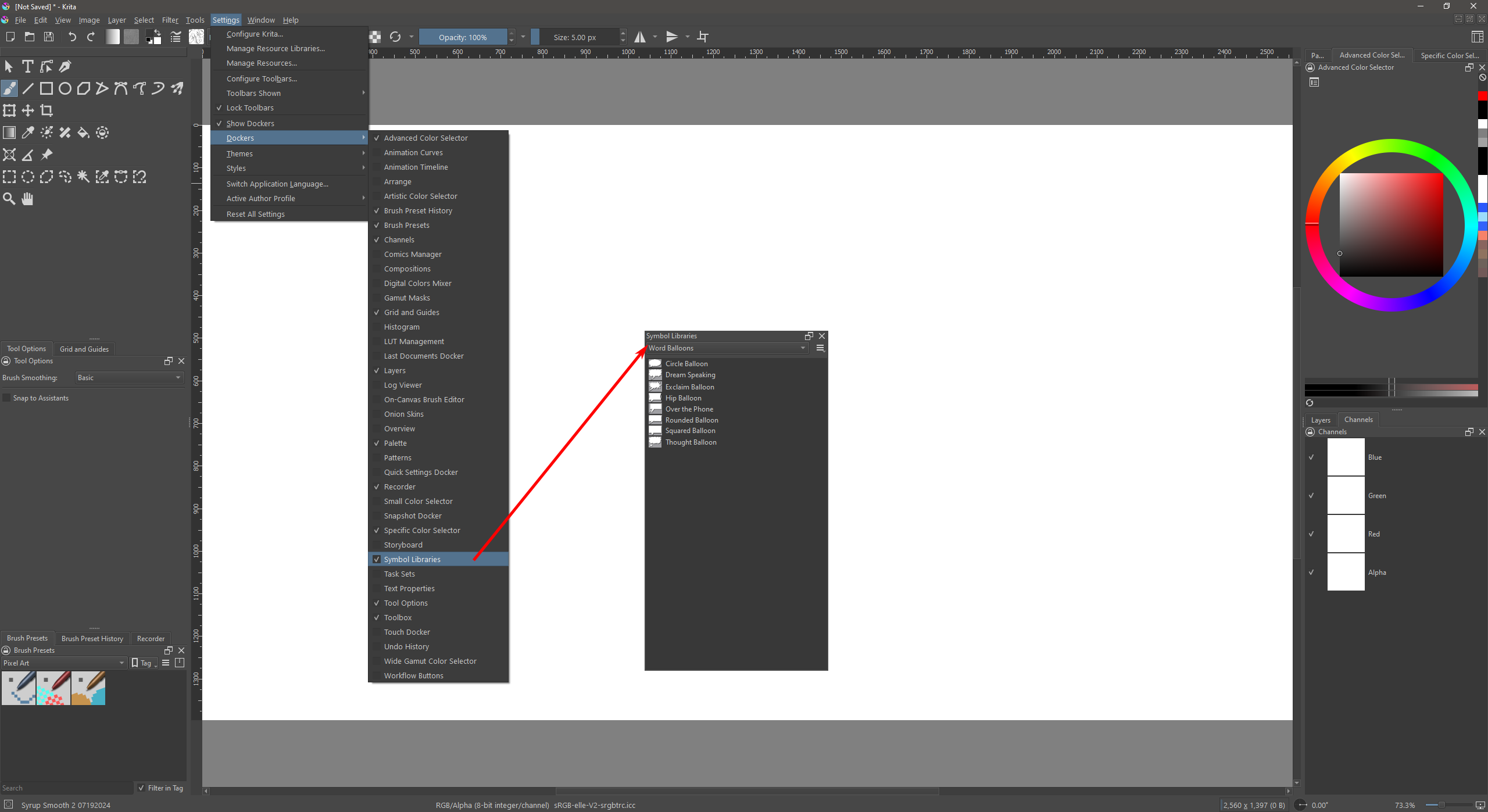
Your SVG items will be available from the Symbols Library. If you don’t have that opened, go to Settings → Dockers and checkmark the Symbols Library to open the docker for use (see image below). To use the items, drag them from the docker panel onto the canvas area.
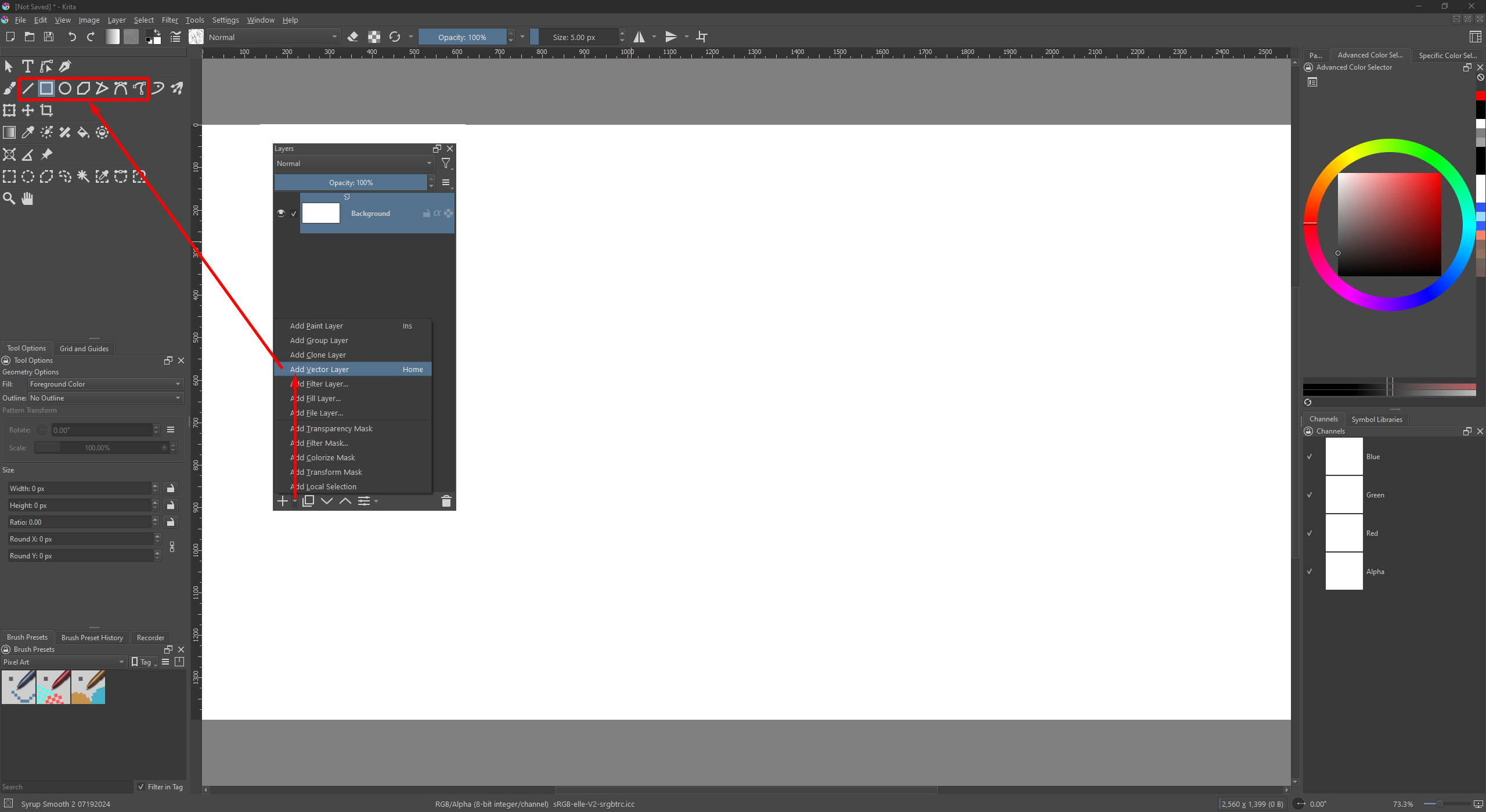
To create a Vector, you need a Vector Layer to use. On the Layer panel, click the small arrow at the bottom (near the plus symbol button) and select “Add Vector Layer”. Then use the shape tools to create our vector shapes (see image below). You can also edit those shapes using the Select Shape and Edit Shape tools (they’re on the top row of the Tool Panel).
Part of the confusion about Settings may be because @Pearlie is using macOS and that has an overall ‘Preferences’ item/action that then displays the ‘menu bar’ items of the application being used, whereas Windows/Linux applications show the menu bar items at the top of the application window.
Using Manage Resources to Import a ‘Symbol Library’ (used to be called a Vector Library’), or putting the .svg file in the Symbols subfolder of the Resources folder, only works if the .svg file concerned actually contains symbol tables. A Symbol Table is a specific type of SVG construction.
So, if you have an .svg file that simply contains a set of vector objects that you created (or collected from somewhere) then it will not be accepted as a Symbol Library by krita and will not show in the Symbol Libraries docker if you simply place it in the Symbols folder.
You need to have an .svg file that has been made with a Symbol Table in it.
I made a brief description of how to do this some time ago, here:
Make your own Vector Library the sneaky way
(They used to be called Vector Libraries.)
Sadly, because of the Great Dropbox Disaster of April 2024, the link in that topic doesn’t work.
Here is a more modern and working link:
My-Little-Vector-Library.svg - Google Drive
Here is a more compact ‘Minimal’ version of the symbol library:
Minimal-MLVL.svg - Google Drive
(That does not have a preview image because it’s minimal.)
Thank you, Ahab, for clarifying that. I had just found an .svg file with the shapes I wanted and evidently it wasn’t made with a symbol table. I was hoping not to have to make a file myself so I didn’t follow your links but thanks for your comprehensive answer.
This topic was automatically closed 30 days after the last reply. New replies are no longer allowed.