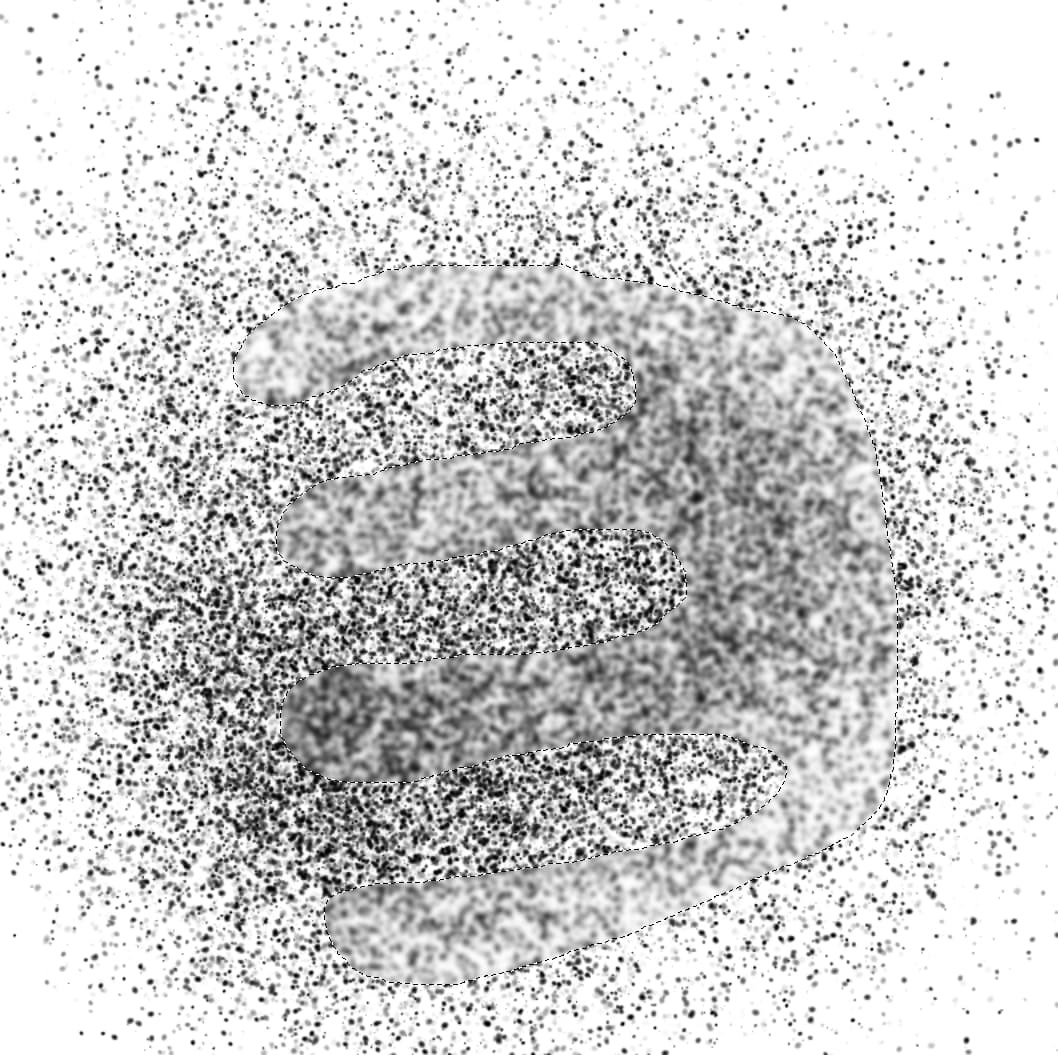
Hi, if I do
blurFilter.apply(backgroundLayer, 0, 0, 3000, 2000)
the filter is applied to the whole layer, ignoring the selection. how can I apply it only to the selected area? Thanks
Hi, if I do
blurFilter.apply(backgroundLayer, 0, 0, 3000, 2000)
the filter is applied to the whole layer, ignoring the selection. how can I apply it only to the selected area? Thanks
I’m not a programmer, but it seems to me that you should apply the filter to the selection rather than the layer…
Maybe something like this?
from krita import *

# Krita Instance Objects
ki = Krita.instance()
ad = ki.activeDocument()
ss = ad.selection()

blurFilter.apply(ss, 0, 0, 3000, 2000)
The first few lines are stolen from @EyeOdin in this thread.
I’m afraid not. apply wants a Node, and Selection is not a Node.
If I try that, Krita says “argument 1 has unexpected type “Selection”” … 
Hi
Filter apply method is:
filter.apply(node, x, y, width, height)
Then you have to get current selection, and provide selection boundaries to filter method
from krita import *

application = Krita.instance()
currentDoc = application.activeDocument()
currentSelection = currentDoc.selection()

if currentSelection is not None:
    currentLayer = currentDoc.activeNode()

    blurFilter = application.filter('gaussian blur')

    # apply( layer, x, y, width, height  )
    blurFilter.apply(currentLayer, currentSelection.x(), currentSelection.y(), currentSelection.width(), currentSelection.height())
    currentDoc.refreshProjection()  # update UI
For a non rectangular selection… 
Grum999
Ok, but this way I can only apply the filter to a rectangular area, right? I need to apply it to a nonrectangular selection (which is my previous stroke actually. The selection is obtained with the action “select opaque”)
(I’m trying to mimic the blur which watercolor makes with the re-wet option in Rebelle)
Maybe selection mask/filter mask?
Unfortunately, yes…
As indicated in scripting lesson, filter API is still a work in progress…
https://scripting.krita.org/lessons/filters
For now the only ways I see to apply filter on a non-rectangular selection are:
If there’s a simple way to apply a filter using the current -or a given- selection I’m interested to have it too 
Grum999
Yep, I’m trying the copy/paste solution but without success for now. it will take some time… thanks
Here something that’s working (a mix between solutions 2 & 3)
from krita import *

application = Krita.instance()
currentDoc = application.activeDocument()

if currentDoc is not None:
    currentSelection = currentDoc.selection()

    if currentSelection is not None:
        currentLayer = currentDoc.activeNode()

        if currentLayer is not None and currentLayer.type() == 'paintlayer':
            blurFilter = application.filter('gaussian blur')

            tmpDoc = Krita.instance().createDocument(currentDoc.width(),
                                                     currentDoc.height(),
                                                     'tmpDoc',
                                                     currentDoc.colorModel(),
                                                     currentDoc.colorDepth(),
                                                     currentDoc.colorProfile(),
                                                     currentDoc.resolution())

            tmpLayer = tmpDoc.createNode('tmpLayer', 'paintlayer')
            tmpLayer.setPixelData(currentLayer.pixelData(currentSelection.x(),
                                                         currentSelection.y(),
                                                         currentSelection.width(),
                                                         currentSelection.height()),
                                  currentSelection.x(),
                                  currentSelection.y(),
                                  currentSelection.width(),
                                  currentSelection.height())


            tmpFilterMask = tmpDoc.createFilterMask('tmpFilterMask', blurFilter, currentSelection)
            tmpLayer.addChildNode(tmpFilterMask, None)

            tmpDoc.rootNode().addChildNode(tmpLayer, None)

            currentLayer.setPixelData(tmpLayer.projectionPixelData(currentSelection.x(),
                                                        currentSelection.y(),
                                                                currentSelection.width(),
                                                                currentSelection.height()),
                                    currentSelection.x(),
                                    currentSelection.y(),
                                    currentSelection.width(),
                                    currentSelection.height())

            currentDoc.refreshProjection()

            tmpDoc.close()
It’s not optimized but it works
Grum999
Looks wonderful. I’m trying! 
BTW, why did you use a temp document? Couldn’t you create a new node in the current document, without adding it to the tree? Edit: probably because of the filter mask.
Good question
It’s possible to create node without adding it to tree and work on it.
But from my tests, in this case node seems to be considered as “not visible” and then projection pixel data is not updated with mask (that’s weird for me because asking a projection of a layer shouldn’t take care of visibility of layer but…)
So you have to add the temporary node to document.
But doing it on active document result with a weird flick on canvas (and layer stack) because node is visible less than a second…
So the temporary document.
There’s possibilities to improves (this: reduce size of document to selection dimension will improve performances, also maybe create/delete temp document at plugin startup/stop this need to be compared with resizing doc on the fly)
Grum999
Yep, I’ll try to reduce the temp document dimensions!
Currently it works but it’s too slow to be used:
Yes, your document size is big and filter layer is applied on a document from same size… there’s some computations made for nothing…
Grum999
It seems like layers can have a different size than the image.
Maybe it would be faster to create a temporary layer of the required size rather than creating an entire new document?
Didn’t tested recently, but a filter mask doesn’t apply outside canvas.
Then, having 10x10px document would be fast to create and low memory consumpting
But if you put a node of 100x100pixel on it with a filter mask, I think only the 10x10 visible area of layer will be updated…
Need to be confirmed
Grum999
No good way to do it, so here is one bad way to do it
from krita import Krita
from PyQt5.QtWidgets import (
        QCheckBox,
        QApplication,
        QDoubleSpinBox)


def blur_selected(radius):
    app = Krita.instance()
    krita_filter_blur = app.action('krita_filter_gaussian blur')
    krita_filter_blur.trigger()
    QApplication.processEvents()
    blur_dialog = QApplication.activeWindow()
    preview_check = blur_dialog.findChild(QCheckBox, 'checkBoxPreview')
    preview_check.setChecked(False)
    horizontalRadius = blur_dialog.findChild(QDoubleSpinBox, 'horizontalRadius')
    horizontalRadius.setValue(radius)
    # no need to set if vertical & horizontal lock is on
    # verticalRadius = blur_dialog.findChild(QDoubleSpinBox, 'verticalRadius')
    # verticalRadius.setValue(radius)
    blur_dialog.accept()

blur_selected(50.0)
/AkiR
edit: better to turn preview check box off (it did get confused…)