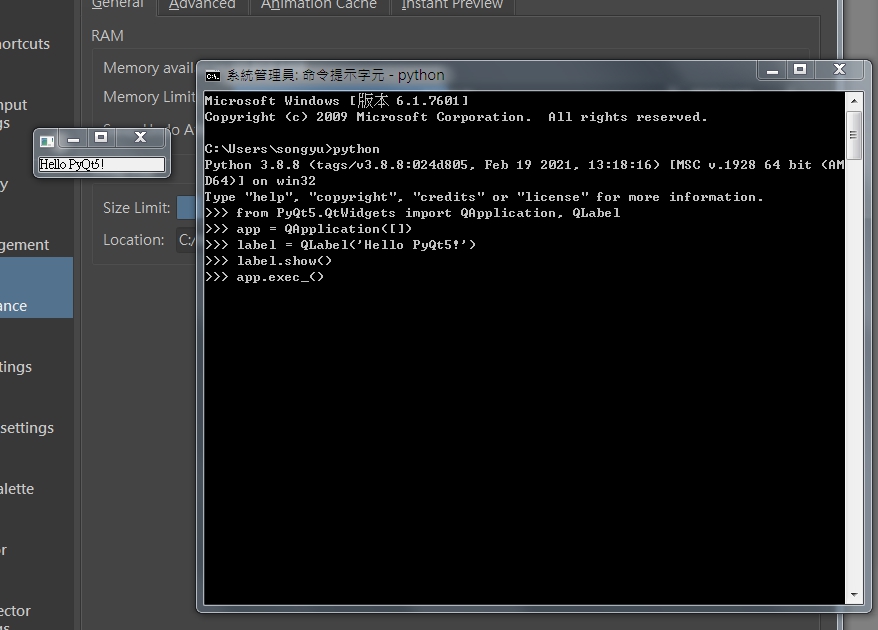
My English is still at a beginner level.
My equipment list:
OS: Windows 7 x64
Computer: i7-4710, 16GB RAM, GTX 860M
Software: Python 3.8.8, PyQt5, PyQt5 Tools
Krita version 5.2.2
Question:
I can’t find the “Python Plugin Manager” tab, and the “Tool” menu → “Script” option is empty.
Please help me, thank you.
 Hello @minews977, and welcome to the forum!
The Python Plugin Manager can be found in Krita via ‘‘Settings’’ >> ‘‘Configure Krita’’ and then you may need to scroll the left bar with the categories like “General”, “Display” or “Performance”, to name a few, down to find the ‘‘Python Plugin Manager’’ at the very end.
To get entries below the menu “Tools” → “Scripts”, when there is nothing displayed, you can fix this usually with a restart of Krita. I think there is a different solution too, to get the view of the contents of the “Scripts” menu back, but I’m currently unable to find that post where this other way is described.
In case you may have further questions, feel free to ask and describe briefly what you did so far and also where are you stuck.
By the way, it is not advisable to use Windows 7 anymore, because there are no further security updates and also no normal updates too, and Krita has dropped support for Windows 7.
That does not mean Krita can not work with Windows 7, but you put yourself and anyone with whom you may share files from your computer at risk, and this is a risk you can avoid and simply work around by updating to Windows 10 for instance. Or be bold and directly change to Linux, there you get an always up-to-date operating system for free!
But back to update your Windows 7: This update is even nowadays free and absolutely legal, because Microsoft allows it silently (they don’t speak about it), just search via Google, or any search engine you like, for “Windows 7 free update to Windows 10” or similar search-terms. Unfortunately, an update to Windows 11 will not be so easy, because your processor is not supported by Windows 11, you would need to patch your registry in order to update to Windows 11.
But the best option may be the change to Linux.
Michelist
Micheliste:
Thank you for the reply.
I have already scrolled to the bottom of the bar, but still can’t see the tab.I have tried restarting the OS and Krita. The problem remains unchanged.I will try to upgrade my operating system. Thank you for your suggestion.
It should not be through using Windows 7.
Please stop Krita if it should be running. Can you please try to enter %LOCALAPPDATA% into the address-bar of your explorer and hit the Enter-Key, at the end of the folder you are taken, you should find a file called kritarc (not in the sub-folder krita that can be found in that folder too), in case you never could use Krita before (you have just installed Krita), and you have not made any modifications to Krita’s user interface, for instance placed new buttons or moved buttons and sliders around to other places, you can delete this file?!
But if you had used Krita before, and you have adjusted the user interface, then move the file kritarc to another folder.
After you have moved or deleted this file, you can try to start Krita, Krita then recreates this file from scratch. Can you find now the Python Plugin Manager, or do you have now access to Tools → Scripts?
Michelist
At present, the only operating system I have is Windows 7. I will switch to other systems as soon as possible. There are too many programs installed on the computer, which will be a significant undertaking. I uninstalled Krita as per your suggestion ,and deleted the local directory & Roaming directory in the AppData directory. Everything related to krita or kritarc in directory (this file was not found). After restarting the computer and reinstalling krita, the result is still the same. Thank you for your patience and suggestions. I will look for another computer with Windows 10 or above and try again.
Delete and make sure kritarc does not exist
Oops, the language barrier. 
I did not suggest to uninstall Krita, I only said you should stop Krita, with which I meant you should switch it off, click on the X-Button.
I seriously hope you have not deleted the complete “Roaming” and the complete “Local” folder, because then you have bricked your current installation of Windows. So I really hope you only deleted the folder “krita” in “Roaming” and the folder “krita” in “Local” and uninstalled Krita.
In case you speak Chinese, Japanese or Korean, you could try the app DeepL.com to translate the conversation, in most cases it is a very good option for translations and most of the time better than Bing and Google. They offer apps for your PC and for Android and iOS as well.
Michelist
Yes, I just deleted the “krita” folder in “Roaming” and the “krita” folder in “Local” and uninstalled Krita.
I use Google Translate. I’m sorry if this inconveniences you. Thank you again for your time and patience.