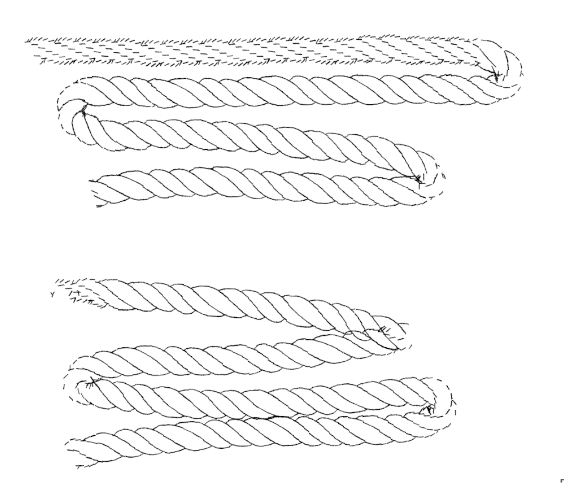
Hello.
I’m trying to make a rope brush using an animated brush tip and encountered a slight problem. When I draw slowly, it works perfectly (well, as perfectly, as it could get  ) but as soon as I start moving my hand faster the brush begins to break. And the faster I go, the worse the result.
Here is an example:
If I understand it correctly, Krita just needs time to calculate each image in the sequence (and there are a lot of them)?
So my question is next: can I somehow improve the brush performance with speed? Maybe some other settings will help?
Or it is just how it works and I should simply call my brush a “slow rope” and call it a day? 
If you can give a file sharing/download link for the .kpp file and the animated brushtip file (or even make a .bundle file) then someone would be able to have a close look at it and try it out to give feedback and advice.
Ok. Got it, thank you.
Here is a link Rope.bundle - Google Drive
It does break apart at high speed.
You have 18 incrementally picked images at a size of 120 x 109.
You couldn’t make them any smaller without loss of line quality.
All I can think of is that it takes time to extract each image from the collection of 18.
Maybe if you reformatted this as a collection of 9 images?
If you did that, you wouldn’t be able to go around a tight curve without break up of the line but you may be able to go faster along a straight line or a gentle curve.
I wonder if someone with a powerful computer doesn’t have as bad a problem with it.
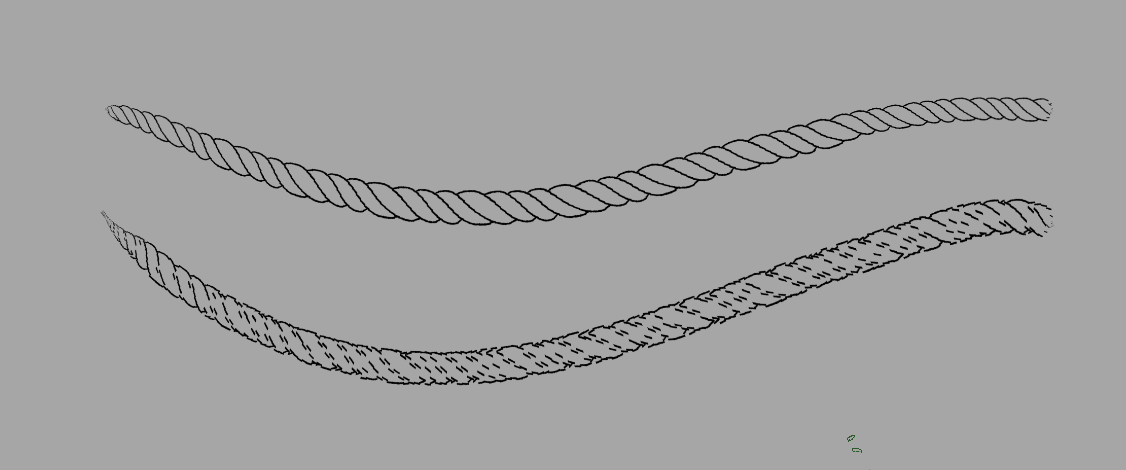
The behaviour in GIMP is interesting:
The upper zig-zag stroke goes from slow to medium speed.
Notice the strange break up at low speed but it goes ok at medium speed.
The lower zig-zag was done at very high speed and shows no break up except for the expected problems with tight corners.
At all speeds, there is uneven spacing of the rope twists.
The speed break up in krita seems to be a problem in krita.
 but I decided to do this much so it will be possible to make a nice curve with a brush.