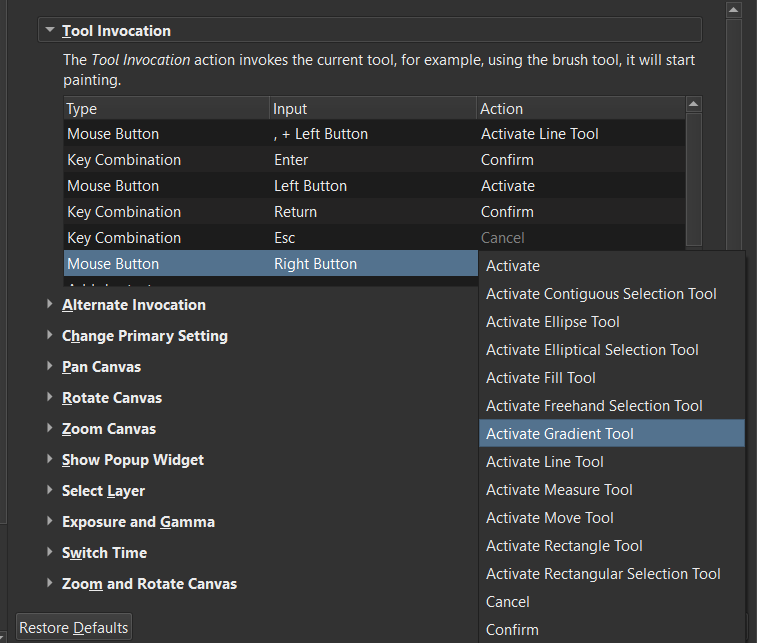
…and then I set the Mouse Rigth Click Secondary Button (of my pen) button to do the same as Shift+I
Doing that, I now have the “Show Color Selector” window open up when I use the Mouse Right Click but I lost the Right Click functionality for everything else outside the canvas, for example, If I want to see the contextual menu of the layers:
So I was wondering If some of the “Canvas Input Settings” available can be used to map the action “Show Color Selector” to the mouse right click to work only inside the canvas.
As far as I can tell, the Canvas Input settings don’t have that “Show Colour Selector” action available.
It would be a reasonable and useful thing to have in the Canvas Input Settings.
I suggest that you change this to a Feature Request topic or start a new one specifically for that.
I don’t understand how you set a right-click (pen button) to activate the Show Colour Selector action because the Keyboard Shortcuts don’t accept mouse button action inputs. I find this confusing.
@AhabGreybeard Sorry, it was not clear. Yes, as @Daishishi mention, what I did was to map the secondary button of my pen to call Shift+I (the shortcut of the Show Color Selector). That was the closest way that I found to have the functionality.
@Daishishi Yes, you are right about that deleting the Pop-Up palette shortcut doens’t affect my current setup (because I call Shift+I directly thougth the pen configuration and not using the Mouse Right Click button)
I deleted that shortcut in first place to disable the Pop-Up palette and also to avoid a possible conflict if I found some other way to do the mapping with the “Show Color Selector” window.
All I can suggest is that you use a single keyboard key press for the action (such as ‘S’ or ‘X’ which are not allocated in the default shortcut settings) or maybe a drawing tablet key set to Shift+I.
The PopUp Palette is by far the worse feature krita has I don’t get how people like it, if this actually works I would totally disable it, but I never play around with mouse inputs because I find then unstable to edit and this seems to prove it again…
If only making popups was not hacky with python I would replace it with something.
If this method works without loosing function on the right click I would love to hear about it, to do it also.
Different strokes for different folks. At least is an option.
I just curious how you never asked for a different ‘Canvas popup’ if the Popup Palette is so awful. Like, I don’t get what is so bad about it, but what other choices could be proposed?
@Daishishi I don’t know the reasons of @EyeOdin but this are mine: I think that the idea of the pop-up palette is kinda genius, really. When I draw, the 90% of the times normally my cursor travel to the pencil selector or to the color selector, so this tool reduces the cursor traveling to a minimum. Really awesome!
However, my mayor gripe is with the color selector: It doesn’t behave on the same way of the “Advanced Color Selector” docker or the “Window Color Selector” window, but on his own particular way, that I don’t like or understand.
Today there is two options: the triangle (“sRGB Triangle”) or the square (“Wide Gamut”).
The Triangle rotates when you select a color on the HUE ring.
I don’t know why. Is too much better - in my opinion- to keep it stationary when you know -muscle memory- what corner or the triangle corresponds to mayor/minor Tint/Shade, just like in the docker or the mini-window.
Then there is the square -that I prefer over the triangle mode for habit reasons, but is not a dealbreaker-. The square does not rotate, good, but the HUE circle lost his tint when you choose a color too light or dark, and then the ring becomes kinda useless because you lost reference of the colors and you need to “guess” where are they instead of clicking directly.
So for my personal use case and taste, the best is the “Select Color” window. Is pretty good on his own really, it has a big square to show the selected color-that some people don’t like haha- and also auto-hides when your cursor moves away. Pretty neat really.
I think this will be solved in the improvements made by @Lynx3d. You can check out the screenshots in this task here - ⚓ T13509 "Wide Gamut Color Selector" Docker there is a smallers ring which retains the hue. I don’t know if it gets carry forwarded to the popup palette
I never asked because I was working on something for it.
But the current path is so hacky and lag and bug inducing considering all krita options that it is not worth doing it like that at least with python that is. That or I buy a new computer to handle the lag… Either way it does not help.
Regardless my time to loose time on coding has ended and loosing time with Linux and Cpp are not and option. Not for my machine options nor for me and my future path, worth my time just to fix a silly panel when I can just ignore it’s very existence.
However if a API path opens up I will do it probably.
And yes I have made requests for it but they don’t have flashy colours or something so people don’t even care. More problematic for me was the colour selectors and I managed to fix that at least for myself even after no one agreed or cared about my ideas and people seem to like it now that I made it. Go figure…
So I can’t say I am very surprised with it all nor do I care to push considering it all. I will just work on what I can.