Me, Cannonic. I want to join since I also have a bug to give
I alos went through a bug which is related to the multi brush tool.
in the tool it usually has four brushes which go in opposite direction of the other brush but now that I use it, it works like 4 brushes are going together in the same line. I use it make flowers.
Heres one example: I used to multi brush tool to make the flower.
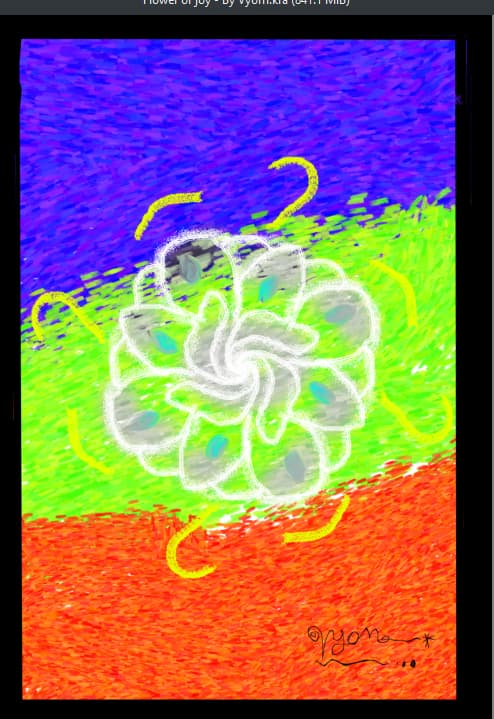
I need the multibrush tool fixed pls.
One more bug is that all my brush move in a very slow way and then it shows a free hand brush stroke loading bar at the below of my screen.
One last bug that I encountered is that whenever I try to use ctrl + z, it sometimes doesnt work.
so I cant go back to my original artwork in case I ruined it.
pls fix these 3 bugs, especially the multibrush tool one. thank you.
Pretty sure those arn’t bugs.
- You can change the settings of multibrush tool under the “tool options” docker (you can find the docker by going to “settings” → “dockers” → then click the box next to “tool options”), the “translate” mode of the multi-brush behaves exactly the way you have described (the four brushes going in same direction).
- Thats probably just lag, which is not a bug
- How do you save your work? Some formats save without your layers, so you can’t edit them later. ctrl + z might not work depending on what part of Krita you are in.
Hi @Cannonic
Your post was removed from the bughunt thread (as you can see from the response you received, your observation is not a bug - it’s a question on how to use a tool).
If you want to participate in the bughunt by selecting one of the existing 900 bugs, you’ll find everything you need to know at the top of that thread.