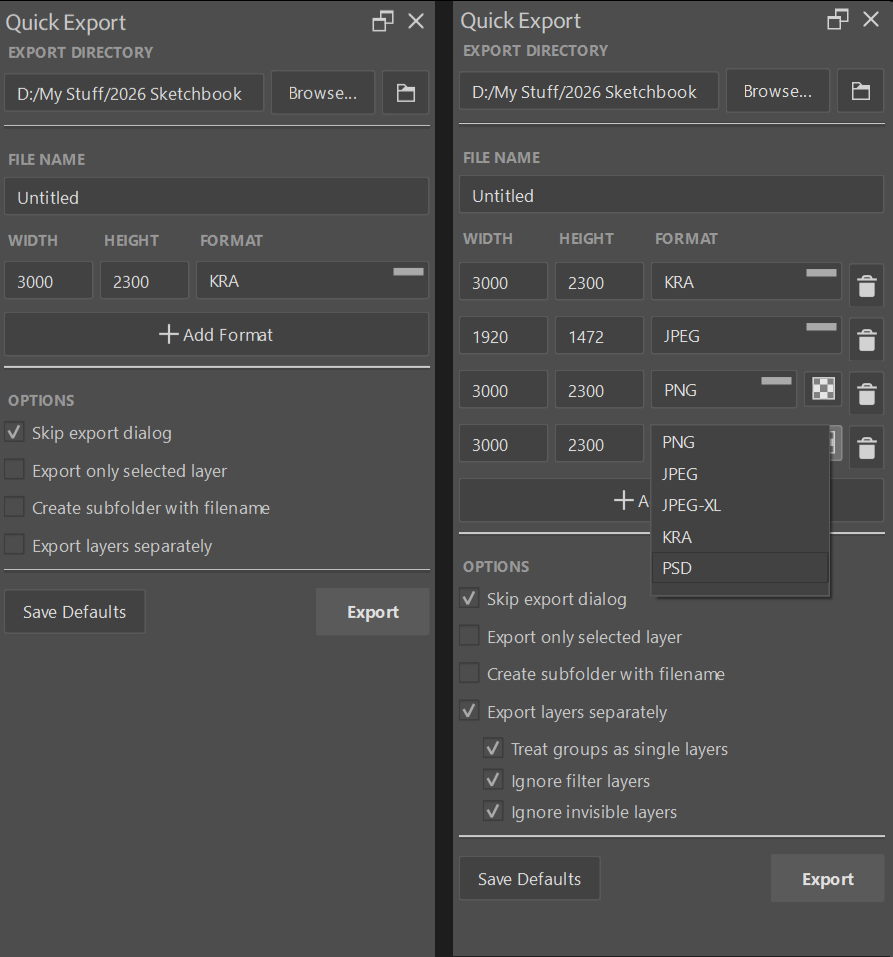
This is a quick and simple export docker for quality of life that I created in order to make exporting faster and more versatile.
I’ve personally been using it for myself for a few years and it’s been a great addition to my toolkit so I thought I might share it and hopefully be useful to another soul out there.
From the Readme:
Quick Export Layers Docker Plugin for Krita
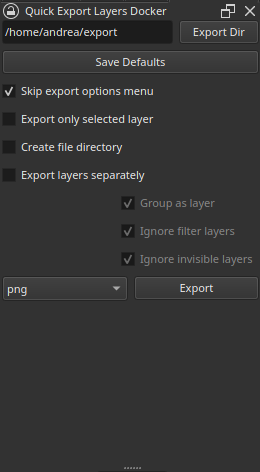
The quick export layers docker plugin is a docker for the Krita drawing program from where you can quickly export the current open document in different ways depending on your needs.
Created by fullmontis using the python Export Layers plugin from the Krita source as a base.
Installation
- Download the files, and export them in the .local/share/krita/pykrita folder
- Open Krita, go to Settings → Configure Krita… → Python Plugin Manager and check the Quick Export Layers Docker
- Restart Krita, then go to Settings → Docker → Quick Export Layers Docker to turn the docker on
Options list
Export DirThe directory the file will be exported toSave DefaultsSave the current settings as defaultsSkip export options menuCheck on to skip export optionsExport only selected layerCheck on to export only the selected layer in the fileCreate File DirectoryCheck on to create a directory to export the file(s) toExport layers separatelyExport every layer into a different file. Turn off to export the whole file in a single output imageGroup as layerTop level group layers will be merged into a single imageIgnore Filter LayersIgnore Filter layers when exportingpng/jpg scrollboxTo select the format for the output file(s)ExportPress to export
License
Code is released in the public domain. See LICENSE for more information