what I am doing wrong here in this layer? Why are raster pixel shapes showing up on this vector layer after selecting it?
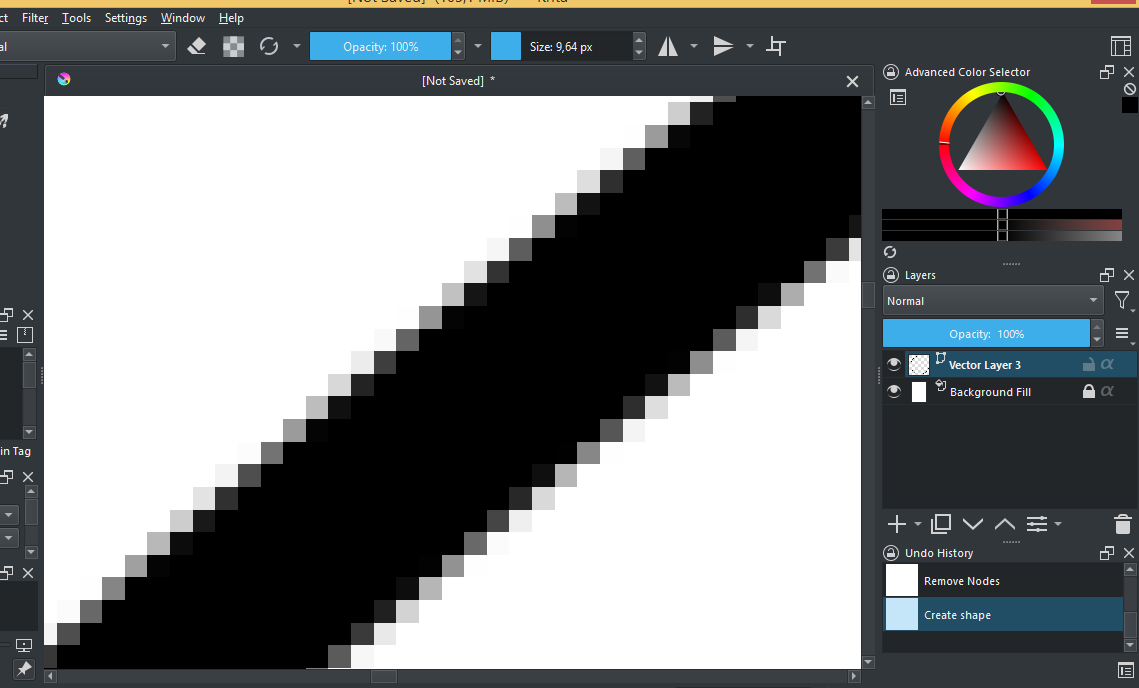
Your screenshot is missing the bottom status bar. How far are you zoomed in?

You’re 1,000% zoomed in? That’s not a raster shape, that’s the pixels on your screen telling you you’re zoomed in too much. Anything will look bad at that level.
a vector layer doesn’t have pixels on it, you can zoom-in indefinitely as long as you like at any resolution and the image will still look smoother.
Don’t know what I did wrong here and why are raster pixels still showing up after selecting a different layer that wasn’t raster based. Maybe there was something else I had to select before editing.
Your screen is made up of pixels. You cannot zoom in that far and not get a bad, jagged, pixelized view.
yes, but vector shapes do not have transparent pixels from anti-aliasing (unless I am mistaken) and are resolution independent.
Your screen, your display, is made up of pixels. You’re zoomed in more than 1,000%. You could view this as your display screaming that it can’t do what you want it to do. It’s begging you to back away from the zoom button.
Krita is a raster painting application. What you see is what is created (a pixel grid raster image) and is what you will get when you Export it to a .jpg/.png/.bmp/.etc file format.
That is its purpose, producing images for display on a monitor or for printing.
Its vector facilities are useful but are not its main purpose.
If you want to zoom in very close on vector objects and see smooth curves and lines then you need a specifically vector image application like Inkscape.
krita primarily renders raster images, so even the vector layers are rendered this way, but if you export the vector layer as svg, it will actually export as a proper vector graphic.
What you see is what happens when a vector shape is projected onto a raster image which is what krita produces ultimately so it makes sense to render it like how it would look in the end.