Recorder Button  v1.0.1
Recorder Button is a Krita Python plugin made for artists who don’t like having the Recorder docker always open to know if they’re currently recording or not.
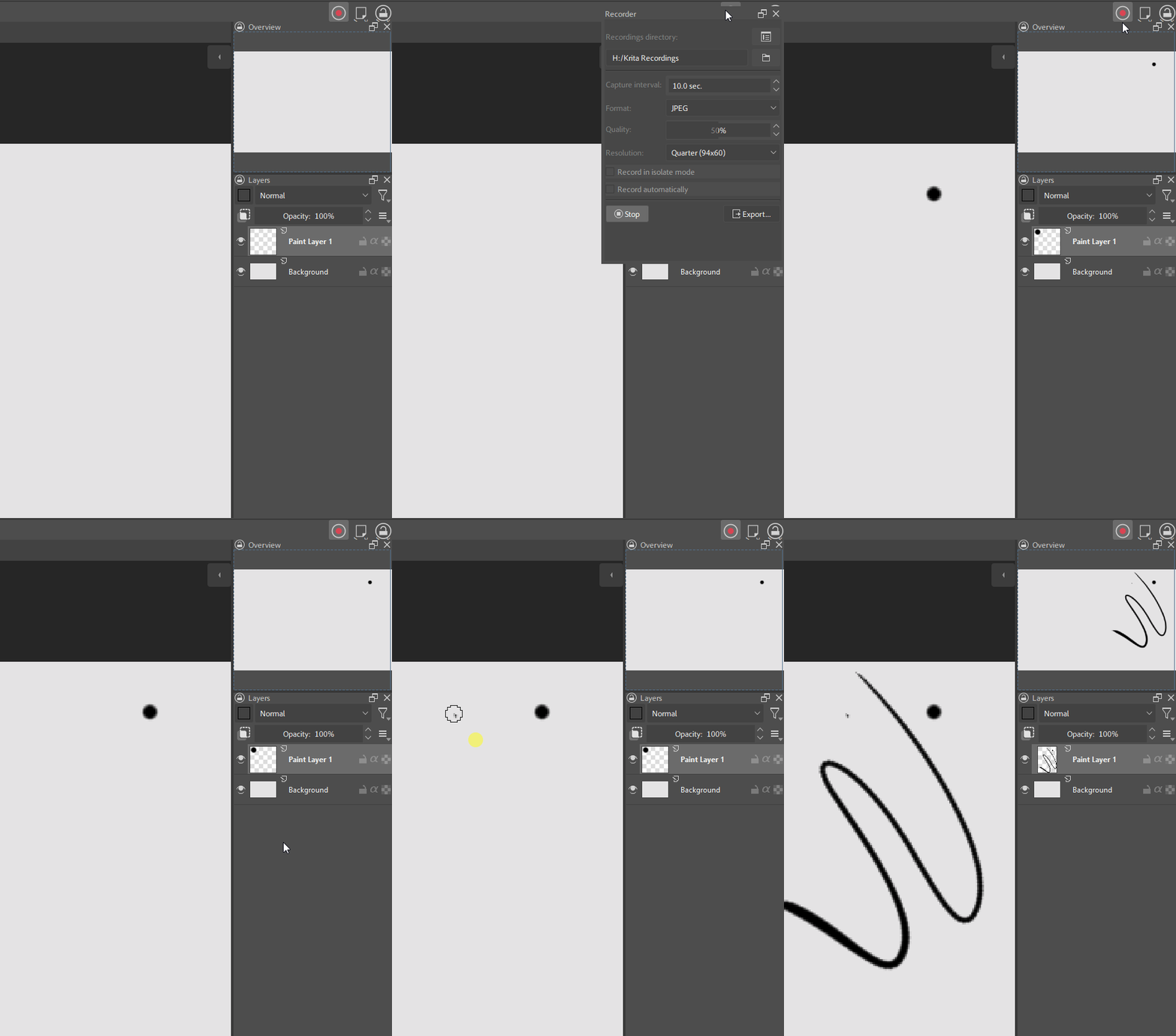
Recorder Button can be added to your toolbar and it will display your recording status with its icon. You can also left-click it to start or stop recording and right-click it to open the Recording docker at your cursor.
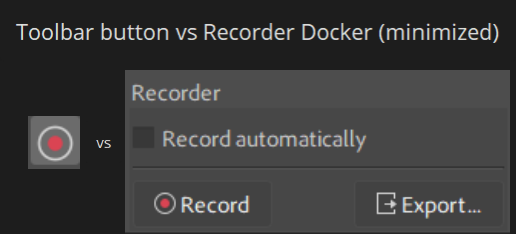
The Recorder docker can be minimized to a small height but if you choose to change settings later you have to resize the docker to access them. With Recorder Button you can save UI space and have quick access to all of your settings with right-click.
Doesn’t it already exist?
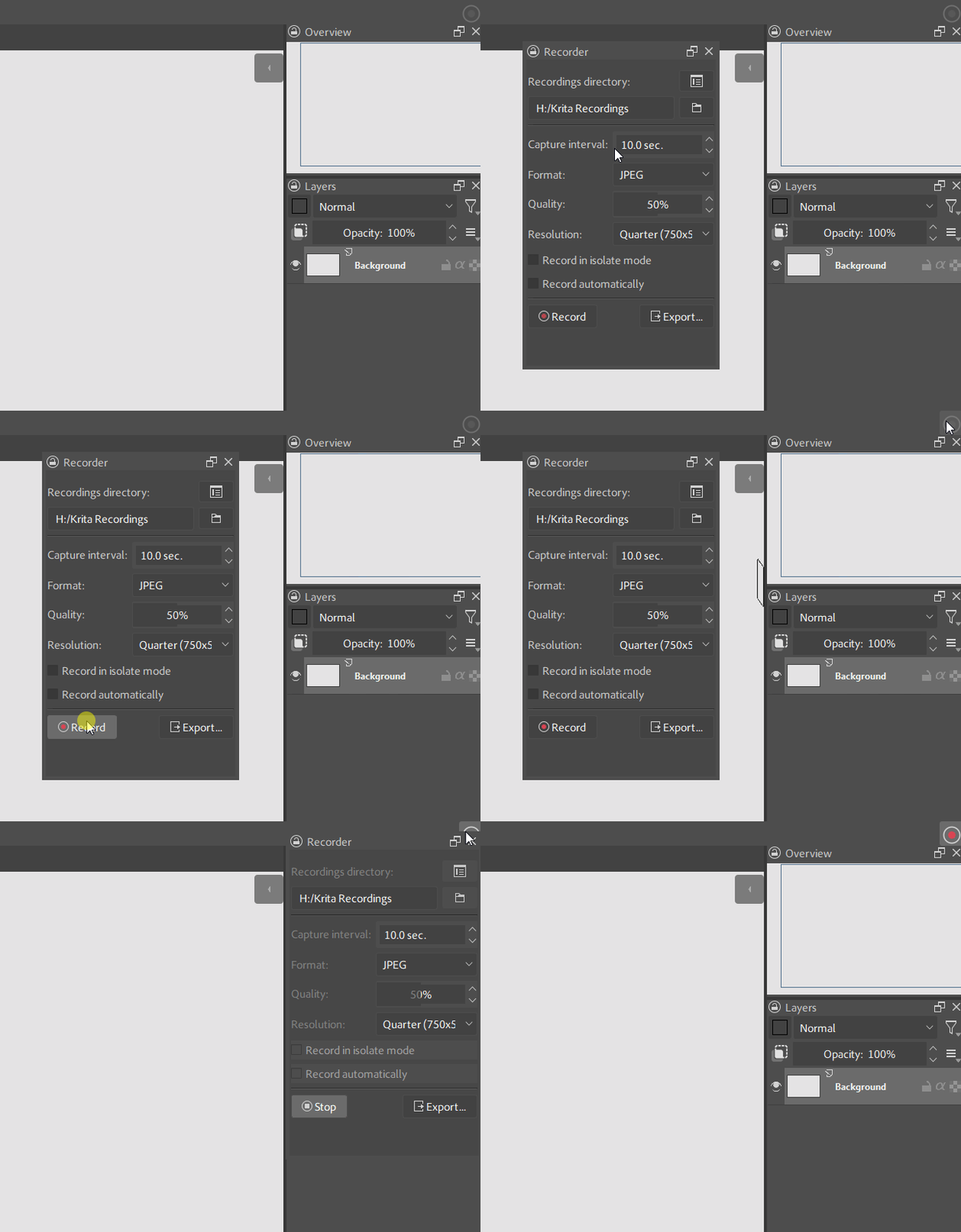
Yes and no, the default one does indicate your recording status, but not very explicitly. Also you don’t get right-click functionality to open the recording docker with the default one.
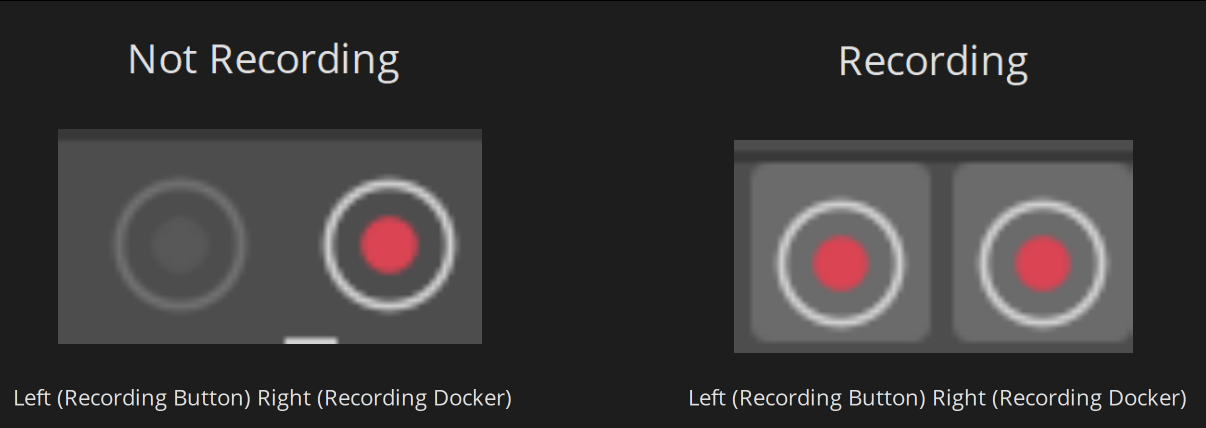
The default toolbar button only adds a highlight to indicate it’s been activated, yet the bright red recording logo is always on which doesn’t make sense and makes it harder to distinguish at a glance if you’re recording or not.
Installation
-
Download the plugin:
Get the latest version
v1.0.1here or visit the plugin’s github repo -
Open Krita and in the top bar click:
Tools → Scripts → Import Python Plugin From File → *select the zip file* -
Restart Krita
Add Recorder Button to your toolbar
- In the top bar of Krita click
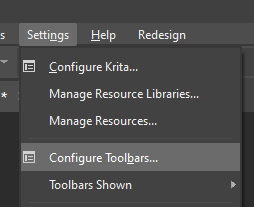
Settings → Configure Toolbars
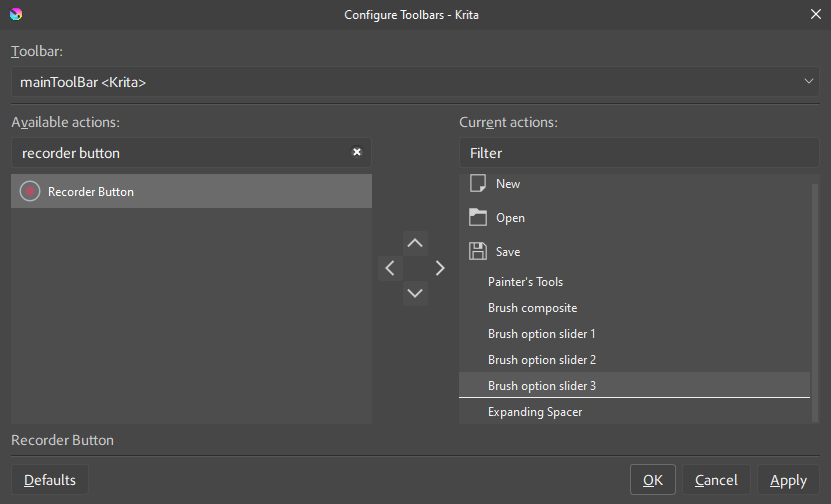
- Pick your toolbar and look for
Recorder Buttonand drag it into your toolbar actions
- Apply and close the dialog