Got myself an Hdr monitor recently and wanted to try doing Hdr illustrations for the first time, but after tweaking my color settings and starting to draw I notice that my reference images look too bright and oversaturated. Even when returning to my other Sdr drawings with the sRGB color space set and with Hdr turned off on windows settings the problem persists, the only thing that seems to correct the issue is to set back on Krita my preferred output format for Hdr display settings from Rec.2020 10-bit to sRGB 8-bit, but of course that means I can’t work in Hdr then.

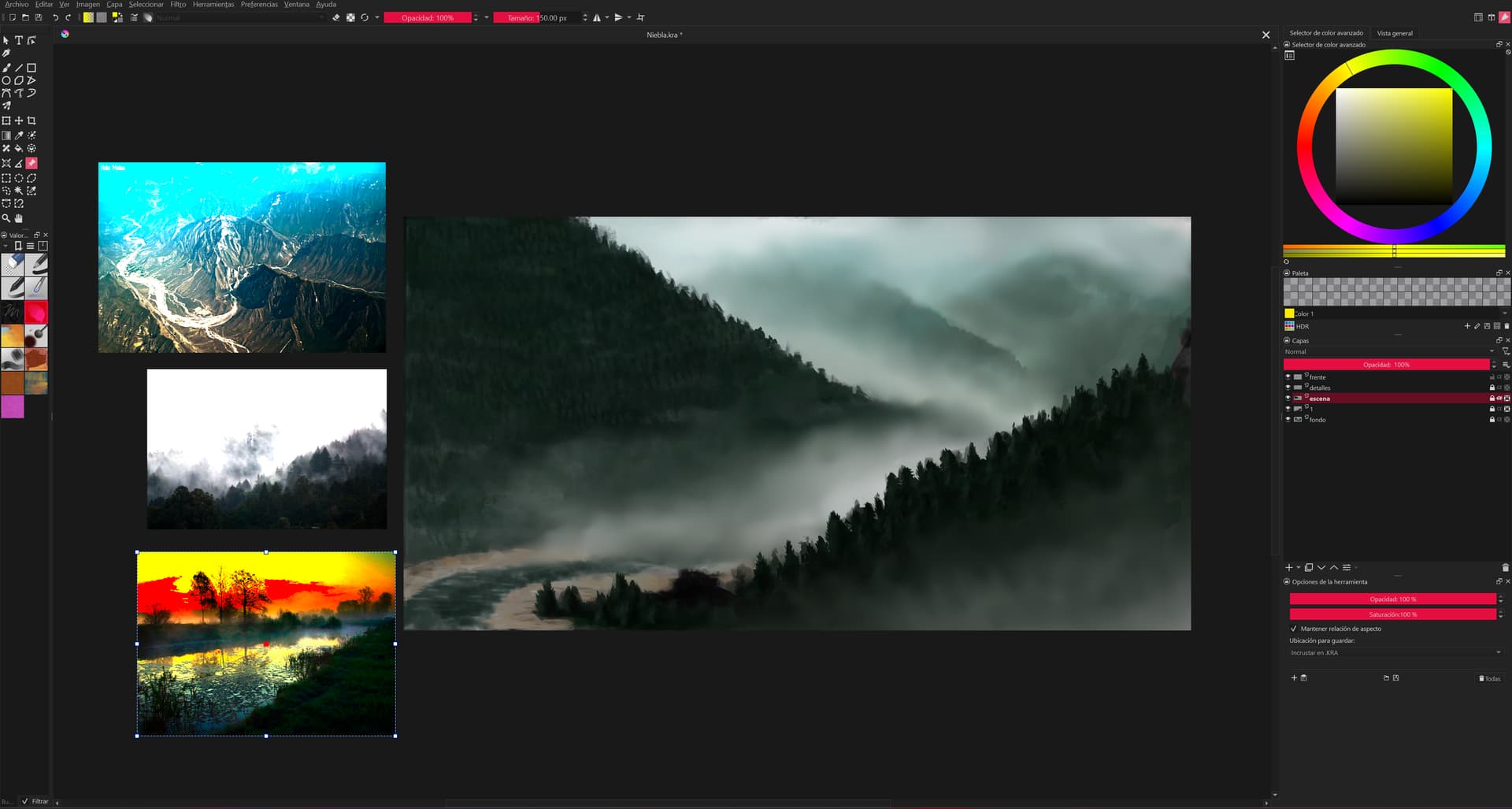
The first screenshot showcases the problem when working on Hdr (the canvas looks overexposed because the screenshot is Sdr, in my screen it looks fine, but the reference images do look like that) and the second when working in Sdr.
So my main question: Is this a bug that I should report, or am I just not supposed to use Sdr image references when working in Hdr, as well as not having the Hdr display preferred output set to Rec.2020 10-bit when working in Sdr?
I feel like this could be resolved if Krita asked you if you want to display the reference either with the embedded color profile or with you monitor profile like it does when inserting images onto the canvas directly, but instead it does something else.