Im using krita on a samsung galaxy tab and so far im having just one issue and its that i cant use some tool functions that are activated with keyboard imputs like Shift or Ctrl, krita reads the pen button as middle mouse click, i wanted to ask if is there any way of remaping it so krita reads it as any other button?
Go in Krita’s settings menu via ‘‘Settings’’ >> ‘‘Configure Krita’’ and you will find the S-Pen options, as well as “Canvas Input Settings” and “Keyboard Shortcuts” in case you may use a Bluetooth keyboard as some do.
Michelist
I’ve been trying to configure it for a while but I can’t do it, here are some examples of what you could do:
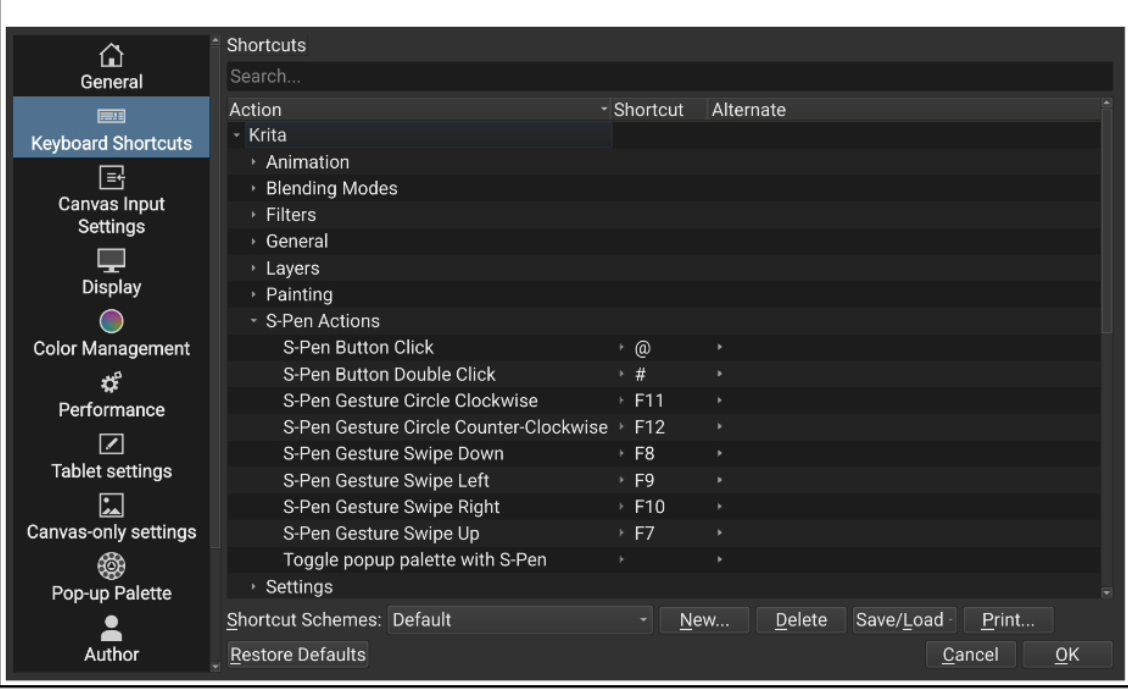
Go into keyboard shortcuts. Krita / S-pen actions. You will see that by default the click is “@”. Try changing the actions you want to use with Ctrl to work with “@”
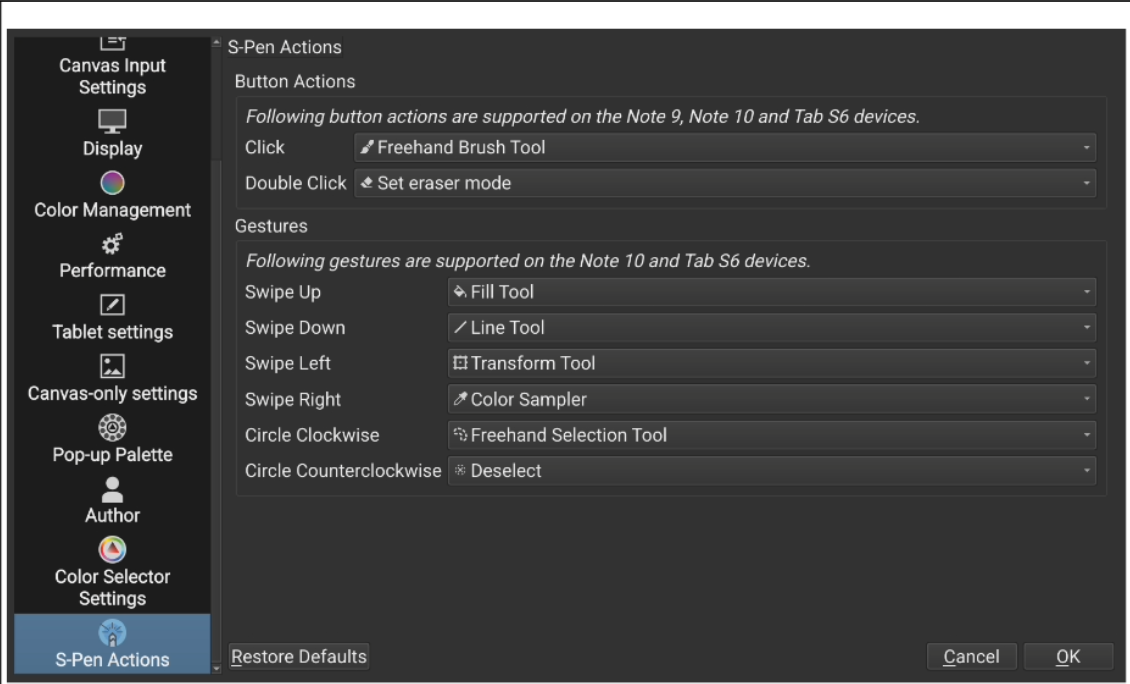
In “S-pen Actions” Try setting up what you want to do with the S-Pen buttons or gestures
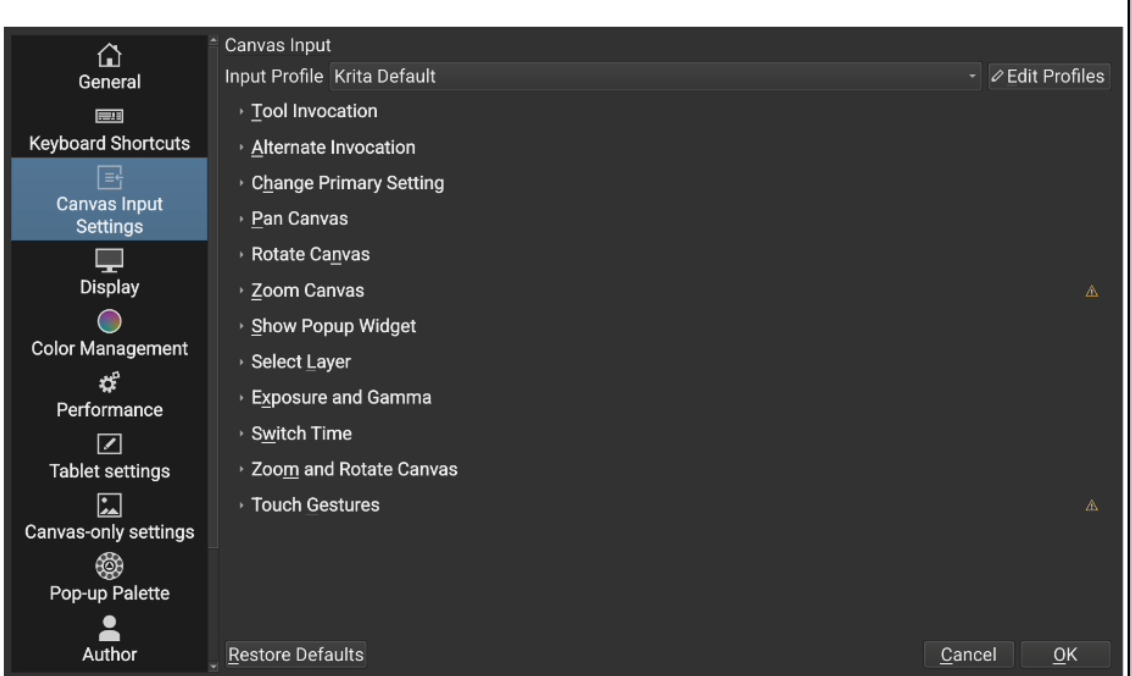
If you can’t find the option you need, look for it in Canvas Input Settings.
If none of these work for you, you can try alternative options, such as using Tasker to configure Ctrl when pressing the Spen button.
I have 2 videos on YouTube that may also be useful to you. They are in Spanish, if you need it, use the subtitles automatically generated by YouTube and translate it. The first one is how I have configured my interface to use Krita on Android in the simplest way, without depending on a keyboard for almost anything. And that it is a simple interface:
The second one is a video review of a very useful little keyboard to use while drawing. It is very easy to set up with its program and you can use it either by cable or Bluetooth on any device. They are cheap in stores like Aliexpress and there are some with fewer buttons:
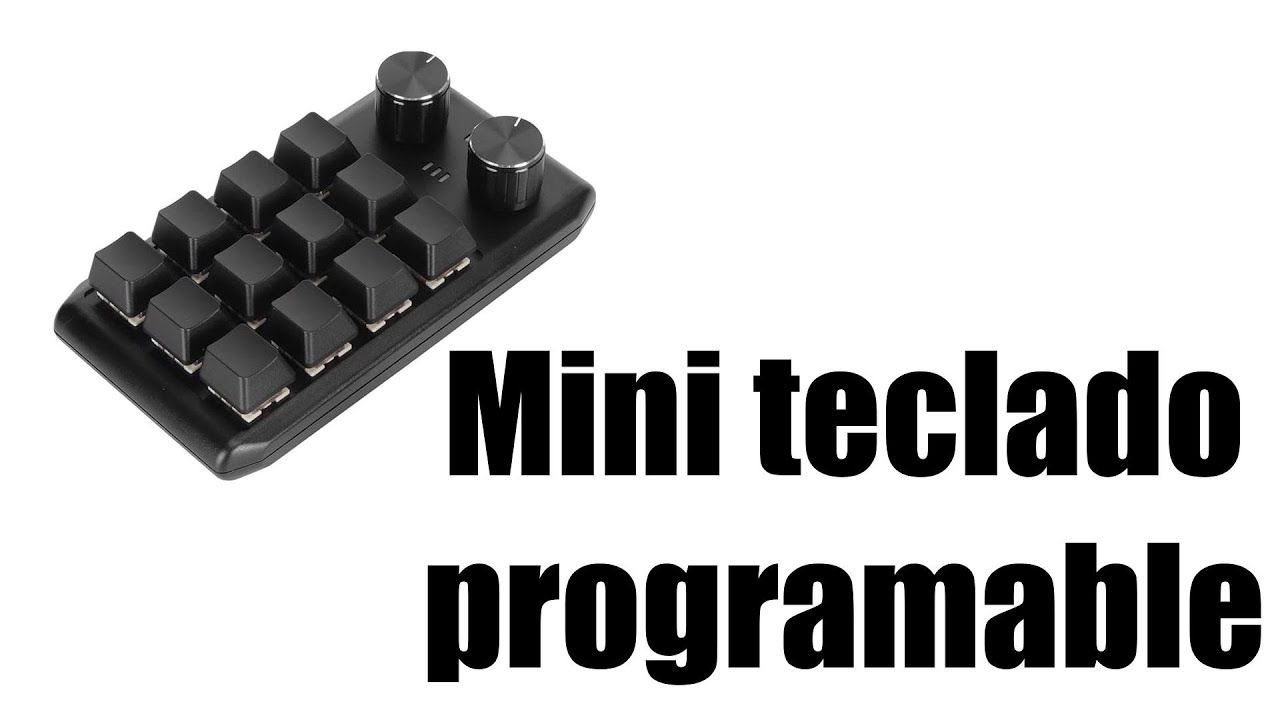
Hope you find the solution. And let us know if you succeed.
4 Likes
This topic was automatically closed 30 days after the last reply. New replies are no longer allowed.