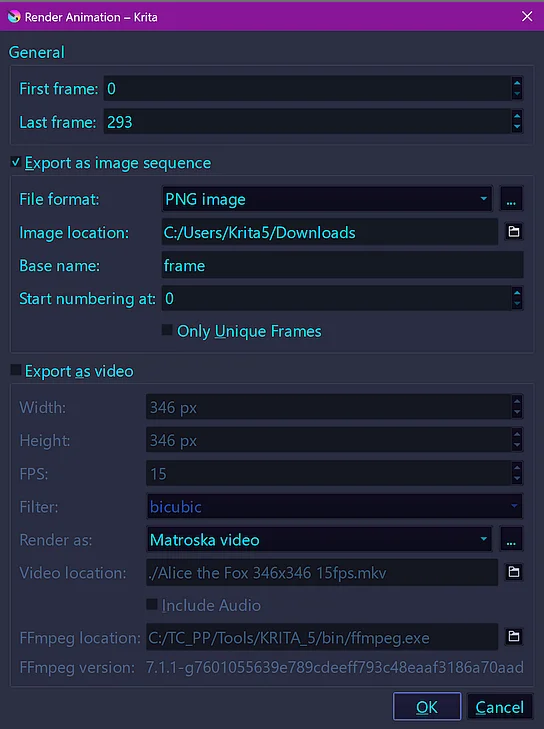
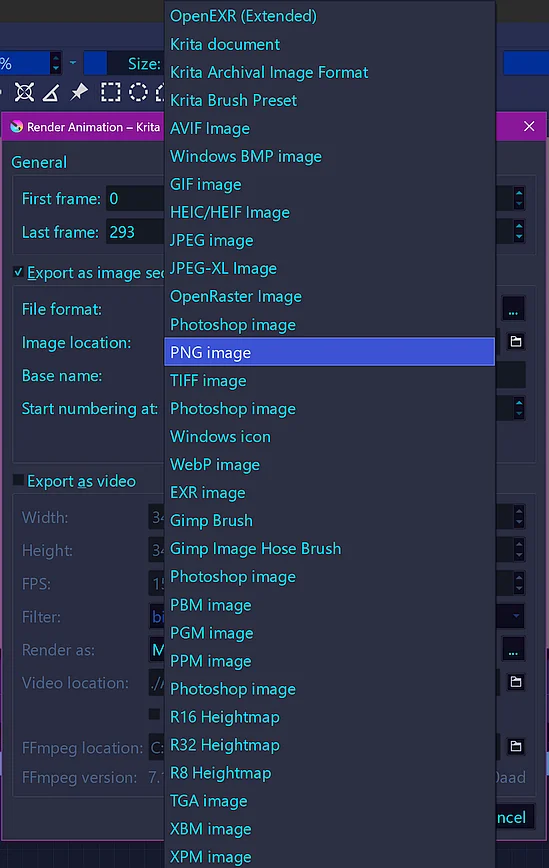
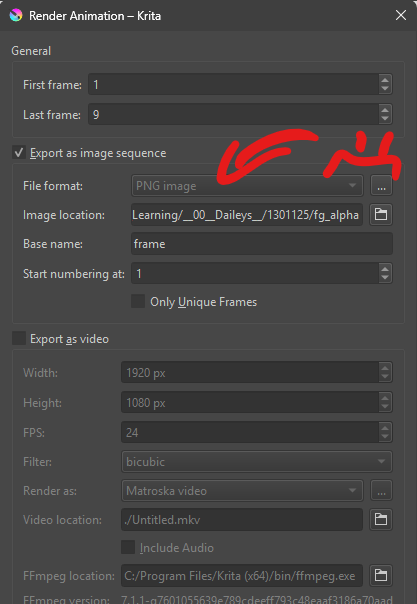
Got a simple animation in krita i want to export as an tiff/exr but i can only render pngs. The drop down is unavailable for me/greyed out. I was wondering if i had done something wrong. I saw a tutorial where they could export jpeg, exr, and tiff sequences.
Thanks!
Hi Michelist,
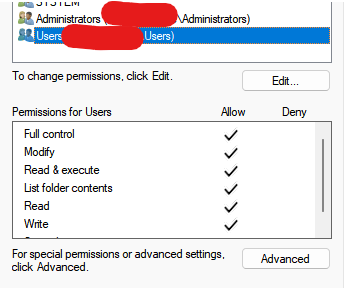
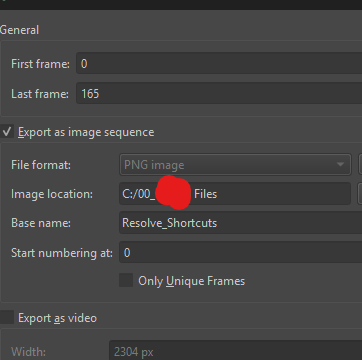
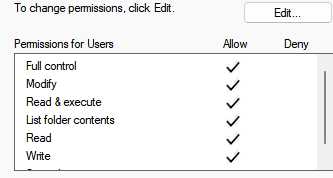
I changed it to my C drive just to be sure. Same issue unfortunately. My PC is being backed up by google drive. But it wasn’t saving it to google drive. I’ve tried to save to my C drive, and an external drive, and it’s the same result unfortunately. Second attachment is the same for external. I checked the security tab under the drive properties, and I think this is what you mean by permission? I enabled everything and still no luck unfortunately.
When rendering an animation, the .png file sequence is always created and its purpose is to serve as an input stream of frame images to ffmpeg.
Normally, those frame images are deleted after rendering to video because they are of no further use if the purpose is to create the video.
If you enable ‘Export as image sequence’, they are not deleted.
If you disable ‘Export as video’, the ffmpeg rendering process is not performed.
They are .png files because that is a sensible input frame file format for ffmpeg. It may be all that ffmpeg will accept, I don’t know.
As far as I’m aware, there has never been the option to export the frame image sequence as anything other than .png and it has always been greyed out and fixed as PNG. EDIT: ADD: But see my comment at the end.
Please provide a link to that tutorial.
They may have been using some plugin or script that did that. There are plugins that export layers (not animation frames) from a .kra file.
e.g Tools → Scripts -Export Layers or maybe Layers → Import/Export → Save Group Layers
but I never use them so I don’t know them.
If you have a .png sequence, maybe you could use a batch mode image file format converter, if anyone has made such a thing?
EDIT: ADD: I’ve just had a look at version 4.4.3 and that does have the options for other frame file sequence formats, There were may different possibilities.
So, it seems that the developers decided to remove that and concentrate on the common ffmpeg rendering requirement.
I hesitate to say this but you may want to try using version 4.4.3 (or what would be for you a functioning later version) to make your frame image sequence output.
Be aware that 4.4.3 or whatever will have many bugs that have since been fixed and will not be compatible with the 5.x.x resources management arrangements.
So, you’d need to backup everything of your 5.x.x and start fresh with 4.whatever.
I’ve always had problems when trying to save to folders or drives that don’t allow it in terms of permissions.
This also applies to all online storage solutions available to me. Only drives connected via WebDAV sometimes work when latency is low, which is often but not always the case for me, so they’re not really usable either.
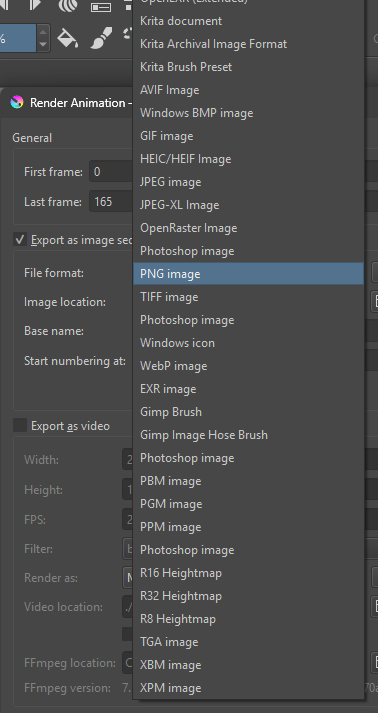
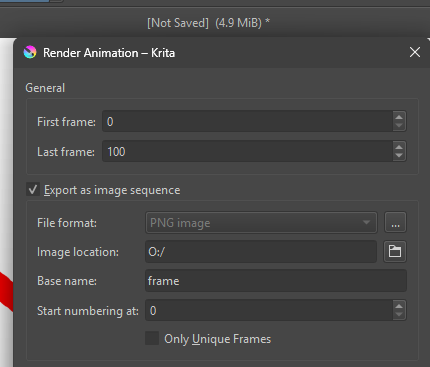
And for the render options as an image sequence, Krita 5.2.14 on Windows 10 lets me select, set, and render any of the formats listed in the screenshot.
The dialog with an accessible folder:
I’m currently running windows 11, and 5.2.14 version of krita. I’ve tried a couple of my external drives, and my caching drive, but unfortunately it’s still stuck on png. I’m glad the functionality still exists though?
Are these the permissions that you meant Michelist? I checked allow to all but unfortunately that didn’t do it either.
@sehpiah Are you using an external ffmpeg utility, such as Gyan Essentials?
If you are, notice that @Michelist is using krita’s built-in ffmpeg which is normally at
C:/Program Files/Krita (x64)/bin/ffmpeg.exe
Try setting FFmpeg location to there and that should enable other file formats.
(That was my situation with the Linux appimage, but differently because it’s Linux)
Edit:Add: I’ve just noticed that you are using the built-in ffmpeg
I was just replying haha. Yeah It is the default one i think. Under the krita bin. I do have another ffmeg installed though, for houdini. Just the regular one.
Then I’m at a loss to understand why you only have the PNG option given that I was able to have all options when I switched from an external ffmpeg to the built-in one (on Linux) and @Michelist has all the options and is using the built-in ffmpeg on Windows.
I could do a fresh install of krita, and see if that fixes the isssue. I’m still not too familiar with krita though. Is there anyway to export my brush tags, and the custom toolbars before i do that?
Edit: Also i just noticed, i can export on android to different formats…
A reinstallation will achieve nothing (in the vast majority of cases) but if you’re going to do it then I suggest the following:
In your AppData/Roaming folder, rename the krita folder to krita-previous.
Then in the AppData/Local folder, rename the krita folder there as krita-previous then make a backup copy of any file that has a filename starting with ‘krita’ then deleted them.
Then delete the Program File folder called krita (x64). then reinstall and run to get a totally fresh installation and see if you can have other than PNG as the option.
If that doesn’t do the trick then you can close krita and restore the previous state and contents of the AppData/Local and AppData/Roaming folders then start krita again to go back to how it used to be.
I haven’t owned an android tablet before and just realized how bad the organization is on it so it’s not really an option :/. That and just my specs are alot better on my PC. I’ll be finishing something up soon, so I can at least update if the reinstalling worked.
I have 5.2.13 on my PC at work and I’m still able to change the file format. However as soon as Export as Video was checked it is disabled and there seems to be a bug that causes it not to be enabled again after unchecking Export as Video.
 Thanks for confirming i hadn’t broken anything though. I appreciate it Ahab