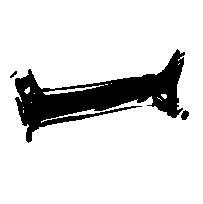
hello! i’ve recently picked up krita again, also new to the forums, and i’m currently trying to replicate this brush, which roughly translated to “chopstick brush”, picture of an example provided:
it has an anti-aliased, rough texture to it, and it’s been my go to brush for both linework, and color! i was able to pick up the texture for it by getting the material’s thumbnail, and i have tried to replicate the settings, however it doesn’t have the same rough texture going for it.
a more obvious takeaway is that the gaps in lighter lines appears to be absent, which could be due to the angle, spacing, etc… but i haven’t been able to figure it out! i’m making this post to see if anyone could help me out with getting it to work.
only gripe right now is that the fill tool doesn’t play nice with it…as i can’t find the ability to close gaps when filling (so that it doesn’t fill the entire canvas), something i’ve always relied on with clip studio paint…that or i’m blind and don’t see the option for that with krita, example below
I think that won’t help because it uses the same floodfill algorithm as the fill tool, so no gap closing either. The gaps would have to be closed manually I’m affraid.
yea, like they said, enclose and fill doesn’t do what i was looking for, but it does look like a useful tool, so i’ll keep it in mind!
regarding the fill supporting gap closing…if krita doesn’t currently have it (or at least not in the same calibur as what i was referring to earlier), has the feature already been requested? curious on if anyone else had mentioned something like this
Yes, the feature has already been requested, the problem is that, well, there are not many volunteers and the main developers are busy solving bugs and improving what already exists in the program, so at the moment there is not much progress on that part.