Hello @Blossoming_Blue, and welcome to the forum!
If I had to bet, you tried importing the resources offered in this topic via File > Open, perhaps even trying to import them this way directly from a web address.
If you want to import resources into Krita then there are two “official” ways to import the different resource types. You import bundled resources, so files with the file name extension bundle, ABR, ASL, like described in this template:
A bundle is imported into Krita via the menu ‘‘Settings’’ >> ‘‘Manage Resource Libraries…’’ and in the opening dialog you have to click the button + Import in the next dialog browse to the downloaded bundle, select it and confirm the selection. Now Krita imports that bundle, and you can use its content, so the brushes in case of this bundle.
Single brushes, or an unbundle bunch of them are imported like this template describes:
For loose, not bundled resources like a single brush tip, a brush preset, a pattern, it works as follows:
You import loose resources via the menu Settings > Manage Resources... where you then have to click on the button Import Resources and then browse to the downloaded resources to select and then import them into Krita with a click on the OK-Button.
This template describes how to handle archived/zipped resources, that is sometimes needed to be able to import them:
For both types of resources the following is true:
You have to download them first to your device, no matter if it is a tablet or a PC, Mac, whatever, and save them in a folder where you can access them later. If the resource is shipped in a ZIP, 7ZIP, 7Z, RAR, or whatever else archive file container, you must unpack (often referred to as “unzipping”) them first from the archive before you can import them into Krita with one of the above described methods.
Michelist
Add/Edit:
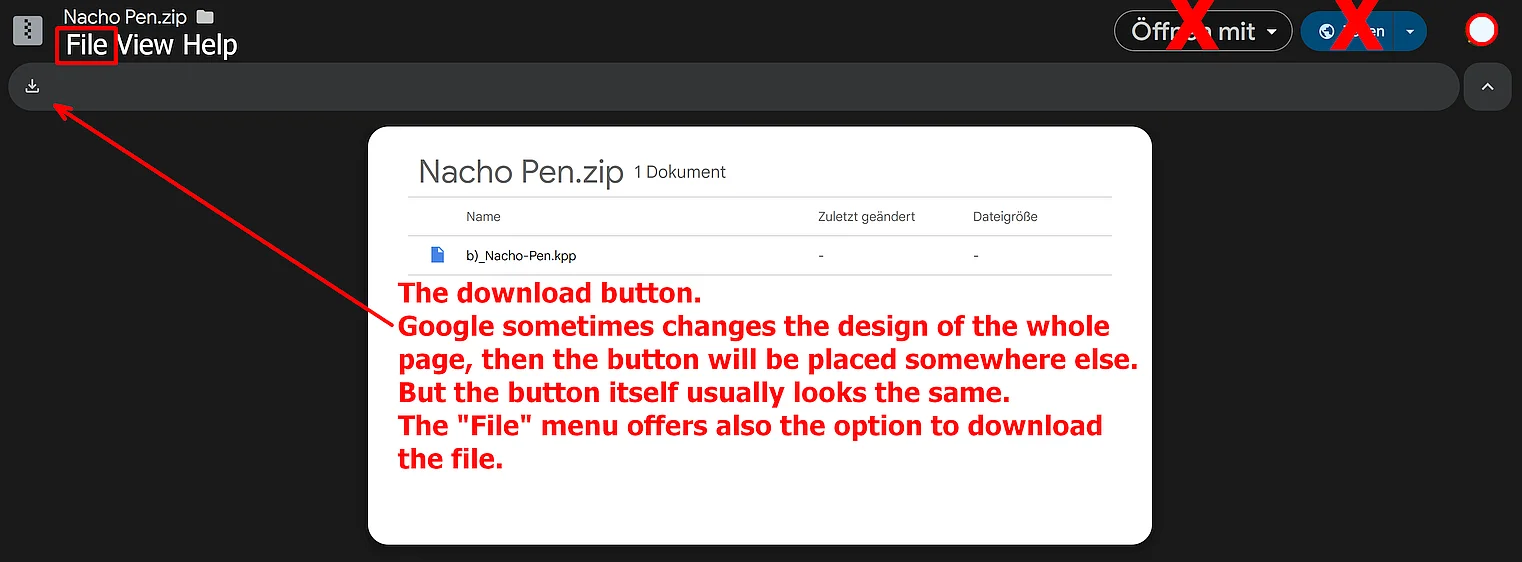
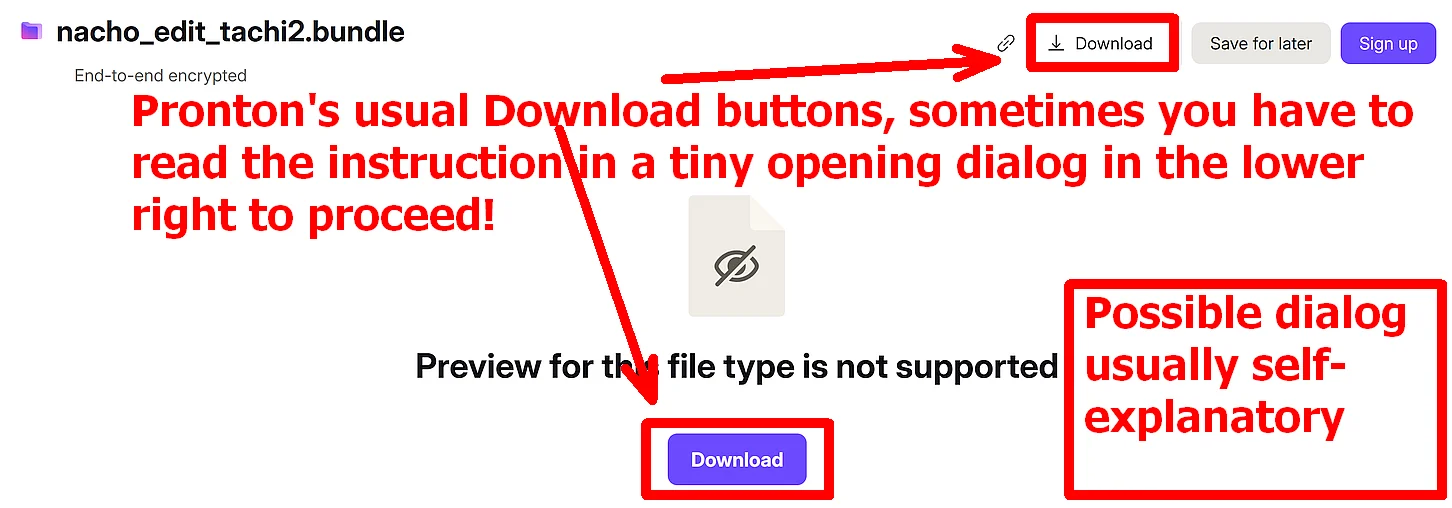
How to download from Google Drive and Proton: