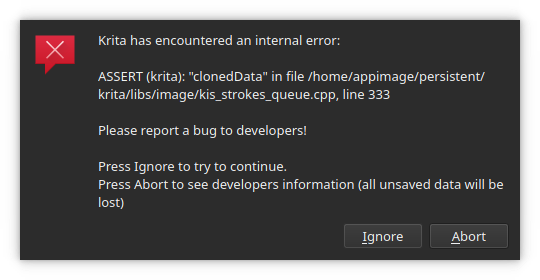
It’s not really a tutorial, but there is several bugs reported that I personally cannot reproduce. Sometimes I can see that it’s for example Windows-only issue and I’m checking on Linux, sometimes it’s a bit weirder. I thought it might be better if someone with very different hardware checks them, too. So, here’s a short list of those bugs with a short instruction how to help.
I’ll see what is the response and if it’s useful to do something like that in the future, too. This post is a kind of an experiment 
Instruction
- Take a bug report that sounds interesting or doesn’t have too many answers.
- Two responses are enough if they are “Yes” answers, and four is enough in case of any answers. And even a single one answer is valuable!
- If all bugs have lots of answers and you’re still eager to try more - comment below! There are more
 I just didn’t want to put a lot in this list.
- Go to the website linked. Read through the comments. Make sure you understand what is the correct result and what is the buggy result that the user complains about.
- Make sure your Krita version is 4.3.0 or above (you can download Krita Plus portable from the website).
- Try to replicate the buggy result in your Krita. There is often “steps to reproduce” list included, follow that list. Be patient, careful and test multiple scenerios, not just one - the reporter might’ve omitted something important when writing the report.
- Select your result underneath the correct bug here on the list.
Tips
- If there is anything you don’t understand (in the bug report, or the process of testing), please just comment here, I’ll be happy to help!
- You can use multiple versions of Krita on all systems (except for Android ).
- On Windows, download “portable version”.
- 4.3.0 portable: (64bit) https://download.kde.org/stable/krita/4.3.0/krita-x64-4.3.0.zip
- Krita Plus (stable) version:
.zipfrom https://binary-factory.kde.org/job/Krita_Stable_Windows_Build/ - how to use: (1) download, (2) unpack/unzip, (3) double-click in
kritafile inside
- On Linux, download the appimage:
- 4.3.0: https://download.kde.org/stable/krita/4.3.0/krita-4.3.0-x86_64.appimage
- Krita Plus (stable): https://binary-factory.kde.org/job/Krita_Stable_Appimage_Build/ -
.appimagefile - how to use: (1) download, (2) set to executable, (3) execute
- MacOS: 4.3.0: https://download.kde.org/stable/krita/4.3.0/krita-4.3.0.dmg
- On Windows, download “portable version”.
Bugs
Brush presets docker being too large affects performance of brush rendering and UI
https://bugs.kde.org/show_bug.cgi?id=423768
- Yes, I can reproduce (brush presets affects performance)
- No, I cannot reproduce the issue
- I haven’t checked
0 voters
Weighted brush smoothing doesn’t work well
https://bugs.kde.org/show_bug.cgi?id=414543
- Yes, I can reproduce (weighted brush smoothing)
- No, I cannot reproduce the issue
- I haven’t checked
0 voters
Moving selection is slower than moving the entire layer
https://bugs.kde.org/show_bug.cgi?id=423943
Tip: check with a huge file, to make sure you notice the difference in performance
- Yes, I can reproduce (moving selection vs. layer)
- No, I cannot reproduce the issue
- I haven’t checked
0 voters
Crash after moving layer’s content and selecting transform tool
https://bugs.kde.org/show_bug.cgi?id=424757
- Yes, I can reproduce (moving layers content and selecting transform tool)
- No, I cannot reproduce the issue
- I haven’t checked
0 voters
Docker becomes smaller vertically for every Tab press
https://bugs.kde.org/show_bug.cgi?id=424536
This bug might be dependent on your system, so please write a comment below with your system info, like if it’s Windows or Linux or Mac, if Linux, then what distro and DE.
- Yes, I can reproduce (docker becomes smaller)
- No, I cannot reproduce the issue
- I haven’t checked
0 voters