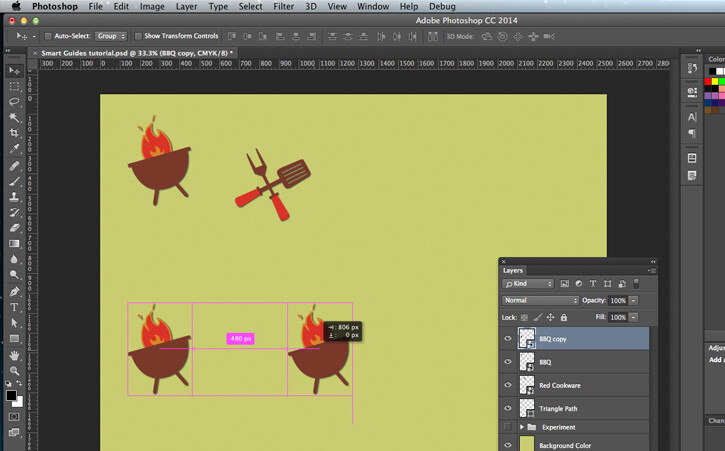
We need the interaction tools(align top, align bottom, distribute vertically, distribute horizontally, etc) to be further developed. Support with raster layers, and interaction between multiple selected layers, raster and/or vector, is much anticipated.
Smart guides is a snapping functionality that occurs when layers bounds meet each other, I imagine the app to consider at each update() call, the layer bounds on both x and y axes to process the feature. It also occurs when, the distance between multiple layers that are being aligned(vertically/horizontally) manually by the user, is repeated. It is recommended to show
GUI hints for this. These hints may appear only while using the move tool.
Now I think a discussion is needed to find the best way to integrate
these features in Krita without messing things.
All these features should be controlled by a switch, meaning they can be activated/deactivated.
Use of these features : make graphic design in Krita more friendly and intuitive.
References pictures :
It was requested here already: https://bugs.kde.org/show_bug.cgi?id=338002
Also note that the most important thing here is “what do you use it for” (+ what is the workaround, why the workaround is not enough). (Manual for “How to request new features” (read if you haven’t): https://docs.krita.org/en/untranslatable_pages/new_features.html). Also another thing is that you mentioned graphic design; Krita is not really targeting this usage. It would be better to mention a usage that Krita is designed for, like painting, comics or animation. Otherwise, if only non-painting workflows are mentioned, it would seem as if the issue is low priority because it’s outside of Krita’s goal.
Actually it is not the same request. They are requesting for showing on-canvas temporary guidelines to aid in placing the raster or vector object while moving.
@tiar, @raghukamath
But if at first Krita only targeted painting, there wouldn’t be support for vector layers regarding the interaction tools.
Now I said graphic design because it’s the relevant part of this. Concept art is also part of graphic design. Combining the two just raise the quality of your content. Krita is a painting app mainly, sure but not a mere painting app, it has some graphic design features currently.
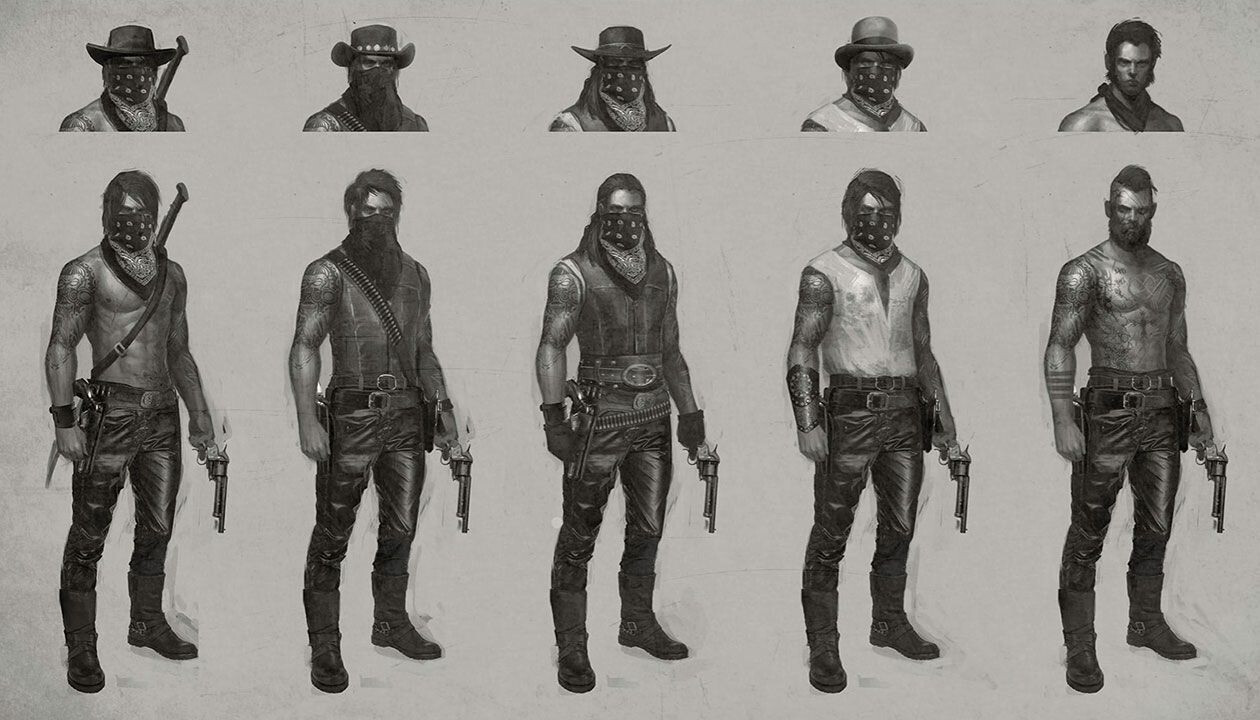
I said graphic design because, when you I do concept art or game art, and need a good presentation, these tools are really necessary.
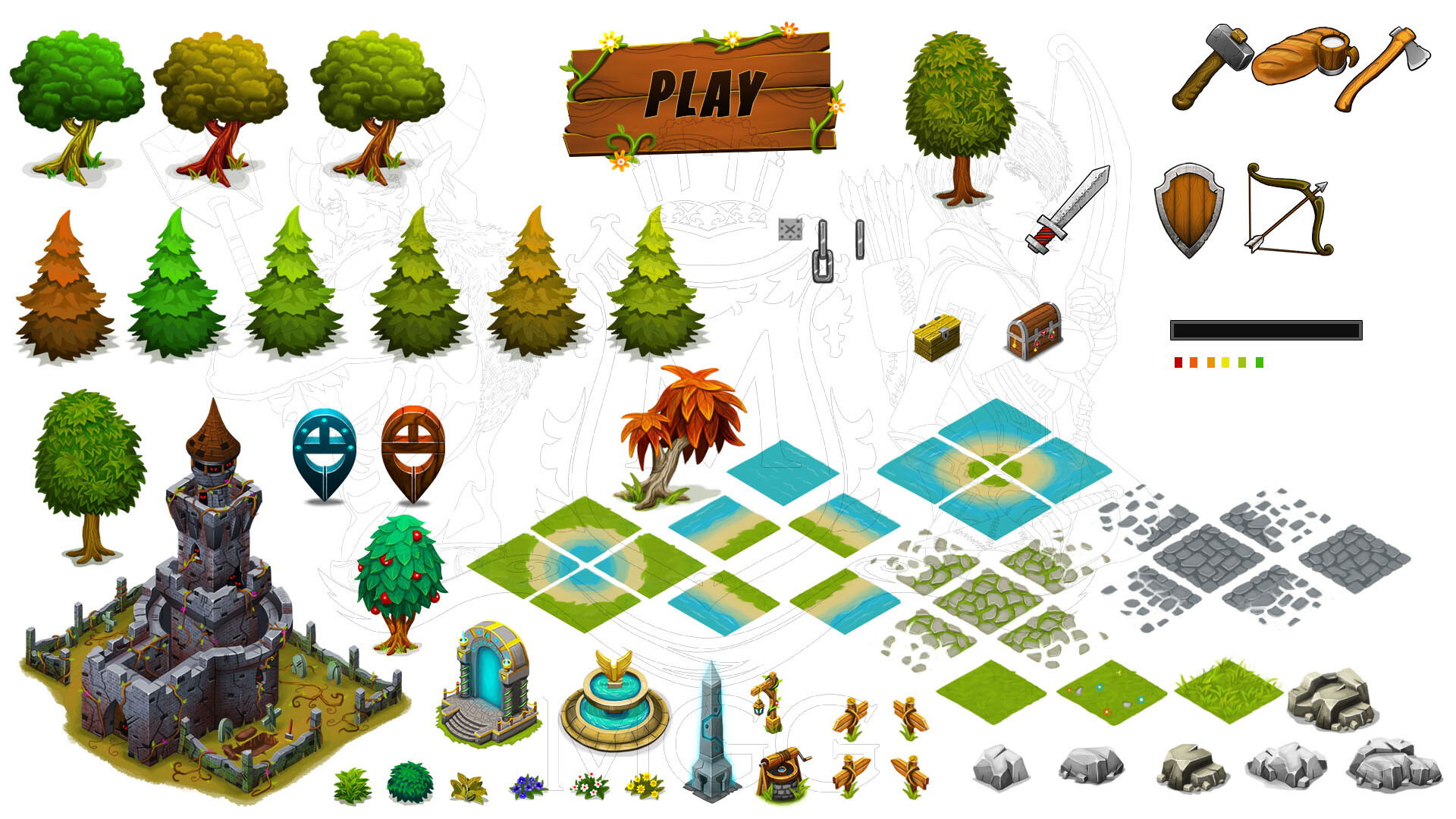
Imagine if you have to create an asset sheet and align your designs on it the right way, say in ranges and/or columns with even space between each aligned layers ?
Also, regarding game art, when you need to repeat a pattern or texture with even space to construct an object you’re painting, say a rifle, or a particular sword for instance, without t these tools it wouldn’t be perfect.
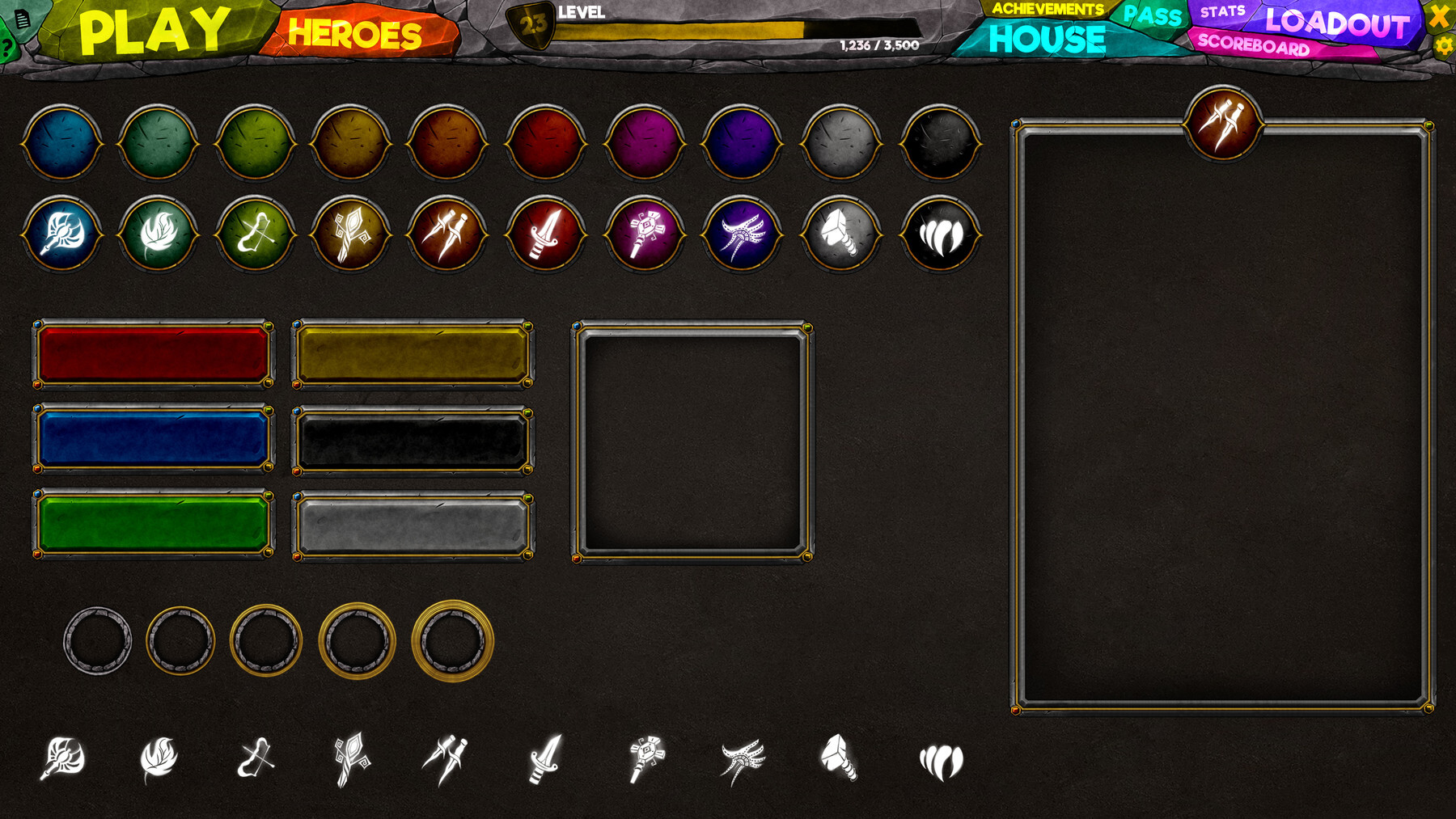
In comic making and animation as well, it can help in the workflow of creating objects that require use of the above mentioned tools. UI Design workflows too(not a too deep development but still something that is good enough for a painted mockup).
Exemples(concept art workflow, character design) :
I really dislike it when people suggest that Krita must be used for painting, comics, and animation, as though those are the only relevant use cases for Krita. Sure, that may have been why Krita was started. But Krita has become a much more capable tool, and people are using it for all manner of art styles. Heck, I’m using Krita for editing my photography! I know there are “better” or more purposeful tools for photography, but I’m comfortable with Krita, and I find it has the features and tools at the level I’m comfortable with. So it doesn’t really matter what the “targeted usage” of Krita is. What matters is for the tools Krita offers to be as well rounded, as top notch, as complete, and as bug-free as the development team has time and resources to achieve.
Do not worry.
Things have changed a bit and you’d have
to understand that from now on, Krita is primarily a program designed for painting, comics, and
animation.
Other use cases like general graphic design, vector art, and photo editing are secondary. That’s it.
So it’s not forbidden that the program carries features suitable
for the secondary use cases. However, and it’s never going
to change, the primary use cases are painting, comics and animation.
The next user who haven’t read the preface/foreword of Krita’s manual:
excerpt from Krita’s manual:
Krita is a sketching and painting program designed for digital artists. Our vision for Development of Krita is —
Krita is a free and open source cross-platform application that offers an end-to-end solution for creating digital art files from scratch. Krita is optimized for frequent, prolonged and focused use. Explicitly supported fields of painting are illustrations, concept art, matte painting, textures, comics and animations. Developed together with users, Krita is an application that supports their actual needs and workflow. Krita supports open standards and interoperates with other applications.
Krita’s tools are developed keeping the above vision in mind. Although it has features that overlap with other raster editors its intended purpose is to provide robust tool for digital painting and creating artworks from scratch. As you learn about Krita, keep in mind that it is not intended as a replacement for Photoshop. This means that the other programs may have more features than Krita for image manipulation tasks, such as stitching together photos, while Krita’s tools are most relevant to digital painting, concept art, illustration, and texturing. This fact accounts for a great deal of Krita’s design.
I think the very important thing is that Krita can be used for whatever you want. The only part where “what Krita is made for” matters in case of allocation of time of the paid team members. As in, the more something matches the goal of Krita, the more prioritized it would be over things that are only roughly related.
So, you can still use Krita and find it useful for other things, like graphics design. And you could still write code (or pay someone to write the code for you) for features that are outside of the main goal of Krita, and many times they would be integrated with the main Krita (the only time it could not be would be if maintaining the feature looked like a nightmare, or the feature was actually undesireable, not just outside of the main goal. I’m not sure whether that ever happened, but just in case, it’s good to ask developers first if you want to spend much time on a feature for graphics design etc.).
And there are many times where a seemingly graphics design feature is actually also needed for comics, which are in the goal. Or are just so useful for all kinds of editing that even though in theory it’s not really a painting feature, it might still be useful to have. So don’t be that discouraged.
Where the goal also matters is when someone comes to Krita, thinking it’s a Photoshop replacement, and wants to use it for graphics design, and then get disappointed because it doesn’t support the full workflow they had in Photoshop. Then it’s a way to gently turn someone down with a good reason why. Because we really don’t have resources right now to do more with Krita, even if we wanted. We gotta focus. And long time ago it was decided to focus on painting and illustration and comics etc. (and later animation was added).
But Krita is for creating pictorial illustrations ok but there is the text, there is the perspective assistant etc, which are used to increase precision, and if you want to align a fence you have to draw each individual fence and measure with the measuring cup or duplicate it and then align it and distribute it, then if you didn’t have the plug in I would understand but you have it, it is not yet the default which would make it update by default. Here it is Arrange 2: Universal alignment tools for all types of layers