The current behavior:
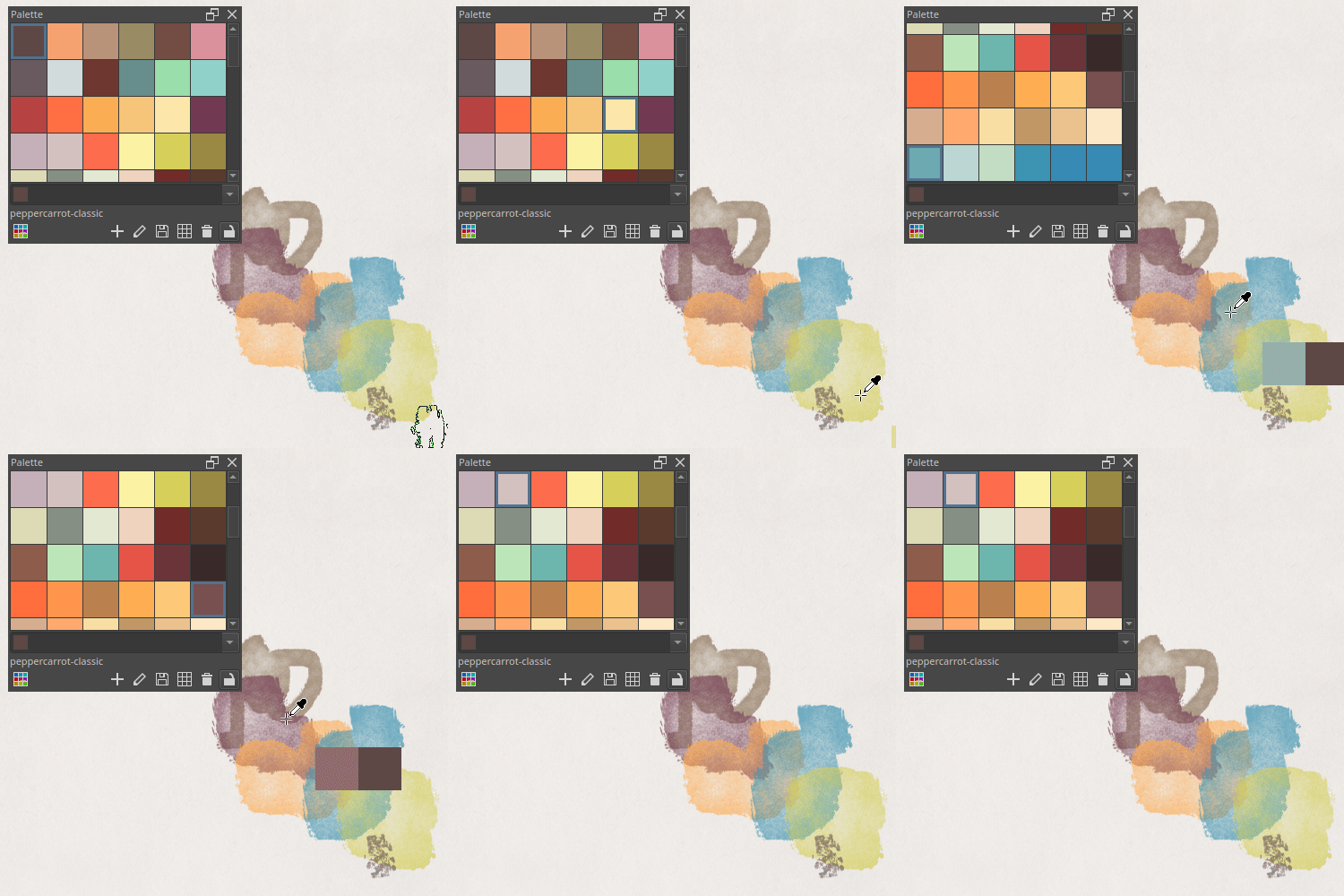
Illustration: gif animated screen recording
Currently, if you color pick (Ctrl) on the canvas while painting, the Palette docker will auto select for you the closest color in its list. If your palette geometry is not big, it will even auto-scroll to that. It’s visible on the screen-recording above.
The problem:
I find it jumpy (auto-scrolling) on the user interface, and confusing: it feels like the color highlighted in the palette is somehow selected, like would the one I’m using right now for foreground color painting, but it’s not.
Feature request:
I would love to get an option to just disable that, and get just a static palette. No highlight border selection when I click on a little square, only getting the color and that’s all.
 Thank you if someone can help me to get this little quality of life with the palette docker!
 instead.