After a long session of drawing with Leonardo, I conclude that yes, the software is fast
when it comes to rendering.
But the feel of the stroke is much nicer in Krita and feels like you have more precision.
It’s something I can’t describe with just words. The feel with each stroke is so much nicer in Krita.
I think it’s important to look at other software and see what’s different to get inspiration for Krita, no matter if it’s FOSS or not. Photoshop is also not FOSS and inspired some features in Krita. Same with other software. But I agree that it would be much easier to find out what it makes so much faster if we could look into the code.
My guess is they cut a lot of corners and have made a trade off between performance and feel (based on what novames00 mentioned). From their FAQ I understand that they don’t have customizable brush presets like Krita has which can let them skip a lot of edge cases and optimize every brush individually. These are only guesses though, but it’s something I noticed with other “super fast” painting applications. Their speed often comes with limited customization in some form. In the end all applications can only optimize so much, at some point you have to make trade offs to boost certain areas.
I agree that simply guessing isn’t of much use though.
which is fine but comparing every “drawing app” out there would not be so useful. also since these are closed source it can hardly be used to understand the reason behind its fast drawing brush.
though not to hijack the thread, nim painter is also very fast and can be useful to study and is open source
Reply from the developer of Leonardo, Henning Tegen :
”Hi,
Thanks for the kind words. I have worked hard on this so glad you appreciate it
Custom brushes will be possible with this speed and I will add that in a future update.
It has spacing internally. I decided to remove it as a slider since a lot of users don’t understand what a performance killer that is. Lots of users have crazy low spacing and then lower flow to compensate.
Brush engine is 100% CPU and uses some secret magic to get it this fast
Almost everything is written from scratch in C. The only libraries I use are for Font rendering (for the UI) and an image format library (to support PNG, JPEG etc).
The guy has some background(Henning Tegen) in game development.
Maybe that’s why he knows how to optimize the thing for speed.
But then again, he said “100% CPU”, which is shocking.
Honestly, not even Clip Studio matches this level of optimization for brush rendering,
especially with a 1000 px air brush or hard brush.
Now I don’t understand what he means by “performance killer” regarding slider spacing.
But I doubt spacing alone tells everything about how he managed to reach this
level of performance. Interesting achievement.
What this means, is that, Krita definitely can be further optimized if the developers want to.
However, unless some miracle happen, many years may pass before it becomes faster with brush
rendering without using too much resource consumption.
He probably means he opted to not give the user the option to control the spacing (of the dabs) with a slider (the UI control) as users tend to make it more narrow than is useful without getting better visuals out of it (I see this with Krita users all the time) but it cost’s a lot more computing power for a stroke. Optimizing is a lot easier when the user only has limited control over the input parameters (while in Krita you have so many options, I still sometimes find new ones I didn’t know about before).
Sure you can optimize a lot of stuff but you can’t optimize a steam train’s engine like you can that of an electric race car.
We don’t know anything about the “secret magic” so it doesn’t make much sense to speculate how this magic can be applied to Krita. Most of the time purpose built systems perform better at their area than generalized ones (true for cars, trains and software). Krita’s goal was never to have the best and fastest brush engine and any application that is purposely made to do exactly that will do this better.
Krita has several brush engines and due to their complexity (I don’t know if you have looked at the code yet) optimizing them is currently probably not really worth it when compared to the risk that it can absolutely break everything. It’s not like they’re not aware that some things are slow but you always have to weigh things against other issues and priorities.
There is another thing. Krita is over 25 Years in development by now. In that time software has evolved, some new clever tricks came around. Hardware got better capabilities and can do things natively which otherwise needed additional coding. And intuitively people would say, let’s build all this into Krita now but sometimes you can not retrofit a solution into an existing software for different reasons. Often it’s backward compatibility, sometimes hardware, software or programming language limitations. I write this from my own experience as a software developer.
Don’t get me wrong. I would like Krita’s brush engine to be faster. Specifically the smudge engine sometimes gives me trouble after about 400 pixels size, everything else works fine for me at even 1000px diameter.
I’d say that it’s not the risk of breaking everything that is the problem.
It’s the resources and time to understand first, and then address the optimization of a specific
component of Krita.
Optimization is in fact a continuous job, I dare even
to say it’s a Continuous Research & Development thing.
The risk of breaking everything would only apply when you have no backup,
and make irreparable mistakes, like compromising the well performing state
of the software due to some new obscure bugs or subtracting an efficient solution from it.
That is why, just like the restore point of your Operating System before an unfortunate event after system modification, you need source backups of confirmed stable and well working versions of Krita. You need a version control solution like Git for this.
Then, while researching for optimization, if the software’s architecture is robust, if it carries a modular design, with independent classes or components, then you just need to modify the algorithms of these classes so that the new modified module
performs faster and more efficiently. And most of the time, it’s often a mathematical problem
which takes into account how the programming language work and computer science principles.
This is a pretty shallow definition of breaking and not necessarily what we mean by that in software development.
It is absolutely possible to code yourself into a corner where you have introduced some error that causes issues down the line, that are not immediately noticeable and hard if not impossible to fix later on, without making things worse or break compatibly for users. It is not always as easy to just roll back changes or “revert a backup” especially after people have become reliant on the changes.
I’ve been a software developer for almost 20 years, 15 of which professionally and I don’t know how to tell you that it is not as easy as you make it sound, especially not for any sufficiently complex software. Perhaps it was different for you, I always welcome different experiences.
The phrase “If it ain’t broken don’t fix it.” doesn’t come from nowhere.
And you always make it sound as the Krita Team does simply not care which is not true (in fact that is the subtext of almost all your topics) and that it would be so easy to do because other softwares can do it too. I know that they are discussing how to get more performance out of it or how to better use modern hardware capabilities. I don’t know how high their priority is on this one or what exactly the state of the discussion is now, but if I were them, I would prioritize other things in Krita higher than making brushes faster (except maybe for the smudge engine because it annoys me personally but that’s just me).
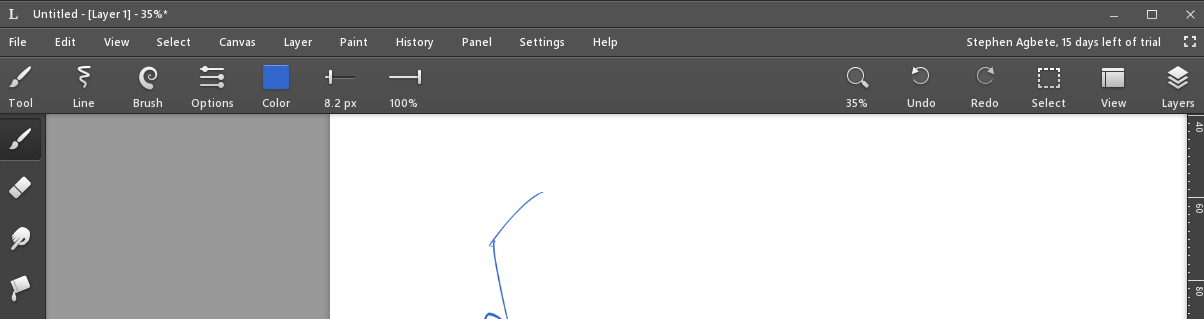
I just installed Leonardo (it wants you to sign in with an email account and then says you have a 30 day trial).
Made a 1000 px airbrush.
It is fast.
Once the pen is released I see an on canvas message like “processing pixels”. This runs for a few seconds.
My guess: Leonardo has some kind of “post brush stroke” processing.
I did the same in Krita. 2024px x 2024px doc @ 300 ppi.
Airbrush 1000 px
Instant preview on.
Speed is similar to Leonardo. Maybe be bit slower.
But in Leonardo the canvas panning is more smooth and it has this “endless canvas”. So, no need to define a document size in advanced which is nice (I watched the linked video and understand why the artist likes Leonardo for his use case).
In principle, Krita has it too, but it is not automatically extended. You just need to scroll the canvas to the side you want to extend till you reach the end of the scrollbar (hit the stop-dog), and then you click on the bar with the arrow that shows up at the edge of the working area, now Krita extends the canvas in that direction. And you can repeat it as long as the resources of your PC allow it.
I am aware of this, but, frankly speaking, the way Leonardo implemented it, is much more “organic feeling”. And Krita unfortunately gets slow, if the canvas gets bigger. I personally agree that optimization of Krita’s internal workings would make it much better, but much more users are waiting for the new text tool, so requests like that have priority for the devs.