Type of device : Android Tablet
Brand and version of the device: Samsung Galaxy Tab S9
System : Android 14, updated April 1st 2025
Krita: 5.2.9
Hey Krita artists,
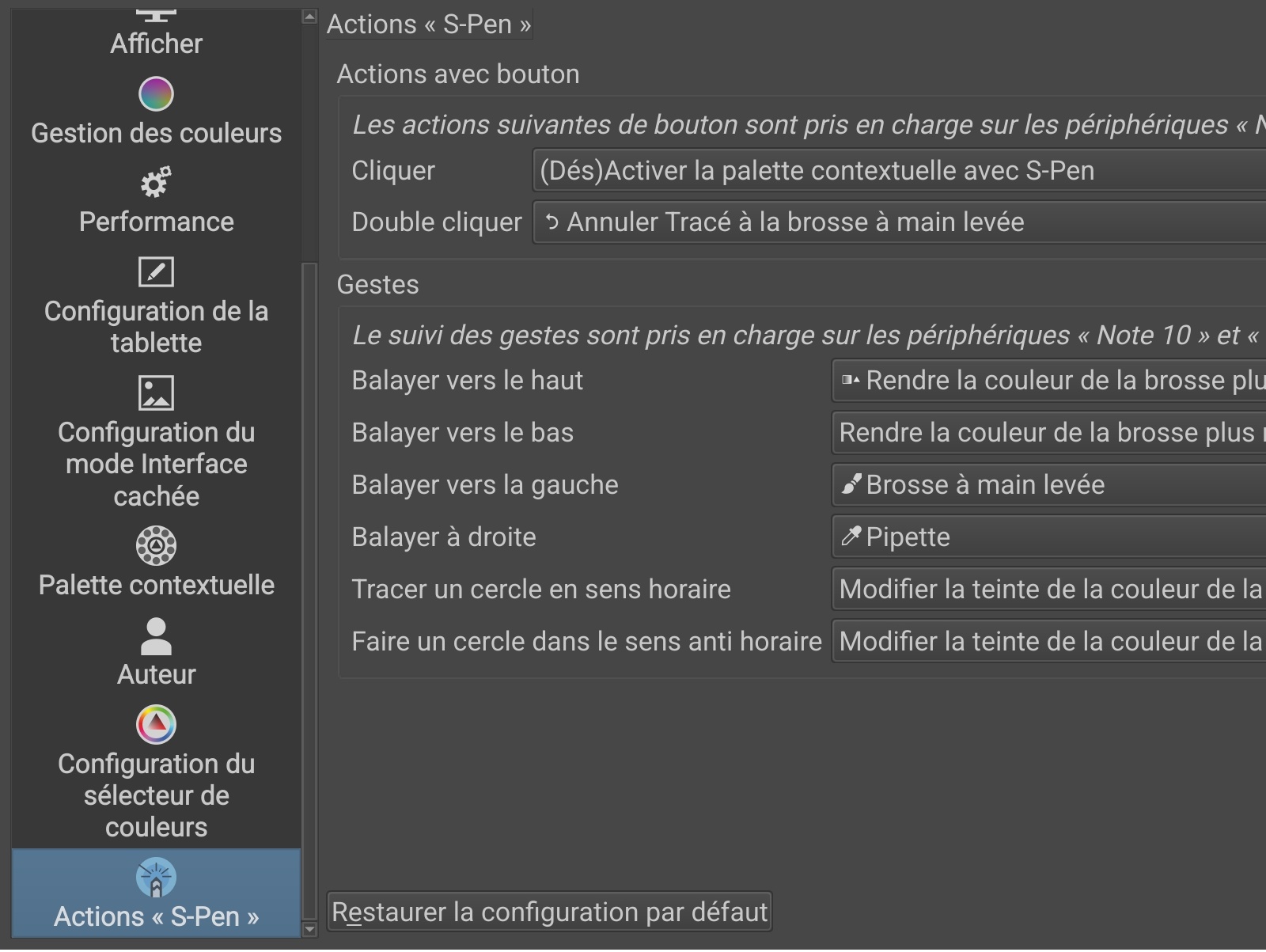
My S-Pen works well for drawing, but I’d like to configure the pen button to activate or desactivate the pop-up pallette.
I tried to, configuring it in the Krita parameters:
I also deactivated the tablet Air command in the tablet parameters, tried other options in the keyboard shortcuts but I can’t change them (the virtual keyboard doesn’t show up)…
But it doesn’t work, it seem Krita doesn’t detect the button, neither simple click or double click.
On the tablet settings you can click on Air Actions. There you must check if Krita app is allowed for air actions. If it is activated there only issue might be your distance from the screen when you press the s pen button. It appears to me your settings are correct, though I didnt translate the text so I might be wrong but I assume Krita isnt allowed on air actions settings.
Hmm that is weird, I cannot say with certainty its a bug but I can offer you a workaround which might help you.
If you go to “Canvas Input Settings” > “Show Pop-up Widget” >> you can assign “Mouse Button” > (change right click to your pen button which will show up as middle button) > Activate
You might want to also disable air command menu if its enabled as it will pop up each time you try to toggle pop up palette
Then there will be a conflict under Pan Canvas which you can delete the indicated shortcut.
This will make the pen button toggle pop up palette BUT it wont be an Air action which might not be what you want but might be helpful as well, at least for now.
I cant confirm this is a bug as my Tab S8 works just fine under the same settings, but might be worthwhile for further investigation, this is all I can offer though.
Happy to hear it works! Well I would suggest downloading Krita Nightly from official website and testing on it, as to how to do that:
If you scroll down a bit on Krita website it will lead you to Krita Next and Krita Plus download links, I cant remember which is which but follow the link that leads to 5.3.0 > v8a version for your tablet.
You may need to disable Auto Blocker under security settings for your tablet (just until you install you can activate it after installation, as this will be an apk install)
If after setting up 5.3.0 with the same Air action settings you shared earlier, it still doesnt work I think its fair to report it as a bug. I couldnt replicate it myself with Android 14 - Tab S8, but others may have similar issue, I dont know.