The nightly build can be found on the official website download page as krita-next
2 Likes
thank you. I downloaded it, but the problems still there. I’m gonna make a bug report.
2 Likes
do I make a report by clicking the link
1 Like
There’s a bug with vector shapes. The bug is such that when you move one of the handles using your tablet pen, right after you release your pen, a glitch occurs and offsets the position of the handle putting it dozens to hundreds of pixels away from the release point.
This bug is still present in Krita 5.2 beta; not sure if it was reported/confirmed before. But it definitely is present.
In the meantime, to avoid this issue, I manipulate vector handles only using a mouse rather than my pen.
This bug, came with Krita 5, and I believe it wasn’t present in Krita 4.0
1 Like
I’m so glad someone was able to make a bug report for this. I didn’t know how, and have the same problem
1 Like
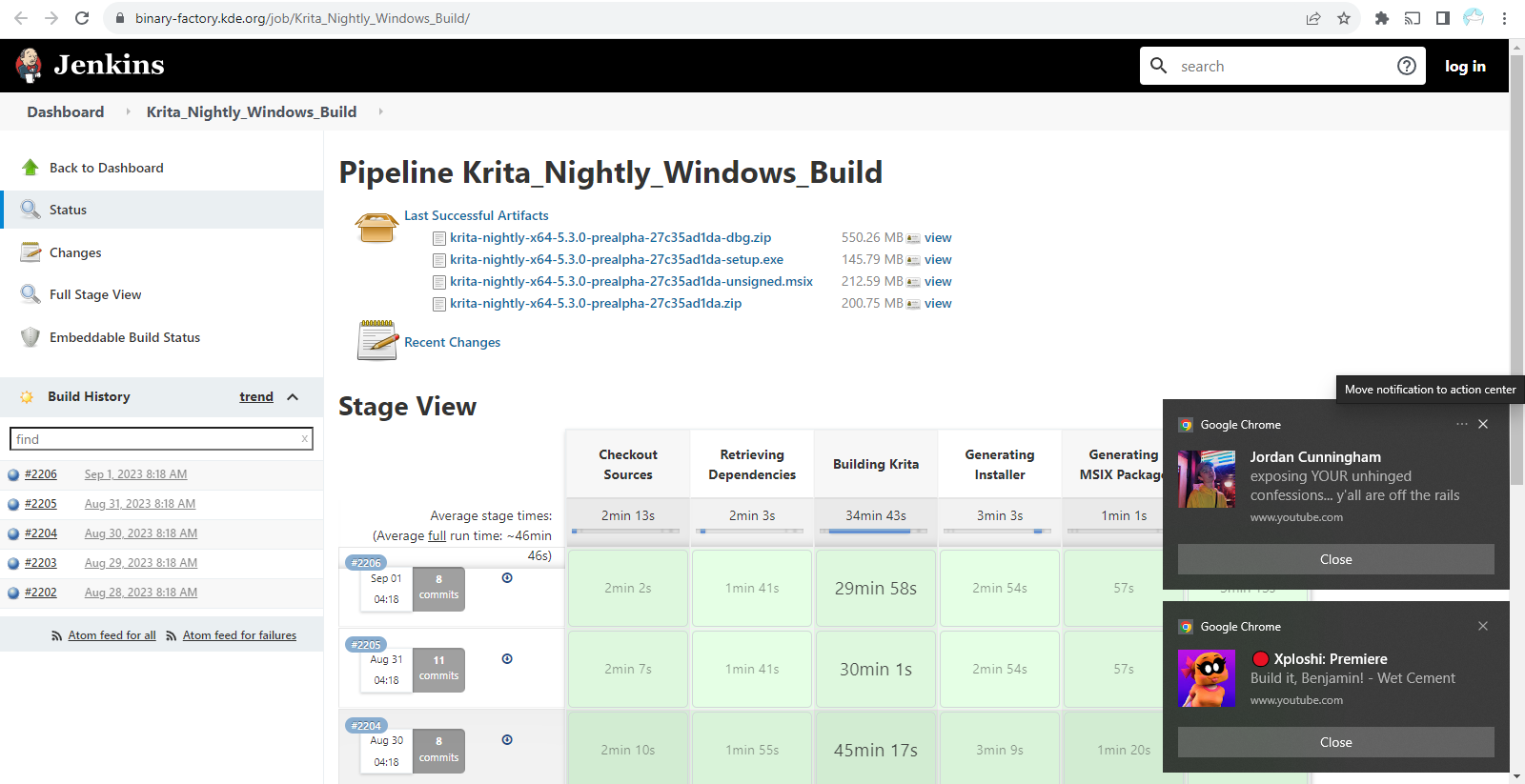
Krita Plus in the krita download page, contain bug fix on top of 5.2.0-beta
Krita Next include new features, aiming for next release 5.3
If you use Windows, download the fourth option in Last Successful Artifacts for krita portable version (it will share its “setting” and “resource” with your main installed krita)
2 Likes
oh, so I go to Krita Plus and download the fourth option.
but when I downloaded beta 2 for Krita 5.2 I didn’t download the portable version. Will that affect my download of Krita Plus
1 Like
It’s not the download that matters, it’s if you’ve run it.
Running the installer .exe will overwrite any previous installation you may have had.
It’s better to download the portable .zip, Extract it then go inside its folder to run the krita link. That way, you can try as many different versions as you like, but not at the same time, without affecting your installed version.
When you run a portable .zip package, it will use the same configuration/settings files and the same resources as the installed version does when it runs.
2 Likes
I noticed something similar with the mouse. When dragging the handle it looks ok, but when releasing it, the curve looks for a moment as it was before dragging the handle and then updates to the new shape.
1 Like
I have the same issue on the Samsung S9 Ultimate Tablet. I’m unable to pinpoint any specific event that causes the crashes. It crashes with no other apps running, default canvas and brush size, only two layers. I’ll try a new nightly build now and again to see if I can find something specific that causes it. Any advice from developers on testing methods would be appreciated.
2 Likes
Many thanks for this info, I’ll keep looking at the nightly builds to see if I can pinpoint a specific event that leads to a crash and report on here.
1 Like
As long as the bug is open, not sure how downloading nightly would help.
You may post your crash logs on the bug report site which may aid in rectification to developers.
1 Like
Ok, thanks so much. Would it be okay to keep asking you questions while I go through the process.
1 Like
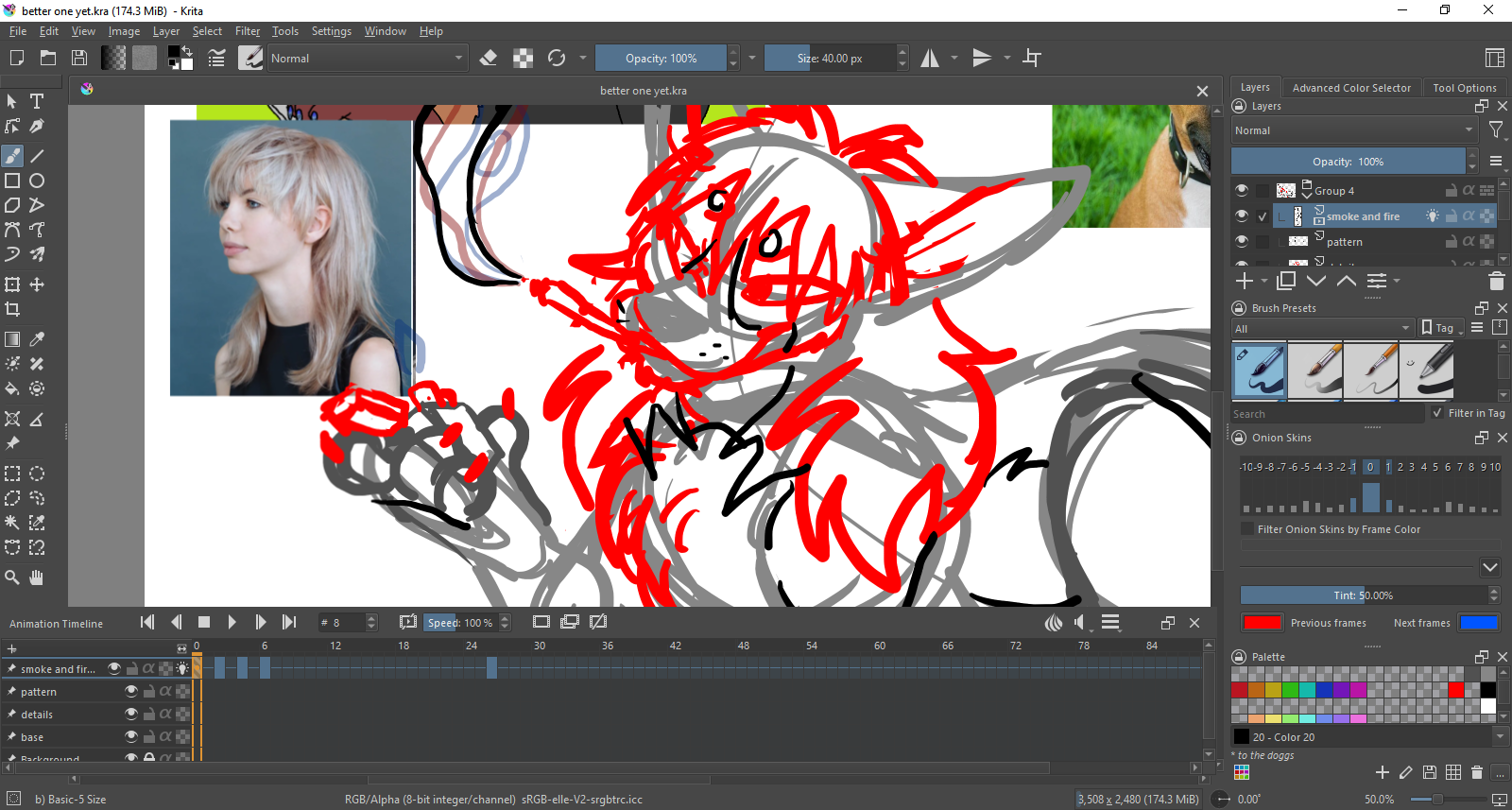
I’m not sure if it’s just me, but when I zoom out it looks like the image gets slightly blurry.

And when you zoom in, to a certain amount, it gets clear again
1 Like
also, my animation glitches when playing it back. I’m not really sure if it’s a glitch or just my laptop being slow though
1 Like
@Meow-kay Since this is not development news, I moved your post out of that category and put it in Support and Advice.
Hopefully someone will have comments about your question on blurriness. For the animation question, you really should create a separate topic for that and put it in the animation category. This way, the right people will see your questions right away.
1 Like
oh sorry, I wanted to post these on the testing and bugs thread for Krita 5.2’s second beta, but didn’t know how.
I had thought the blurriness and animation glitch were things that could be fixed in the update of Krita 5.2
1 Like
Your blurriness and animation questions, is the purpose of this post to say that both of these things are problems when you use the 5.2 Beta? If yes, I can move this over to the 5.2 Beta thread.
1 Like
Also, does this only happen with the 5.2 beta or does it also happen with 5.1.5?
Note that if you zoom out, some image pixels will have to be discarded to enable the entire image to be presented on the smaller area of the laptop/monitor screen.
That’s not about any slowness of the laptop.
2 Likes