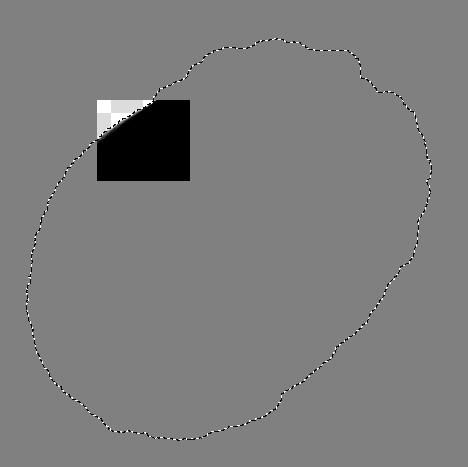
Hi, I want to paste an image and auto-select it. I don’t see a way to select the whole layer when it’s wider than the canvas, or a way to select the pasted image automatically. This would be a useful speed-up to my process and useful in quickly saving multiple files in krita without pasting them into new images (because that resets the save location and filetype, and some canvas-related settings).
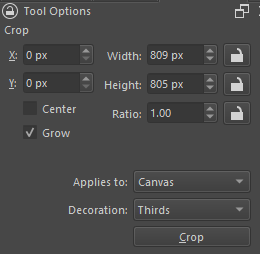
If your requirements allow cropping the canvas to a new size, you can change the mode of cropping so it doesn’t trim the pixels outside the canvas, see the dropdown menu Applies to: and set it to Canvas.
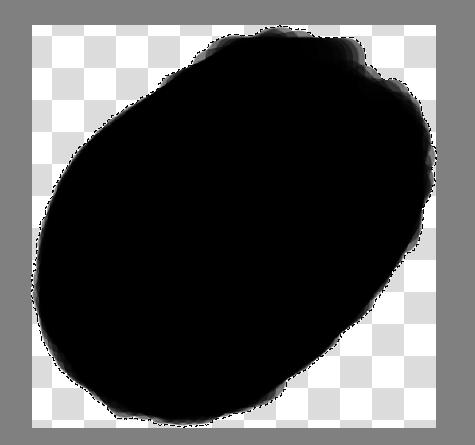
Then, make sure the crop tool is not selected, and use the action Select Opaque (replace) to select all pixels in a layer that contain something. If you need padding go to Select->Grow Selection and pick an amount appropriate.
Now switch to the crop tool, and see a bounding box appear around the region. It doesn’t matter what shape is selected, you can do the same process with any selection tool, it always makes a bounding region around the selection.
What Select Opaque (replace) does is make a selection based on the alpha value of a pixel, if the alpha is 50% then the selection will have 50% in that pixel.
OH that’s what select opaque is. I saw it on the way here when I was checking out the right-click menu of layers and the Select menu. I routed redo to Ctrl+Y and keybound select opaque replace to Ctrl+Shift+Z so now it’s ctrl+shift+z, ctrl+shift+x to crop to any pasted image. Pretty easy to do, and works well! Thanks
(Or for the whole shebang: Hold control and shift, then: Z, X, E to flatten, too)
Edit: A script that does this all in order! Works, save with .py file extension and you can add it to slot 1 in Tools → Scripts → “Ten Scripts” so that Ctrl+Shift+1 will run it, and you can reassign that shortcut in keyboard shortcuts too
from krita import *

app = Krita.instance()
doc = app.activeDocument()
app.action(‘selectopaque’).trigger()
doc.waitForDone()
app.action(‘resizeimagetoselection’).trigger()
doc.waitForDone()
app.action(‘flatten_image’).trigger()
doc.waitForDone()