Separate Brush/Eraser
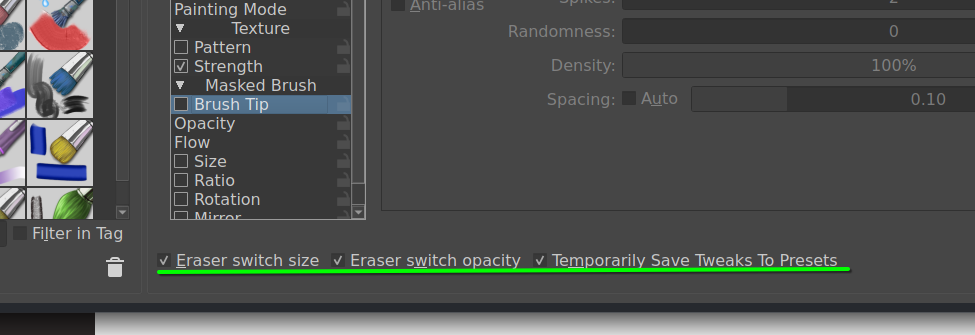
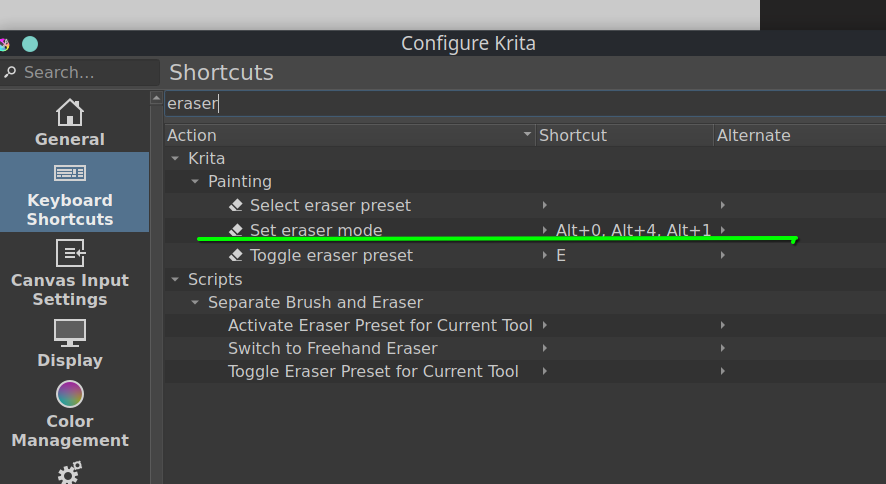
Makes Krita treat the brush and eraser as if they’re separate tools. The brush and eraser keep track of presets, size, opacity, flow, etc separately. All added functions can be found under
Tools > Separate Brush and Eraser in the shortcuts menu.
Switch to Freehand Brush: Switches to the freehand brush tool in brush mode and activates the current brush presetSwitch to Freehand Eraser: Switches to the freehand brush tool in erase mode and activates the current eraser presetActivate Eraser Preset for Current Tool: Activates eraser preset without switching tools (e.g. square tool, circle tool, etc)Activate Brush Preset for Current Tool: Activates brush preset without switching tools (e.g. square tool, circle tool, etc)Toggle Eraser Preset for Current Tool: Toggles between brush and eraser presets without switching tools (e.g. square tool, circle tool, etc)Toggle Eraser for Current Tool: Toggles the eraser on/off for the current tool without changing presets or any other settings (ie. what Krita does by default)
Note: This plugin overrides Krita’s default eraser behavior, so the built-in eraser shortcut will no longer work. If you want to have a hotkey that mimics Krita’s built-in way of handling eraser toggling, bind that shortcut to Toggle Eraser for Current Tool.
I’d suggest binding hotkeys to Switch to Freehand Brush / Switch to Freehand Eraser, they most closely mimic the behavior of other painting programs.
If you click the eraser in the top bar, the eraser will toggle on/off for the current tool without changing presets (ie. what Krita does by default). This is useful if you find yourself wanting to swap your current brush into erase mode in the normal Krita way.
Line Tool Modifier Key
Binding a modifier key to the line tool in Krita’s canvas input settings overwrites the behavior of that key globally, which prevents it from being used for other tasks. For example, if you use those settings to bind Shift to the line tool, you can no longer use Shift to select multiple objects. This plugin allows you to use either Shift or Alt as a modifier key for the line tool only when the brush tool is active, so it doesnt’ affect any other functionality. To enable this:
- Disable any line tool modifier shortcuts that were set in the Canvas Input settings
- Enable the line tool modifier key at
Tools > Scripts > SeparateBrushEraser > Line Tool Modifier Key
If you see weird behavior, is probably because there’s a Canvas Input setting that’s interfering with the plugin. For example, if you have Shift + Left Click bound in the Change Primary Setting section of the Canvas Input settings to change the brush’s size, you can’t also use the Shift key to switch to the line tool using this plugin.
Note that in Krita the line tool is hard-coded to use Shift as a modifier for drawing horizontal / vertical lines. There is no way to change this behavior, so if Shift is the modifier key you’re using for the line tool then you’ll need to use Ctrl + Shift to draw straight lines at any angle.
Download Link
Download it here! https://github.com/ollyisonit/krita-separate-brush-eraser
If this implementation isn’t to your taste but you still want a separate eraser tool, check out the PET (Plugin as Eraser Tool) plugin. It provides similar functionality but focuses more on splitting brushes into separate brush/eraser categories.
https://krita-artists.org/t/proof-of-concept-plugin-as-eraser-tool-pet/48233
If you run into problems, I’d appreciate if you submitted them to the issues page on GitHub. It’s much easier for me to track things that way. I don’t have a ton of time to maintain this anymore, so forks are always welcome if you want to make any customizations or fixes.