In Krita erasers are just brush presets like any other. The “E” key (in vanilla Krita without any plugins) will set a brush into “eraser mode” which lets you basically “unpaint”. This has the advantage of having the same dynamics and textures, making erasing seamless.
Brush presets have a setting that allows them to have separate opacity and size when in “eraser mode”
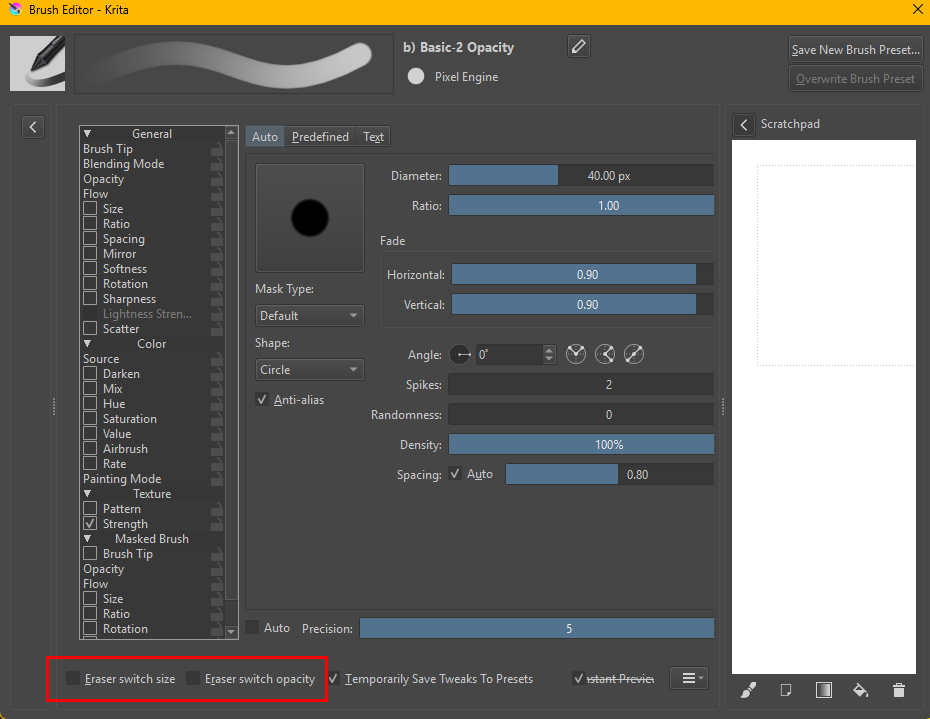
For changing to another brush preset completely Krita has several methods. Since Krita doesn’t treat eraser presets like they’re special, you can either use the eraser end of your stylus to select an eraser brush preset for it (my preferred method because its easy). That way you can change to your favorite eraser by simply flipping the pen. Or you can put an eraser (or any brush preset you want) on a shortcut using Ten Brushes
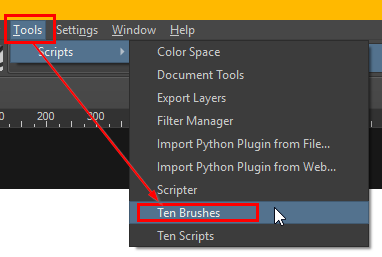
and select your favorite erasers with different shortcuts.
The buttons to press can be configured in the settings
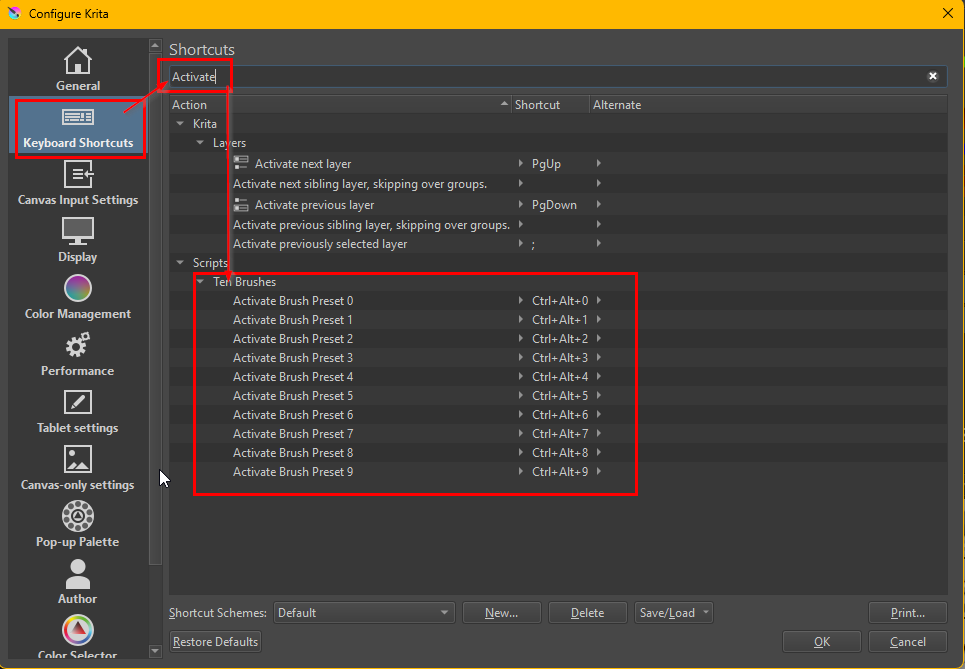
So you could change one to E and disable the normal eraser mode E shortcut (to not have them conflict) if you wanted to.
Krita is very flexible in that regard but that also means its a bit more work to set up if you don’t like the default behavior.
For the plugin you linked to, it’s probably best to ask on their plugin site too, unless you happen to find the plugin-developer here.