The thing with many watercolor-brushes is that you have to use only very light pressure, therefore some of them don’t work with a mouse, because a mouse has only two possible pressure levels 100 % and 0 %, and using a tablet with stylus needs feeling to control them.
Some of these brushes work best, or only in the size-setting they come with, so making them wider or smaller can lead to a total different look of the strokes you made.
Should you have further questions about this bundle, feel free to ask them in this topic.
And should you have questions regarding other brushes or completely different topics, I ask you to ask them in the topic of the resource your question is about or in a topic created by yourself in a corresponding category of the forum, you’ll find the list of topics if you go to the forum homepage, or just click on the forum-logo on the top left of the website.
Often it is the best solution to create a new topic for your questions, to not mix up the topics.
Thank you very much for your prompt and complete response!
I do use a stylus and a Wacom tablet, and it works fine responding to pressure. I’ll try to play with the brush size then.
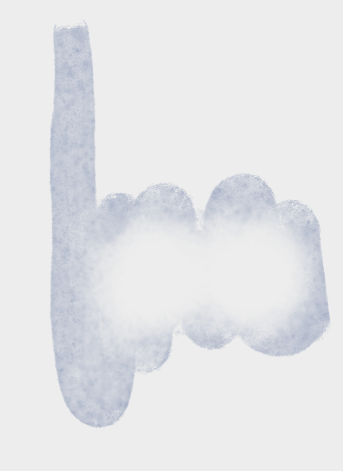
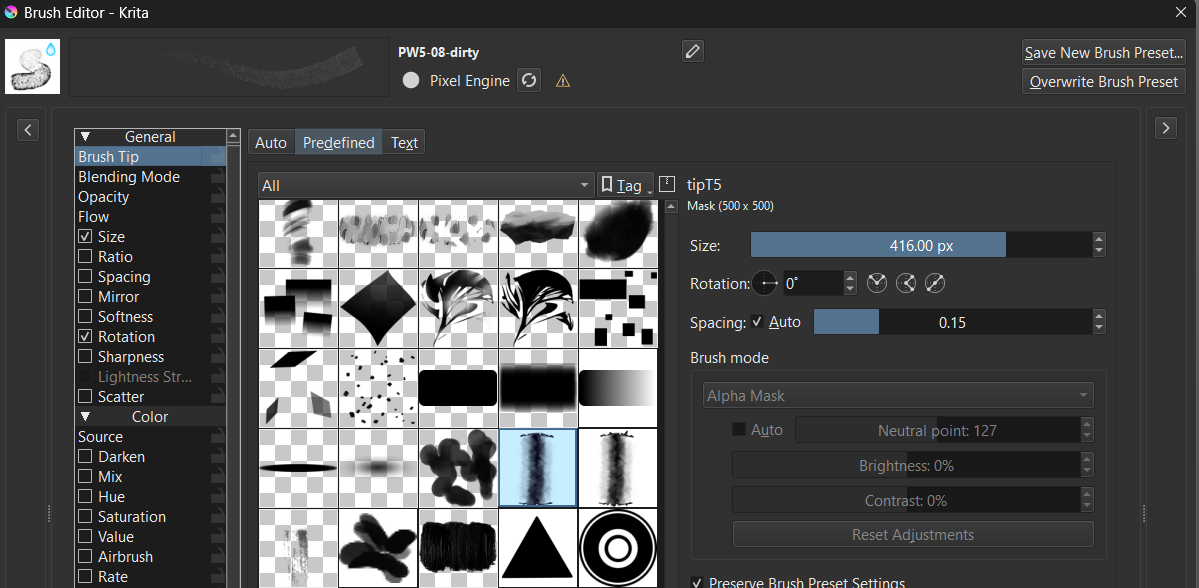
@Vera_Piquero Krita has been having issue with some of the settings for particular brush presets also. The far left one in your example
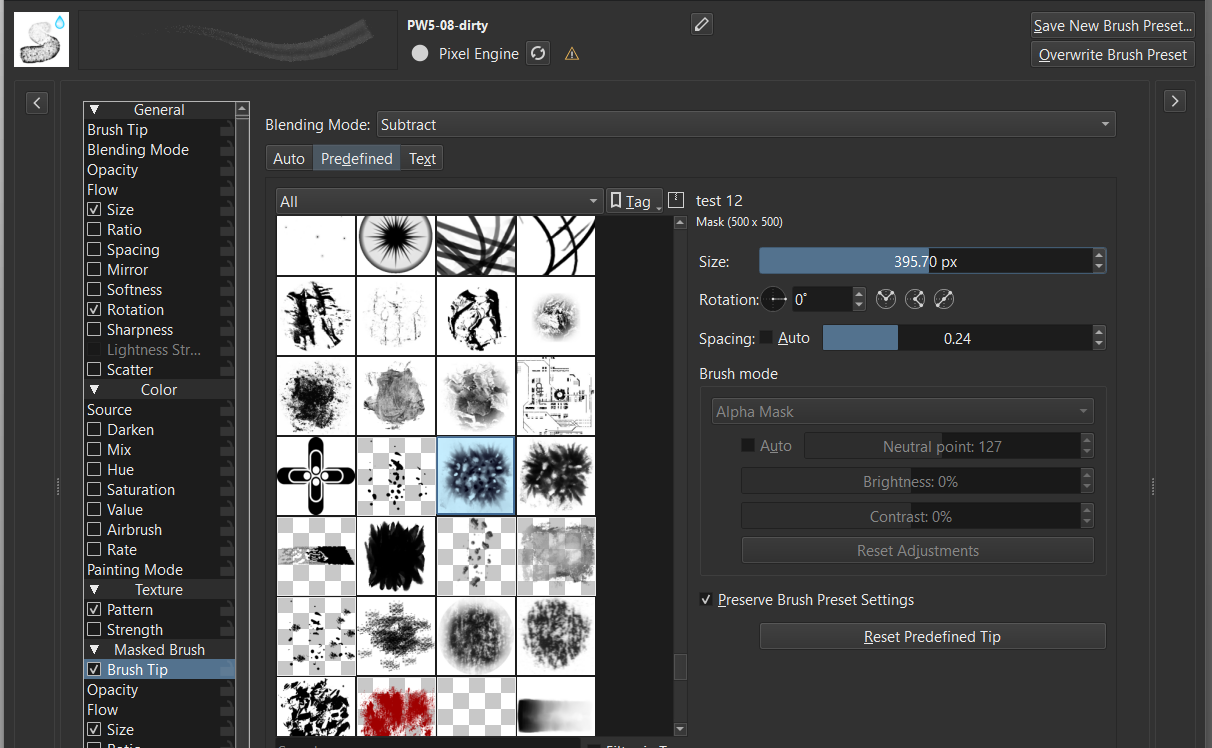
mine with a few adjustments
the inside of the brush is controlled by the “Subtract” blending mode of the masked tip, bigger size/ less wall. The single circles is because your spacing is too high on the main tip. maybe try the spacing shown in my above image and adjust from there. This is the same with the rest of this set. When satisfied with your settings you can just save new settings.
The accepted means of payment on Gumroad depend on the decision of the provider, some also accept purchases via PayPal, but @Pesi apparently does not. Only Pesi can tell you whether this was due to ignorance or a conscious decision, and what the reason for the decision might have been. But Pesi wouldn’t have made it available for free if he really wanted money.
So if you enter 0 as the amount instead of an amount, then you just buy these wonderful brushes for €/$0, and it’s okay!
Are those brushes still functional with Krita 5.2? I’ve just installed them but the substract brush tip makes the center of all brushes go to white, leaving me only with the edge of the brushes.
It does it with my wacom tablet, no matter if I change the pressure settings. Same with the brush sizes, been going up and down on those, without luck. I’ve tried to adjust brush settings but couldn’t get to a result matching the thumbnail.
The brushes work in Krita 5.2.2, and they also work in my 5.3.0 Nightly. But watercolor brushes are not easy to handle, in most cases you should not apply much pressure, but treat them as if you wanted to caress your canvas.
You can see the expected stroke image in the brush editor, accessible via F5 or the toolbar, in the “Display” at the top left of the brush name. There you can also immediately see every change to the settings, in real time, if you want to call it that. The thumbnail does not always have to correspond to the real line image, it is often only an approximation, and often “only” a small work of art with only a rough reference to reality.
Hi! Sorry or responding on a 5+ year old post but I’m curious, how did you get the results on the image in this post? Was it another application or a brush from this you used or your own brush?
hi, dont worry to be 5 years later. This is one of my personal brushes. It was intended to be published but nowadays i am rethinking everything to see if I can produce even brushes than what i did for default watercolors in Krita.
Thank you so much for providing these for free.
I don’t have any money until the day after tomorrow, but when my money goes in, I will Tip you on Gumroad
I don’t know if it’s been mentioned but.. Please can you tell me what the difference is between the Bundle and the Water Color .kra file
The KRA file is a Krita document meant as a template for watercolor paintings.
Or, to be precise, as one part for creating a template. Since @Pesi has overlooked a little but important thing while creating it¹, it would be simpler/better for you to download and use my fixed and improved version of his template instead, which you can download from the links below.
To fix the error, I have packed the files with the patterns into an easy installable bundle, in the original version the files had to be assigned by hand to the layers he designated.
The references in the KRA file I have corrected so that they now refer to the patterns installed via the bundle. This means that if you have previously installed the bundle, you will NOT have to make any assignments after you open the KRA file in Krita. The patterns are “already there” with the bundle installed and activated.:
Here is how to install it / set it up:
To be able to use the fixed template, as a template, you have to unpack/unzip the file you can download from one of my links above. It contains the two files Pesi's_-_Watercolor_Page_A5_300DPI_Needed_Pattern's.bundle and Watercolor_Page_A5_300DPI_FIXED.kra.
First, before you can open and import the KRA-File that is in the archive too, you must install the bundle via Settings → Manage Resource Libraries... and there, with a click on + Import you can browse to the bundle and import it.
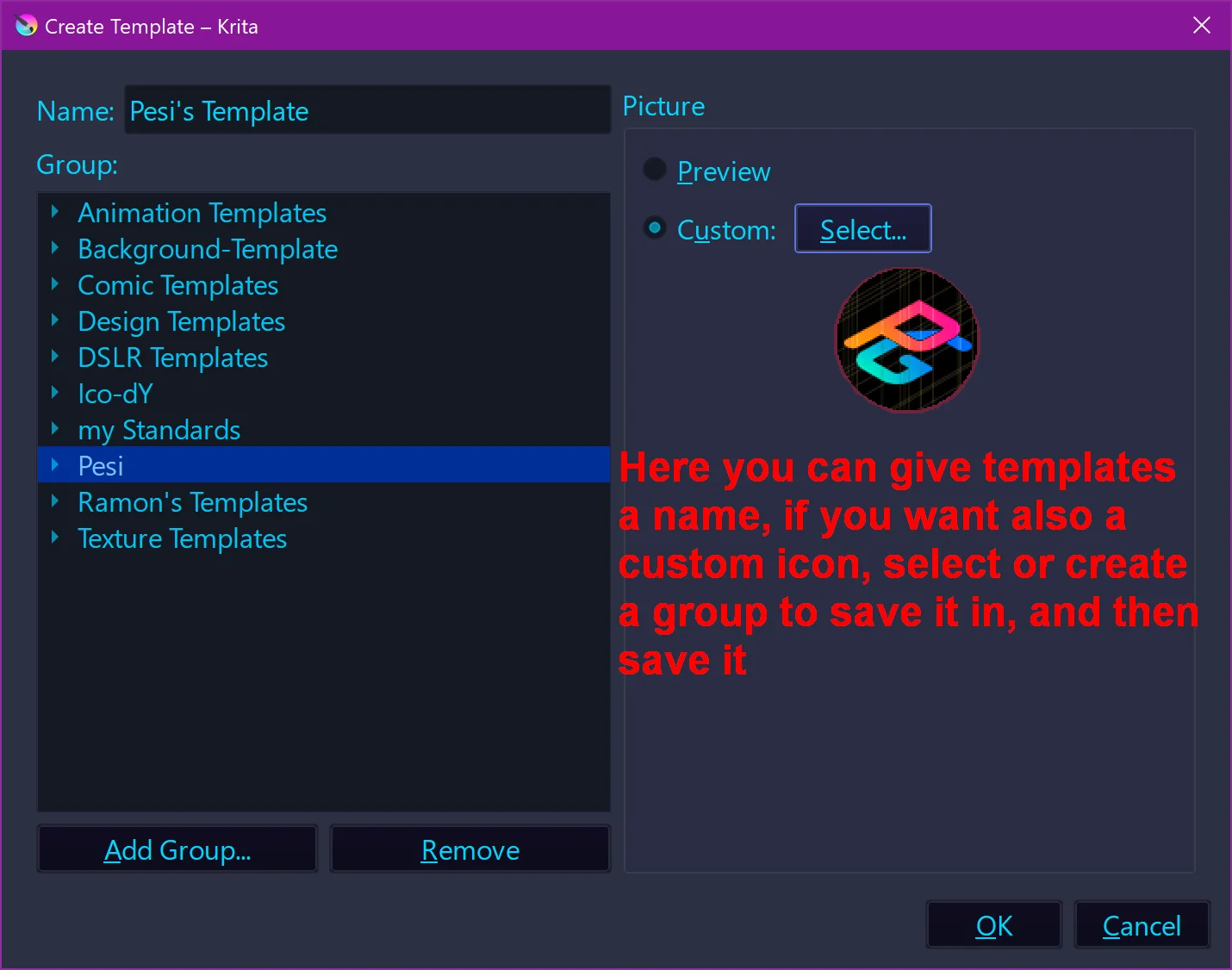
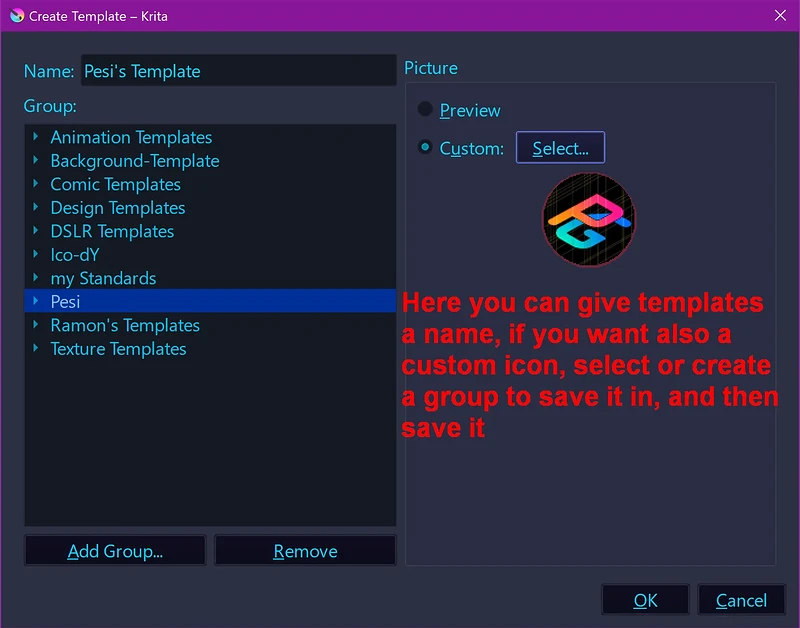
Now you can open the Watercolor_Page_A5_300DPI_FIXED.kra and directly after opening this file in Krita, you have to open the menu File and click on Create Template From Current Image which will open a dialog that allows saving it as a template. There, you can give your new template a name, and if you want also a custom icon if not a generic icon is used, you can select one of the offered groups on the left or save it in an own group you create, or you can drop it into the root group which may lead to clutter on the long run when you save more templates.
Thank you so much. It makes a lot more sense now.
I have an issue though. I downloaded your bundle , but in the resource manager, it’s empty.
But if I switch to Pesi’s Original one, the brushes show up in the resource manager.
I’m on Linux, if that helps
Thank you for explaining how the template works.
The bundle from my ZIP-Archive only contains the patterns you need to create and use the template which @Pesi initially offered, there is no brush preset or any other resource in it, it is only an aid to make Pesi’s template comfortably usable, which it wasn’t before.
And if you take a look at your initial question, it was about what this KRA-File is for. And it is only for creating a watercolor-canvas template that makes painting with Pesi’s brushes even more realistic.
And as I wrote above, install the bundle, then open the KRA-File in Krita and when it opened go directly into Krita’s File menu and select Create Template From Current Image, which will open the dialog from my screenshot:
Give it a name, if you like give it a custom icon (size 256 by 256 pixels), then select or create a group in the Group column where you want to put the template in, or, if you don’t want it in a group, save directly using the OK-Button.
Now you have created your first template in Krita.
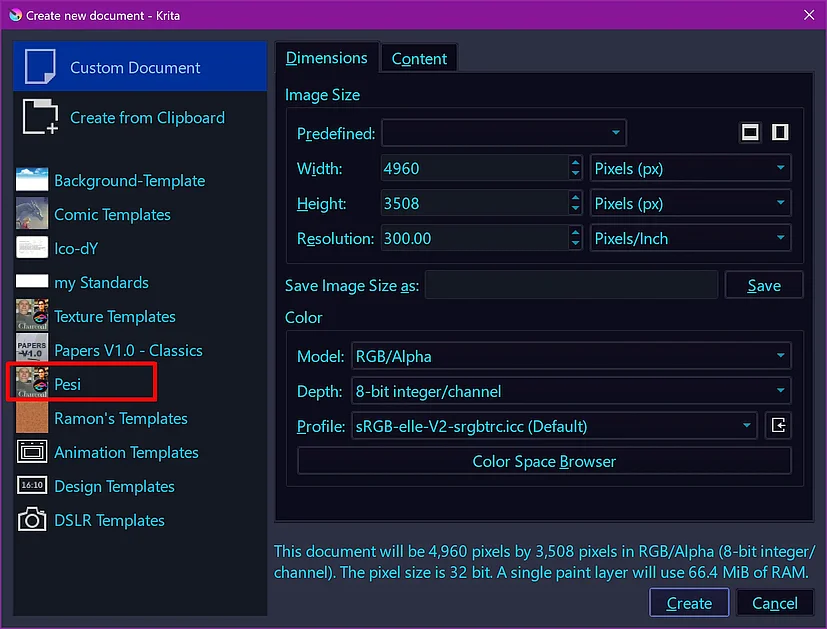
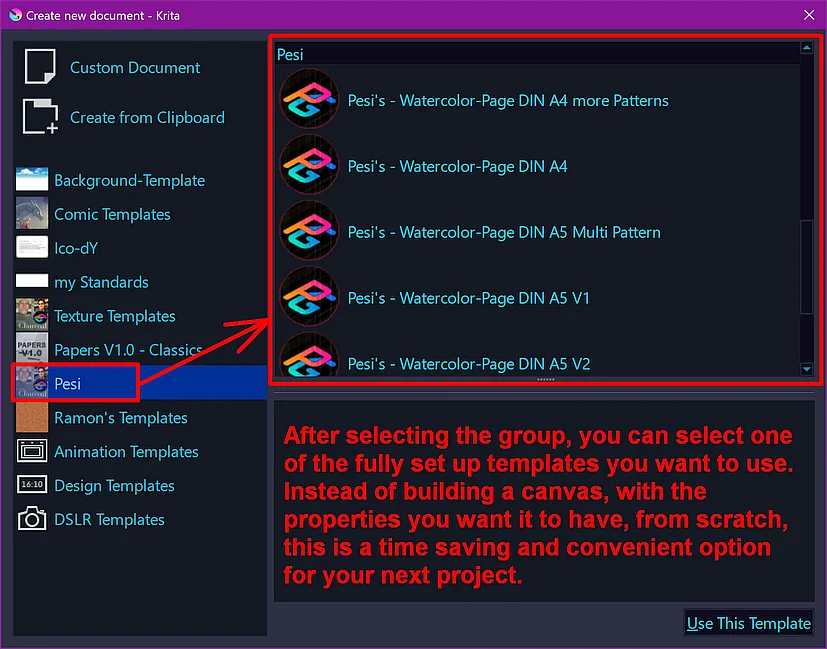
And from now on, whenever you want to paint something using this new canvas, you can select it via Krita’s File → New CTRL+N dialog, like in my example below:
Select the group from which you want to use a template:
By the way, if you are interested in more templates, @RamonM just published a pack of twelve new canvas templates named “Papers V1.0 - Classics” to get via Krita’s YouTube-Channel where he presents them in a new video. There you have to enlarge the video description with a click on more and follow the link below “DOWNLOAD: TEMPLATES :”, then you need to download at least the bundle and the ZIP-File.
To install the Papers V1.0 - Classics, you need to install the bundle → then unzip the archive → in Krita do Settings → Manage Resources... there click on Open Resource Folder → in the now opening dialog (a file manager window) copy or move the whole unzipped folder Papers V1.0 - Classics into the folder templates → restart Krita and find the templates in the new Group called Papers V1.0 - Classics. Happy painting!
@Pesi - didn’t realise that these amazing brushes you so kindly gifted to us were here for so long already, I only just discovered them and absolutely loved them!!! ツ
so came here just to find you to say THANK YOU so much ツ ツ
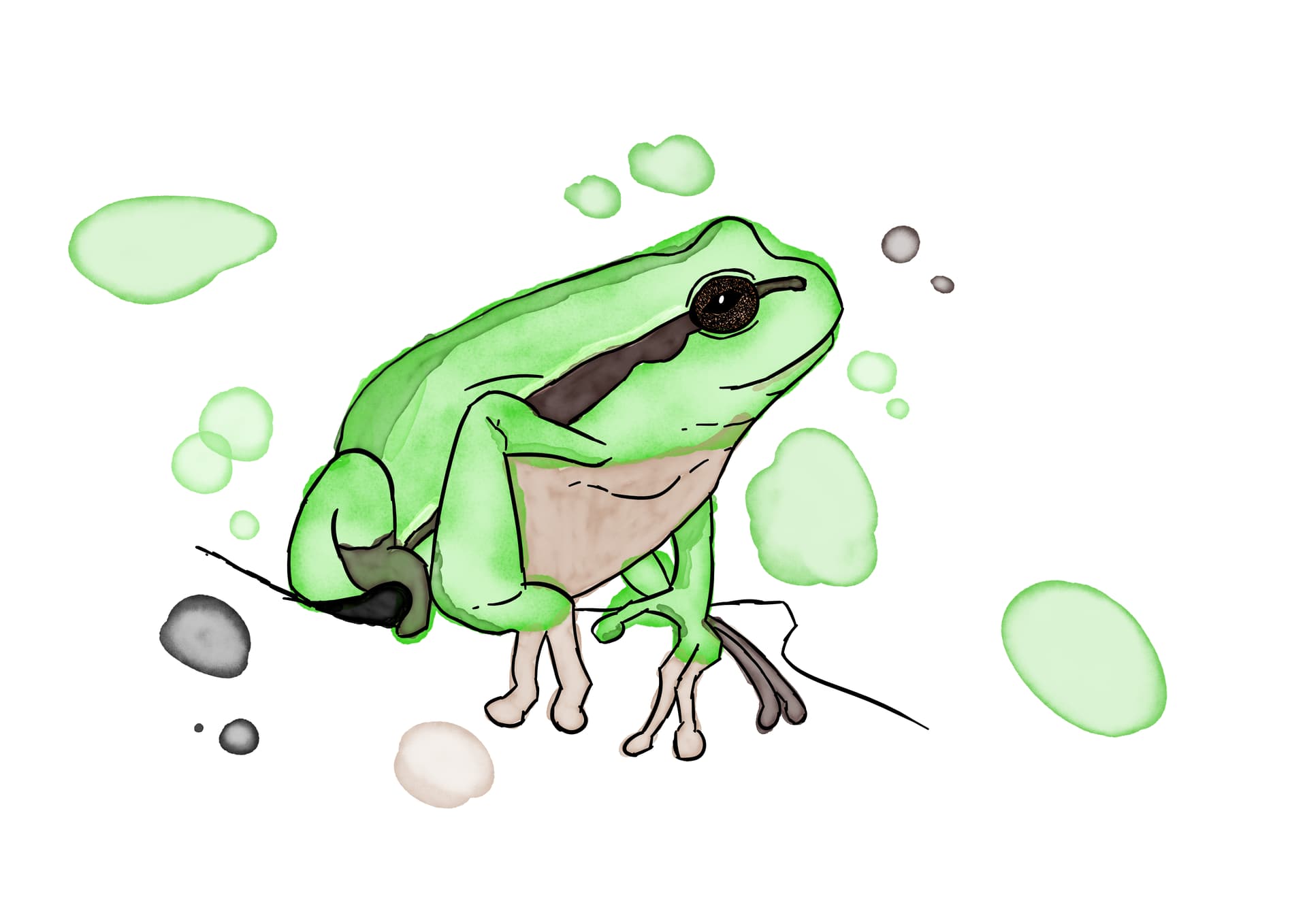
they are brilliant - quick example of one of the first pieces I created with them.
 Hello @Vera_Piquero and welcome to the forum!