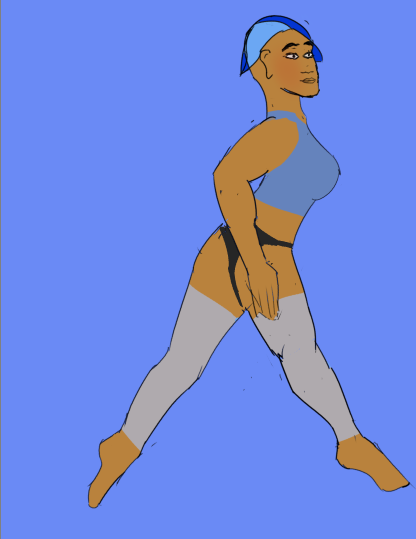
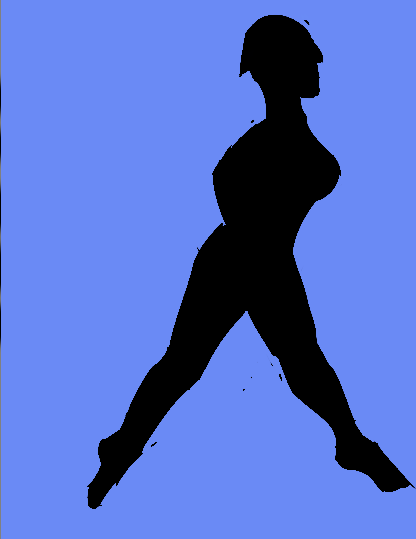
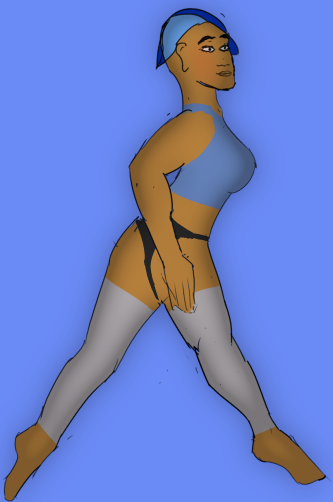
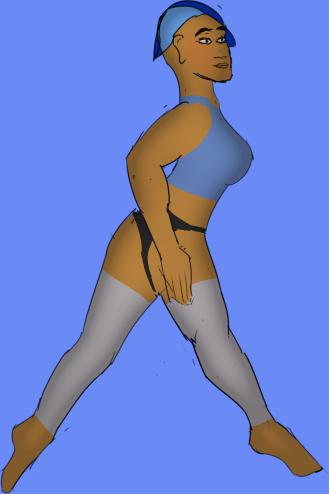
Hi, I’m using Krita to learn raster animation right now. One of my shading techniques involves duplicating a layer, and applying a threshold mask to it (and all its frames), or possibly just use the levels mask. Then, I’ll apply a Gaussian edge detection to the threshold layer. After this, I have a nice blurred outline of my subject, which I can touch up with a brush if I need to.
From there, I convert it to a transparency layer, and then apply it to a vector layer which contains the shading color (or texture). This is all set to inherit alpha so it doesn’t spill over on the rest of the scene.
This does an excellent job at suggesting a 3D shape without requiring me to painstakingly paint every stroke, while allowing me to touch it up by hand where I need to. It’s reasonably memory efficient, too.
This saves a lot of time on complicated and articulated animations, like one I’m doing right now involving a sequence of ballet moves.
However, it feels like far too many steps for something so practical. I feel like Krita may have features already which I’m unaware of, like for making that solid-color copied layer. There’s a chance that I’m still doing things manually which could be automated, and this feels like the place to ask.
To give you an idea of the result, I’ve got a few screen shots here of my first frame. (Note that the mask one was recovered with GIMP, but you get the idea).
Can you do this using a suitable group structure, maybe with clones, then stacked filter masks for intermediate processing?
That way, whatever you paint will have a processed version as the composited result.
You can turn off the processing layers/groups while making the initial artwork.
That is a great idea and it does work; but it takes an extraordinary amount of processing time for my filter masks. It’s fine for most filters, but once I’ve got something like a radius-100 Gaussian blur, it gets hard to use.
I do most of my initial work in 4K simply to remove artifacts for the final (old film editing trick), so that ends up being 4K (8,294,400 elements) times 40,000 (given a 100-pixel radius is squared off to 100 * 100 * 4, which seems reasonable) or 331,776,000,000 operations. This is… surprisingly doable on a modern machine, but it basically still means that I press “play” and then go have lunch while it sorts it out.
I know, that’s totally a me thing, but I really don’t want to budge from 4K!
Rethinking this: If you use a clone then that makes processing slow.
It would probably be better/faster to manually Duplicate the animated layer then drag the duplicate into the group that does the processing.
You’d need to do that after every change to the animated layer content but it would probably save time in the long run.
One thing which has sped it up has been replacing each flat color with a single spanning vector layer with a big rectangle in it, with a transparency mask applied. I’m just about certain that this is faster. I then group these flat colors together as objects which they’re representing, and then operate on the group.
I have noticed that for some operations, it’s easiest to duplicate, merge, and threshold the group and simply work with that; though if things were a bit speedier, it might be better to just clone it and keep it loose, making the respective changes with filters.
Honestly, the fastest way to do this might just be to render simpler components and use something like Kdenlive or Toonz for the layering!