When first opening krita, pie menu takes a very long time to open, while all subsequent openings occur normally. What could this be related to?
1 Like
Happens to me too. Freezes/loads for a while, then opens.
After krita restart, the preset pie has to load the icons, crop them to circles and create the labels. It has to happen at some point and “the first use” seems to be the best option.
Doing it on startup makes krita initialization noticeably longer, while doing it in the background is harder and would slow down krita at the beginning without informing the user about it. This way it won’t even load if you don’t use it at all.
The same goes for pie settings which creates and displays labels too.
It should be negligible unless you have many labels and use rather slow hardware.
Once labels are created you just hide/show the pie, which takes no time.
3 Likes
The thing is that it didn’t use to do that before the last version.
Last version of what? I don’t knows whether you updated krita or plugin and between what versions
Of Krita. Since 5.2 is recent. I didn’t mention that.
I don’t think there’s much I can do about it. I don’t know why it got slower, but my part is reasonably optimized, and I don’t think I can make it initialize faster much more.
1 Like
What’s new in 1.4.2
This release fixes actions broken with krita 5.2.0 introducing Python 3.10 - some tools and blending modes made the plugin silently crash. It also addresses a few other issues that were always present.
Fixed
- Fix implementation of BlendingMode and Tool enums which caused crash for certain values in krita 5.2.0 and later
- Fix the pie menu occasionally floating away after reordering labels
- Fix the pie menu floating away after reordering labels on multi-screen setup with Windows10 UI scaling enabled
- Fix the pie occasionally displaying the active label or its artifacts when entering edit mode
6 Likes
Hello @wojtryb , I want to ask something extra.
Is it possible to change ‘‘scroll brush size or opacity’’ to ‘‘flow or opacity’’?
Yes, check out this conversation: Flow for mouse tracker ? · wojtryb/Shortcut-Composer · Discussion #50 · GitHub
1 Like
thnks a lot 

@wojtryb hello
scroll timeline or anim. layers I would like to ask one more question about it. This feature is very useful for animation. It makes sense to see the transitions between layers with lsole. But is it possible to scroll back and forth in frames without isolating it??
It starts to tire the eyes when used constantly while doing animation.
1 Like
Sure, in ‘actions.py’ you need to remove the line about additional instructions:
    # Scroll timeline by sliding the cursor horizontally or
    # animated layers by sliding it vertically
    #
    # Use TemporaryOn instruction to temporarily isolate active layer
    templates.CursorTracker(
        name="Scroll timeline or animated layers",
-       instructions=[instructions.TemporaryOn(Toggle.ISOLATE_LAYER)],
        horizontal_slider=Slider(
            controller=controllers.TimeController(),
            values=Range(0, infinity),
        ),
        vertical_slider=Slider(
            controller=controllers.ActiveLayerController(),
            values=CurrentLayerStack(PickStrategy.PINNED),
        ),
    ),
1 Like
Thank you very much, just one last suggestion? just wondering your opinion
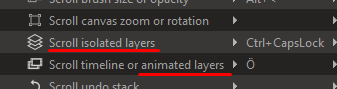
The scroll isolated layer has the same function as the scroll timeline. Would it be better if there was a shortcut that only affects the frames without using the mouse as top/bottom and left/right?
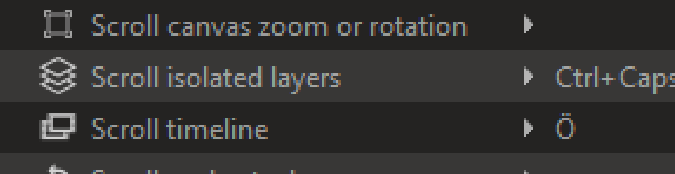
lıke tihs
You can patch it yourself - just remove the entire vertical slider section
    # Scroll timeline by sliding the cursor horizontally or
    # animated layers by sliding it vertically
    #
    # Use TemporaryOn instruction to temporarily isolate active layer
    templates.CursorTracker(
        name="Scroll timeline or animated layers",
        instructions=[instructions.TemporaryOn(Toggle.ISOLATE_LAYER)],
        horizontal_slider=Slider(
            controller=controllers.TimeController(),
            values=Range(0, infinity),
        ),
-       vertical_slider=Slider(
-           controller=controllers.ActiveLayerController(),
-           values=CurrentLayerStack(PickStrategy.PINNED),
-       ),
    ),
If you want to change the name you have to also do it in actions.action file.
Whether it should be like that by default, I don’t know. I’m not an animator myself, and can’t tell what’s better.
As it’s already a feature I need to be careful with removing stuff, and I don’t want to have too many too similar actions.
3 Likes
It was exactly what I wanted  Thank you very much.
1 Like
<z
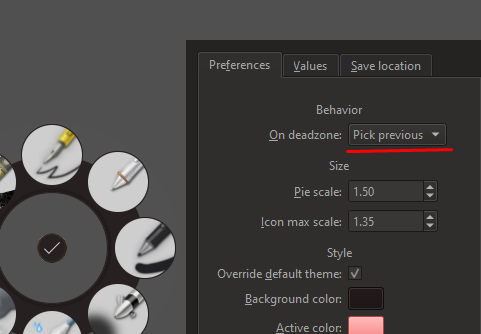
Hello @wojtryb . Even though ‘pick previous’ is selected, it does not return to my previous brush. I wonder what I’m doing wrong. Doesn’t it work like Krita’s own ‘switch to previous preset’ shortcut?
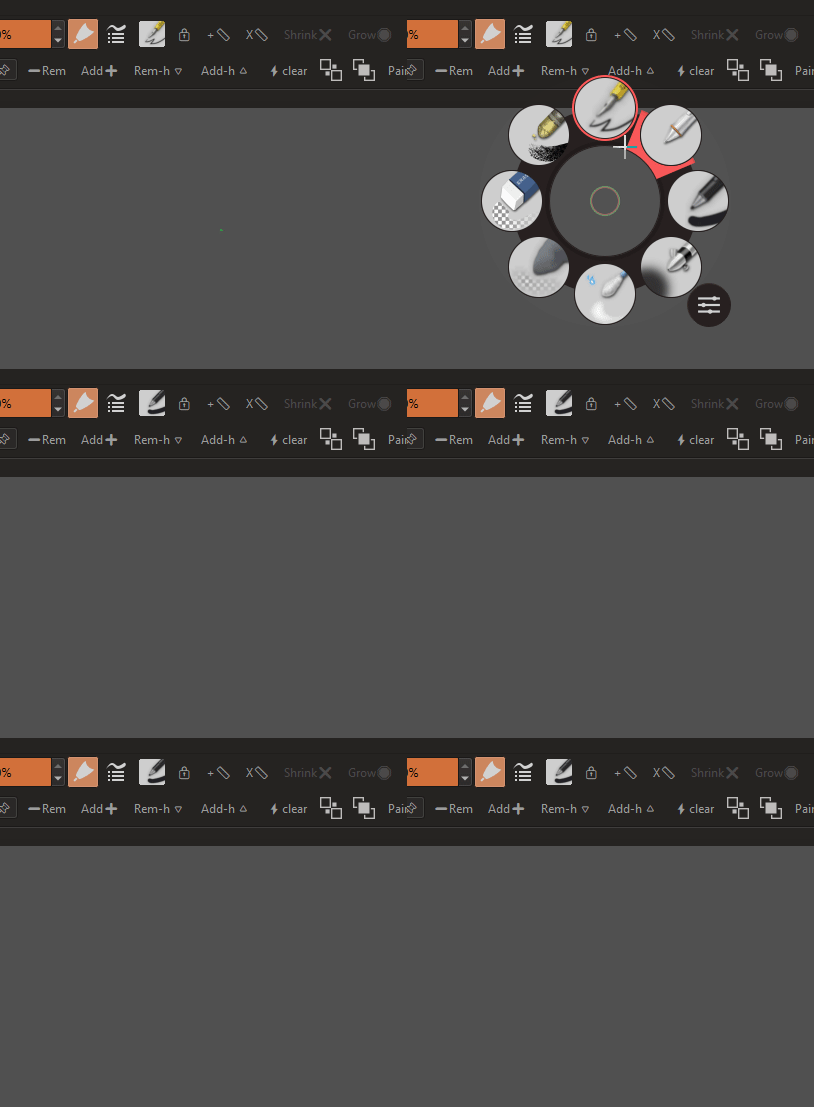
You misinterpreted this feature.
It activates the previously selected icon when in deadzone - here being the black pencil. If you changed the preset in different pie or from krita presets docker - it would go back to the pencil outlined with red border.
This way you can set two pies to different presets and then just short click their buttons to switch to the selected one.
4 Likes
i see. thanx
4 posts were merged into an existing topic: [Plugin Release] Docker Under Cursor - make docker display in mouse position