Hey, guys. I’m excited to use the stable version of Krita 5.0.2. I’m following along with a YouTube video about the RGBA Brush Presets. But since in that specific video there’s no explanation about the canvas, I searched for another video, one that would cover that first thing precisely: How to create Tileable, seamless “canvas”. And I did find a video. So here’s my first question: Where can I find the Fill Layer Properties? It surely isn’t by “hitting F3” like it is explained in the Smart Canvas. how to create Tileable, seamless “canvas” YouTube Krita Tutorial. Thx in advance!
By default it is F3, or you can right click on Fill Layer in layer docker, there is “Properties” on the top.
1 Like
I’m using the stable version of Krita 5.0.2
Thx, Lesqwe56.
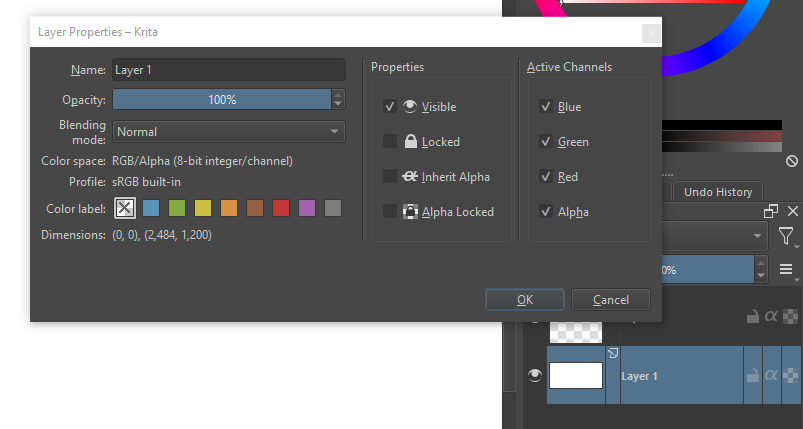
Here F3 opens Layer Properties - Krita:
But what I am looking for is the Fill Layer Properties (showed in the Tutorial when the artist hits F3):
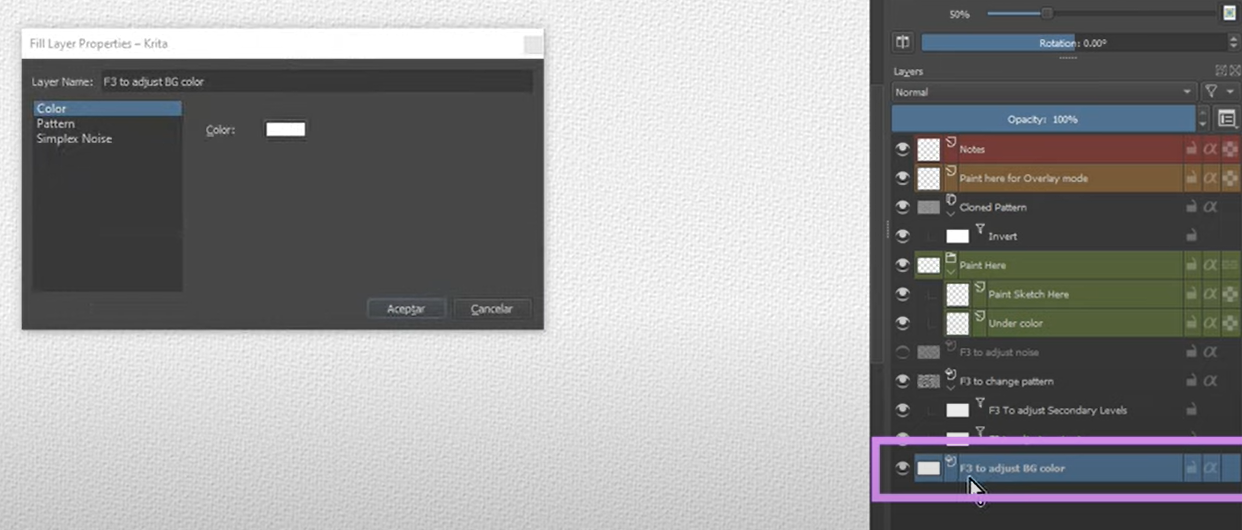
Your screenshot is paint layer, which is a different layer type.
You need to add a Fill Layer to get it work.
There’s a “+” icon under the layer docker, and a little up arrow next to it, click on the arrow and popup a menu for adding Layer/Mask, then find “Fill Layer” in the menu and click on it.
1 Like
Oh, thx! That’s it.
Cheers, Lesqwe56!
Glad it helps 
1 Like
This topic was automatically closed 7 days after the last reply. New replies are no longer allowed.