I turned it on with grid size 128x128 but it doesn’t work. My selection doesn’t snap to it and neither does my brush.
Which version of krita are you using and which operating system?
The Freehand Brush won’t snap to the grid and neither will the Freehand Selection Tool because they are ‘freehand’ tools.
The Rectangular, Elliptical, Polygonal and Bezier Curve Selection Tools will though and so will the Line and various shape drawing tools.
There is a problem at the moment where the displayed grid can vanish as the cursor is moved around the canvas, at some zoom settings, and the grid is restored by zooming but it still exists and snapping still works.
Which selection tools are you using and does it not snap at all locations over the canvas?
Oh. Is it possible to have the freehand brush snap to a grid like in GIMP?
Not that I’m aware of but you can snap a brush to a painting assistant and you can also do Edit → Stroke selected shapes, if you want to construct a precise vector shape with vertices snapped to the grid then stroke it’s outline with a textured brush:
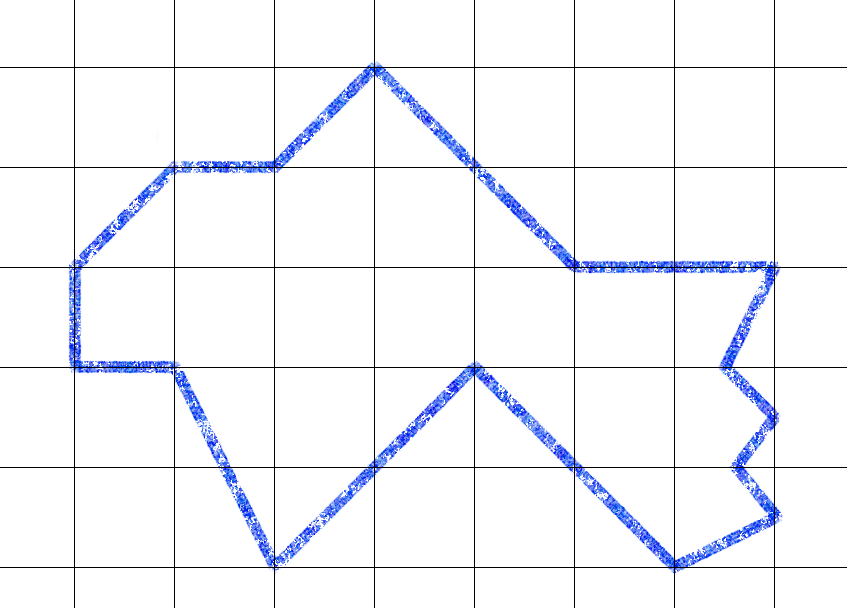
With a vector shape, you can edit it to change its edges into adjustable curved lines.
This topic was automatically closed 30 days after the last reply. New replies are no longer allowed.