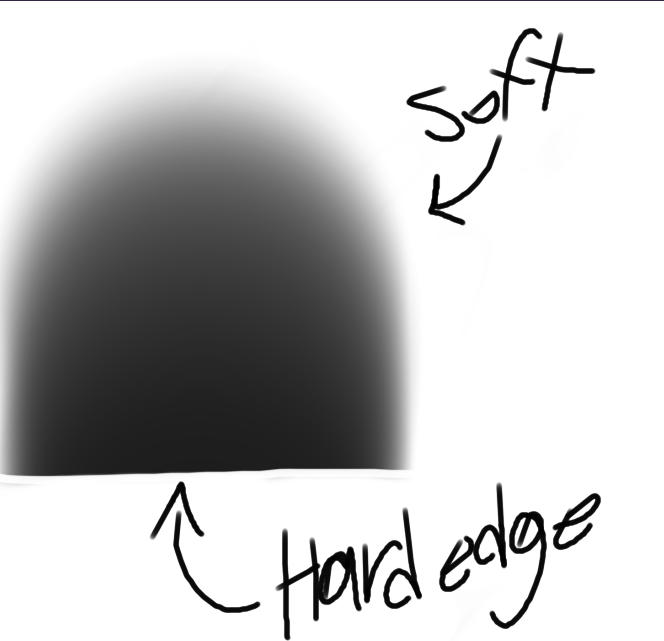
I’ve been searching for a brush like this for an hour after seeing another artist use it (although it was in IbisPaint). I have no clue how to make my own brushes, so can someone give advice for how to make this?
 Hello @getinthezooone and welcome to the forum!
This few is what I found so far, but you can search our forum’s category for Bundles and Brushes to find more!
Here is really one single brush preset which was created for a request similar to yours:
Since there are often issues with downloading unbundled brush presets, I’ll post a little aid how to get what you want, instead of what companies believe they have to deliver to you, because they believe to know “what is good for you” …

The issue can be as follows:
When you hoover with your mouse over the download link of that brush, which already shows the file name extension KPP, you will see the original link and file name extension KPP in the lower left corner of your browser. With more and more modern OS’s and browsers changing this to PNG, you have to be aware that this can happen and should fix it while you are downloading the brush via right click and selection of “Save Target as” or “Save Link As”. So if PNG is shown in the download dialog, change it back to KPP!
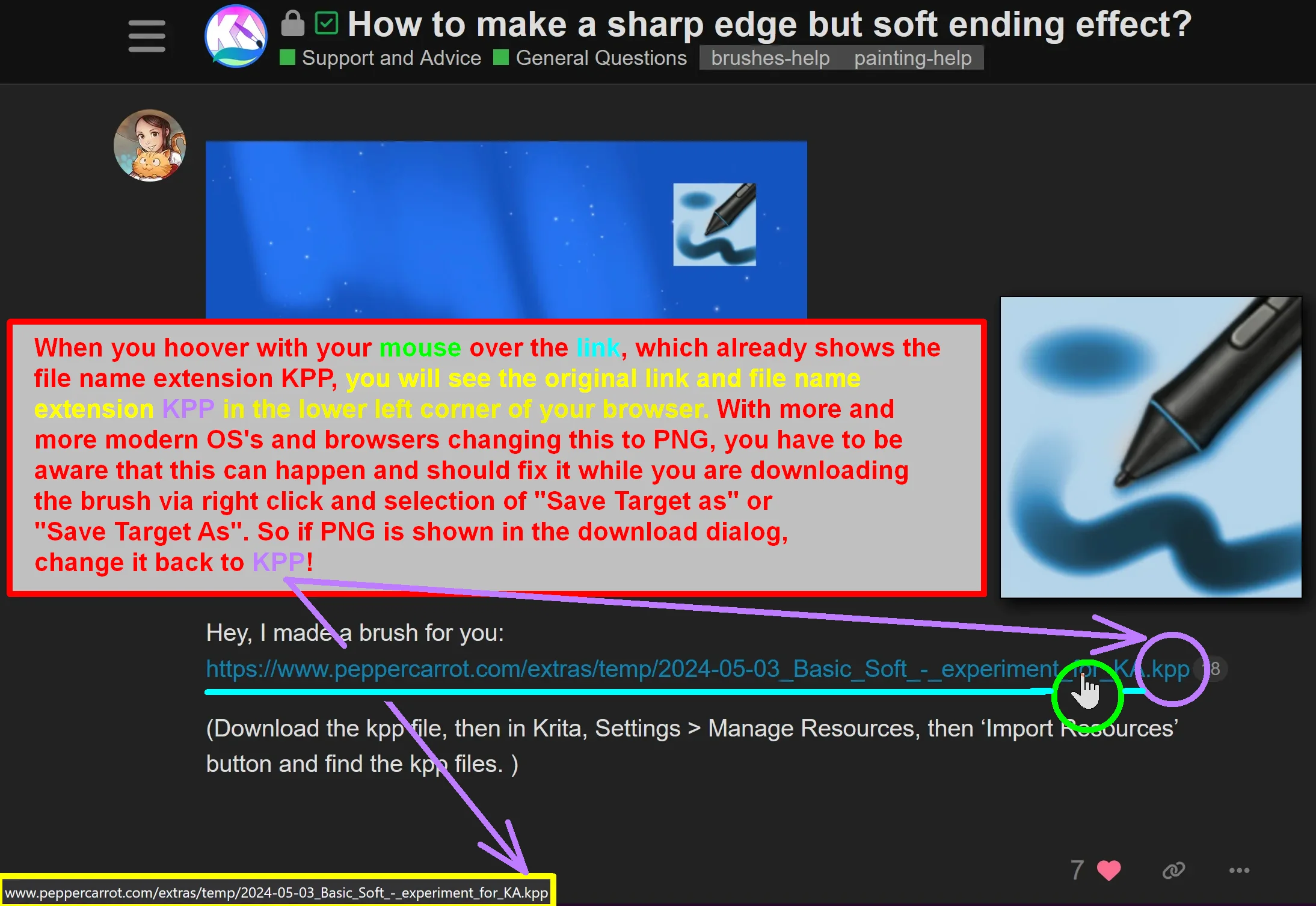
But here it can happen that your browser or your OS decide to deliver this file to you as PNG as you can see in this screenshot:

So:
If your OS or browser change the file name extension to PNG, you must re-rename it back to KPP that it looks like this, then you can click your OK-Button to download it

Although these brush presets in our forums’ category for Brushes and Bundles are advertised exactly opposite to your description, there may be the chance to find a brush preset with your requirements among them. So, you can try these bundles to see if they hold a hard-edged brush preset which is soft on the inside. At least it is a first stop to find what you are looking for:
Awez Hard Rough Brushes For Krita 5
Hard edge charcoal brushes with texture
Michelist