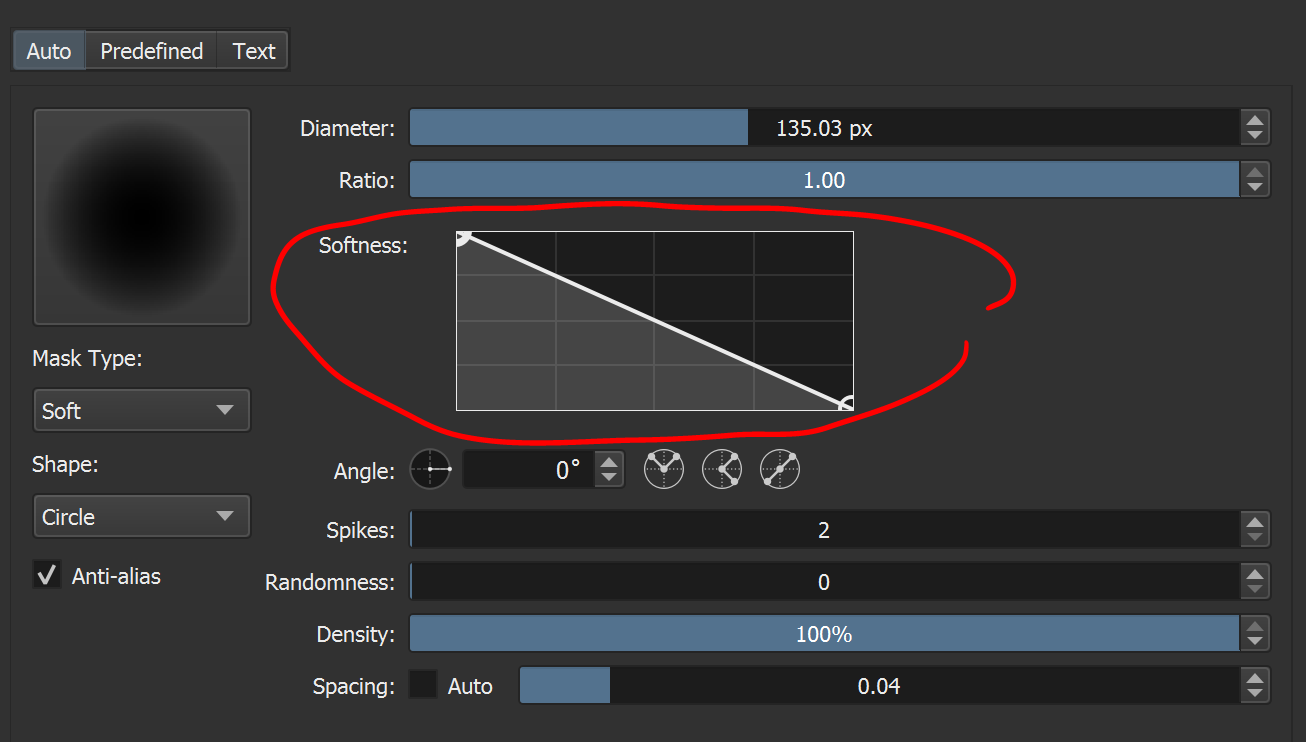
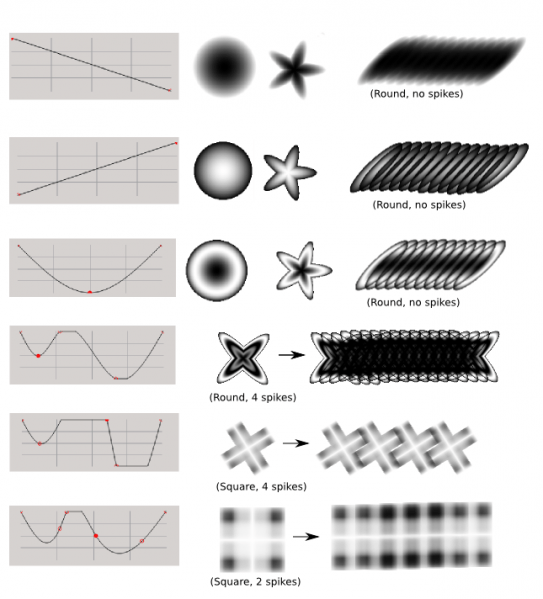
It’s a graph that allows you to adjust the fade of the brush tip using curves when you set the brush tip to Soft mask type in auto mode. And it can be used to create interesting brush shapes like this example from the manual shows.
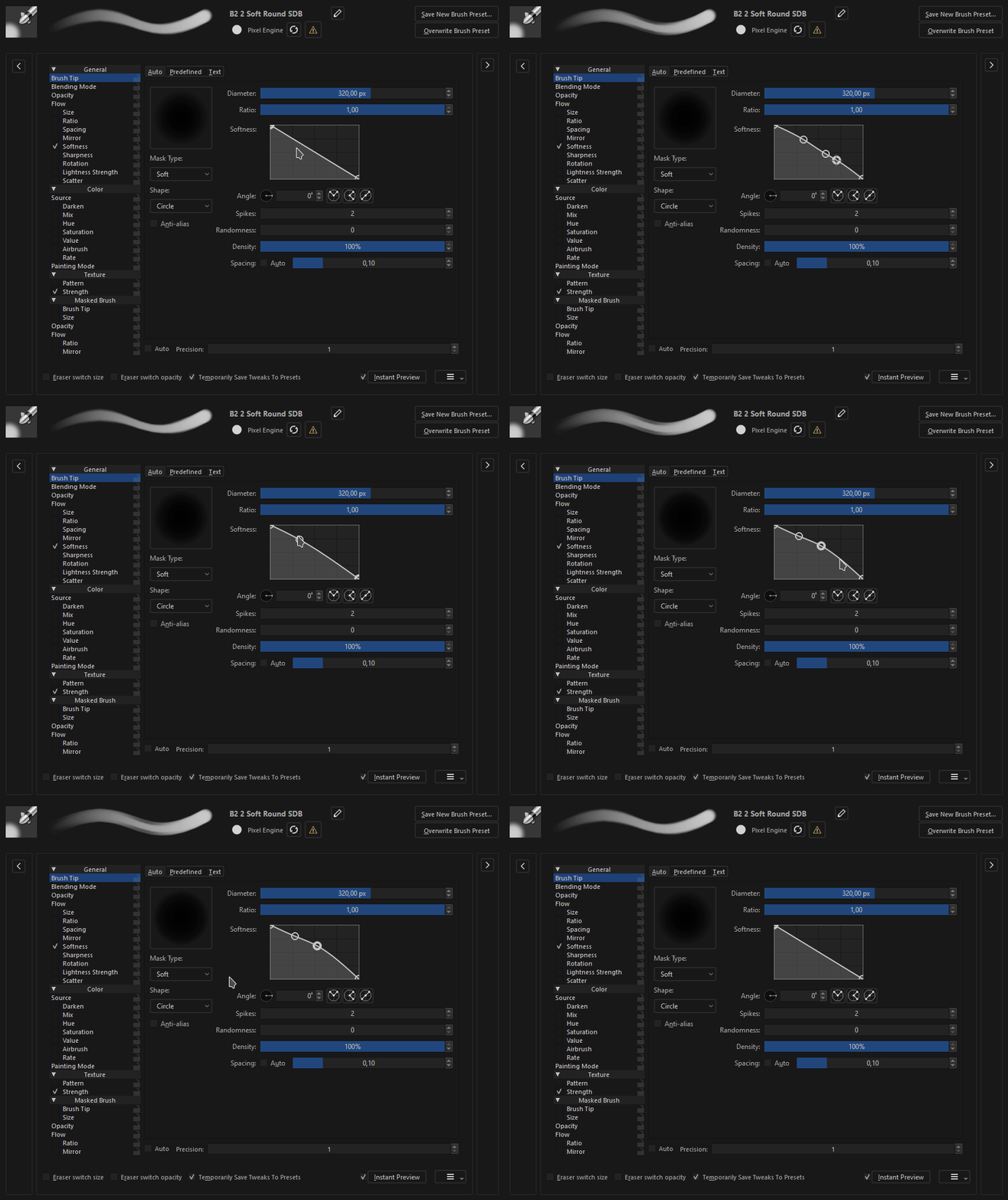
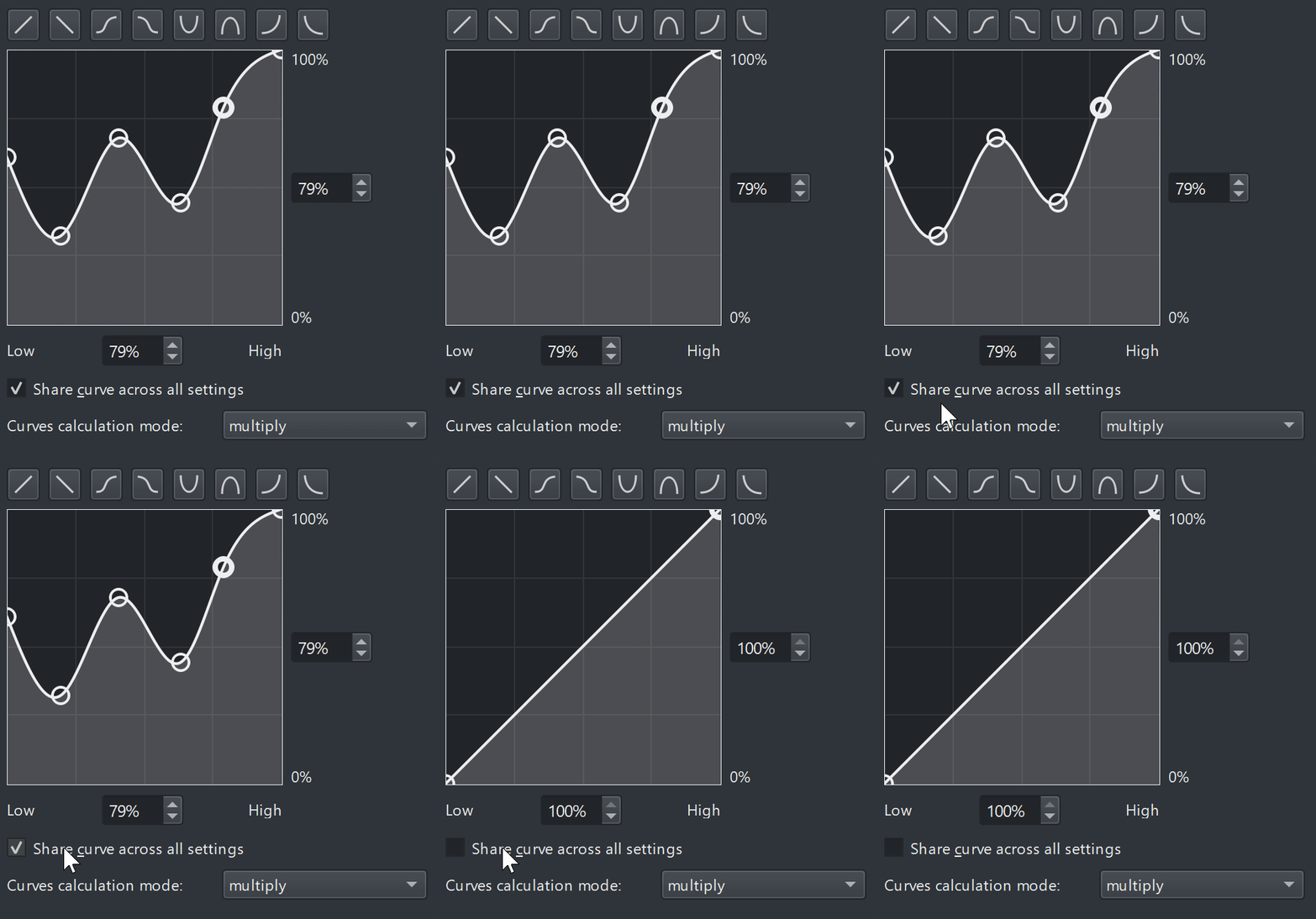
But it’s almost impossible to do any experimentation with the softness curve graph because there’s no way to reset it after manipulating it. Even if you reset the brush to the original present state or switch to a new brush present , the graph will not reset. It doesn’t change unless you switch to a brush preset that uses the softness graph as it’s brush tip too. The only way to to really “reset” it is to restart Krita. I’m not sure if this is a bug or not.
I think if there was a way to reset the graph like this example that wouldn’t be a big deal
The ‘trick’ is to save a new brush preset with a straight line soft mask and then work with that. The reload brush preset button will then reload the straight line.
It’s not ideal but it works.
I had used this in my brush set earlier and made most of the brush tips with this replacing the original png images. It is quiet handy. Yes a reset graph button would be helpful here.
I did not touch this graph. I actually use it so rarely I forgot about it. I will look into it.
Regarding a flat line option. Problem is it depends on the property where it should be. One would ideally want a flat line to be neutral but it’s position would vary depending on the property (for size it should be at the top, for rotation at the center).
It’s on my personal wishlist that custom graphs be saveable, potentially copy/pasteable, but that sounds quite complicated, not something I’m going to try to tackle now.
Thanks so much if you decide or not to improve it!
I would like a straight/flat line curve option because it’s very useful in the brush editor color options like hue or value. When the graph curve is a center straight line the color is the same as the active color. It makes it easier to control how much the color will change under each sensor when multiple sensors enabled under the same color option.
It doesn’t take long to make the curve a straight line but will be convenient to have a button that instantly does it. But if there’s eventually a option to copy and paste or save and load a copy of the curve graph, that will be more convenient! It will be easier to experiment with creating complex curves if there’s a way to save it
My last suggestion would be for the curve to stop resetting to the default dashed curve when the “share curve across all settings” button is unchecked.
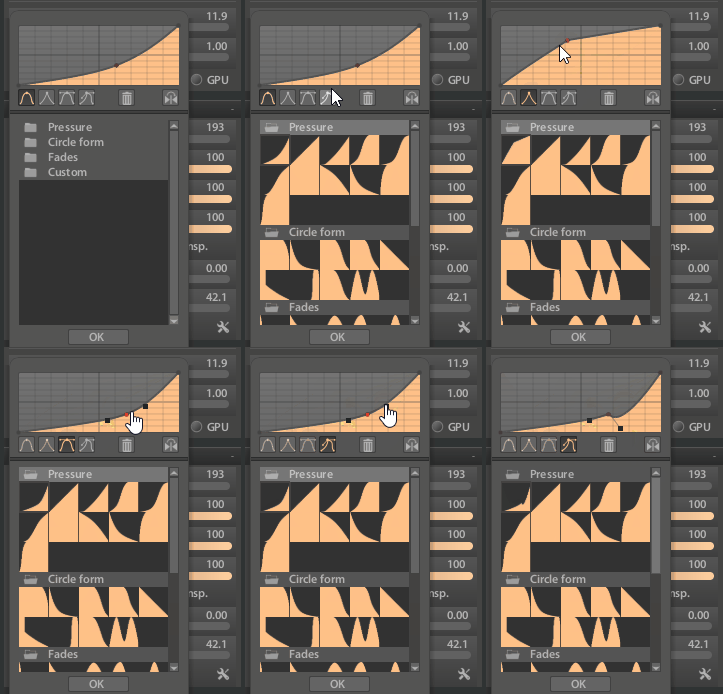
I think adding curves as a new resource type is a good idea. Defining a curve is cumbersome, so having the possibility to store your most used ones is good. Something like that is also used in ps for example in some the layer effects.
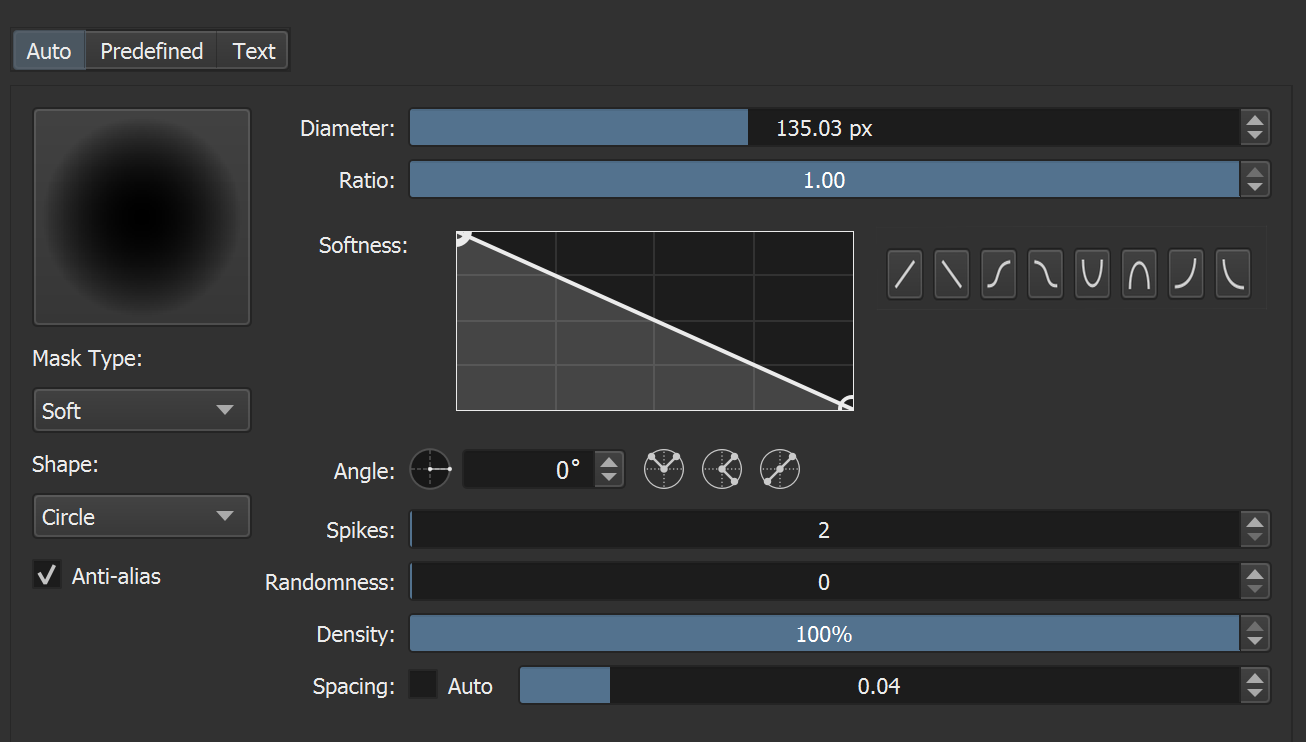
@TheTwo Oooh I see it has different point/handle types. I’ve always wanted that in krita. It’s so hard to do hard transitions sometimes. But have no idea how to do that
Also mirror button is interesting. Would save from having to have like half of the current presets.
What are the three sections for though?
@Michelist I don’t think it’s about sharing curves, but more convenience. I most want saving/loading for when I’m making brushes. Whenever I use Tilt for example, I use a specific curve, for Speed a different one. Currently I just do it by eye, but for example, for distributing a bundle, it would be nice to paste/load the exact same curve to all brushes that use it.
There’s something to that. And it’s usually never a bad thing to be able to choose.
There are more and more people who choose Krita because they don’t like the business models of other software products, BUT if these people then miss their “favorite feature”, they often go back. So it doesn’t hurt to have it, or as the saying goes: better have than need!
Times are changing, and probably sooner or later it would be more and more in demand anyway.
I use google translate and I don’t know what you mean… Are you talking about the part with the “folder” icon below? That’s a grouping of presets. At the bottom is the location for users to “Customize”
I may be misunderstanding or be off topic here, but you can delete extra points that you added to the graph.
You can either drag them off or select them en press Delete on the keyboard, But a faster one click solution is not a bad idea.
Mostly off-topic:
I don’t paint with the curves, I paint with the presets, sure I can “grab a curve out of the box” very quickly that way and build a new preset on it, but when I make myself a brush I’m honing in on a curve and not jumping back and forth between very different curves (or strongly different curves).
Up to now, when I’ve found a curve that works for me, I’ve made a new preset with this curve, if I want a new preset with a specific curve I duplicated a preset holding that curve and tailor that preset to my needs. One could say I like to tinker, or I’m old-fashioned.
Having a folder with a set of curves is not wrong, especially for people who do Krita for a living, things like this feature save a lot of time, and that time is their money. Storing your own curves in a library like this also has its charm, I’ve been sort of “playing disc jockey” with my presets so far. I think convenience features like this will be the future. Whether I can get away from my old habits I can’t say yet, but I’m supposed to be adaptive.
Surely Krita is a community where sharing is capitalized, and this attitude of sharing is in my veins, as you can read in detail here. I also do not believe that I wrote anything else. However, in order to recognize this, the postings must be read as a whole, each in its own right.
But the existence of such a “curve library” has primarily not to do with sharing or exchanging, but with workflows and selection options, as well as the acceleration thereof. A strong argument for adding this “curve library” is to have a certain curve shape quickly available, I have handled this so far via my presets. By the way, you could say that the curves have been shared so far in the form of the presets.


 … on the other hand it helps to find ideas.