Hi everyone!
I recently updated to Krita 5.3.1. I run Windows 11.
A few of my shortcuts aren’t working but, confusingly, some of them do.
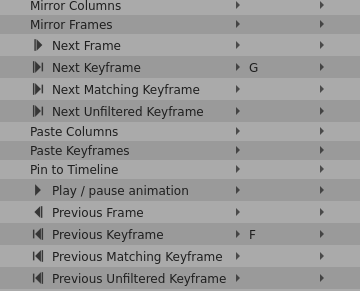
I made some custom shortcuts for “Next keyframe” (“G” key) and “Previous keyframe” (“F” key) and they don’t work. Other shortcuts work just fine, like tool shortcuts I created (I switched to “L” instead of “Q” for contiguous select tool, for instance).
I’ve tried manually entering the shortcuts again. They were listed as being there but I went ahead and retyped them into the Create Shortcuts window just in case. Also tried restarting computer, Krita, etc, several times.
Any other ideas?