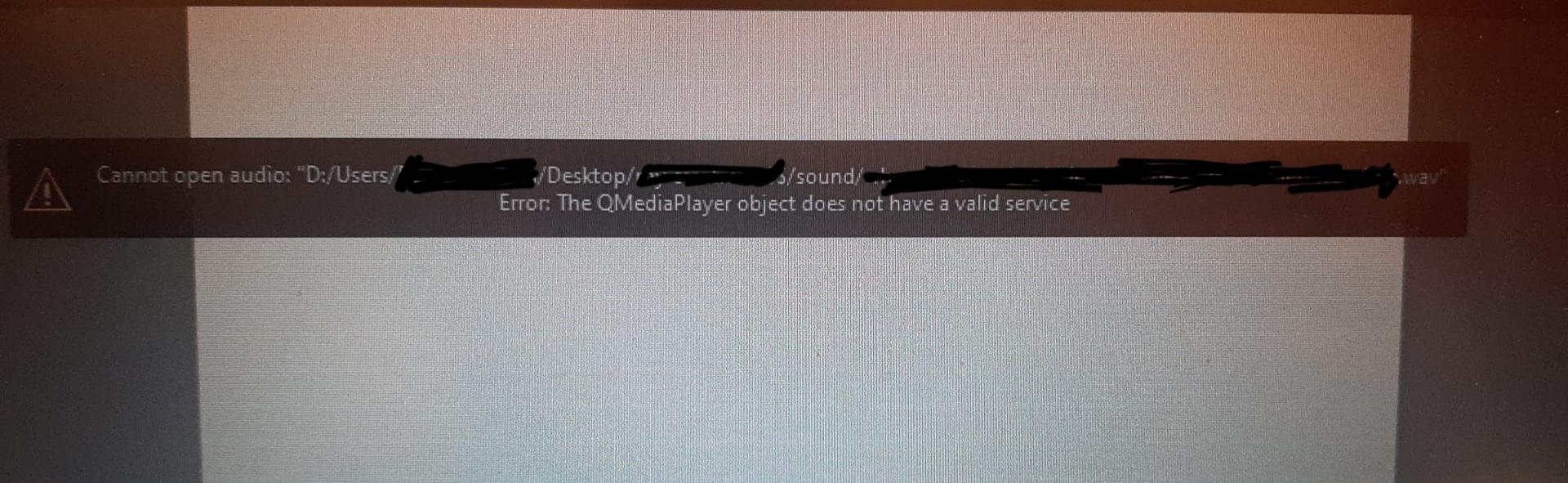
Hello,
I have been getting an error when importing sound into an Animation
this issue existed when I had Krita version 4.4.7 I updated to version 5.1.4 but the error presists
I noticed that you are importing in wav format. Have you tried to import in mp3? If you have problems converting the file to mp3, you can use Audacity.
Sorry, I left the forum and only later realized that you replied. Well, I did a reddit search and found this answer. As I understand it, the user needed to convert the file through Audacity. Try this…if it doesn’t work, then wait for another user to help.
Or you can try exporting the frames and dictating the animation in Blender, Shotcut or another program… and inserting the audio into it.
Hey, does anyone have an idea on how to approach a fix? like a headstart at things so I can work from there. Even after some research it seems like no one has found an actual fix for the error.
The error message displayed by Krita indicates a missing service.
You don’t happen to be using a Windows 10 version with a name suffix like N or KN? These are special versions of Windows 10 that have been stripped of multimedia features, which are (or have to be) offered by Microsoft in the European Union and in Korea due to regulations on economic distortions of competition (or something like that). You can download Microsoft’s free “Media Feature Pack” and retrofit Windows with it, supposedly it would re-implant all the explanted parts, however, I have occasionally heard that despite this retrofit, sometimes “things don’t work as expected”.
So if you have such a system and still have difficulties after installing the retrofit kit, then I, in your place, would try the next time you reinstall Windows to see if you can use a normal version of Windows with the N or KN version registration key, Microsoft is quite tolerant of such things these days, possibly with this as well. You even may not need to enter a key anymore, as these have actually been stored in the BIOS for years, and Windows usually doesn’t even need to be activated then.
I have Windows 10 Education N, I will try to install the Media feature pack you recommended. Thank you so much for answering. I will update you on wether it worked or not.
This is possible with Education versions. I assume you got this PC from your school or university, right? If so, you will probably have to ask the person responsible for these PCs at your institution for assistance.